WhatsApp ATS integration
Message candidates on WhatsApp, right from your ATS
Send and receive WhatsApp messages from any candidate profile inside Jarvi's ATS. Connect your number in two minutes via QR code, log every chat against the right candidate, and automate follow-ups without leaving your recruitment software.




Why integrate WhatsApp with your ATS
Six reasons recruiters keep adding a WhatsApp channel to their daily ATS workflow.
Higher reply rates
Candidates open WhatsApp within minutes, not days. You get faster signals and fewer ghostings on the same headcount.
Mobile-first by default
Your candidates check WhatsApp dozens of times a day. You reach them between meetings, on the commute, after dinner, with nothing to install on either side.
The right channel for sensitive moments
Salary talks, last-minute interview changes, offer steps. Email is too formal. SMS is too cold. WhatsApp lands in between.
Stand out in a saturated inbox
Most agencies still send only email and LinkedIn. A WhatsApp first-touch reads as effort, on candidates who get ten cold messages a week.
Traceable and team-ready
Every chat is stored on the candidate profile and visible to the right teammates. No more conversations stuck on a personal phone the day someone leaves.
Global by default
In LATAM, Southern Europe, India, the Middle East and Africa, WhatsApp is the professional channel. Recruiting cross-border without it leaves real candidates on the table.
Six WhatsApp recruiting message templates
Battle-tested WhatsApp templates for recruiters. Copy them as is, or load them as a sequence step in your ATS.
First contact, passive candidate
Follow-up, no reply after 7 days
Interview reminder, day before
Post-interview check-in
Polite rejection
Post-placement check-in, week 2
Every template plugs into Jarvi variables (firstName, role, client, interview slot, recruiter signature) and can be turned into a sequence step in one click.
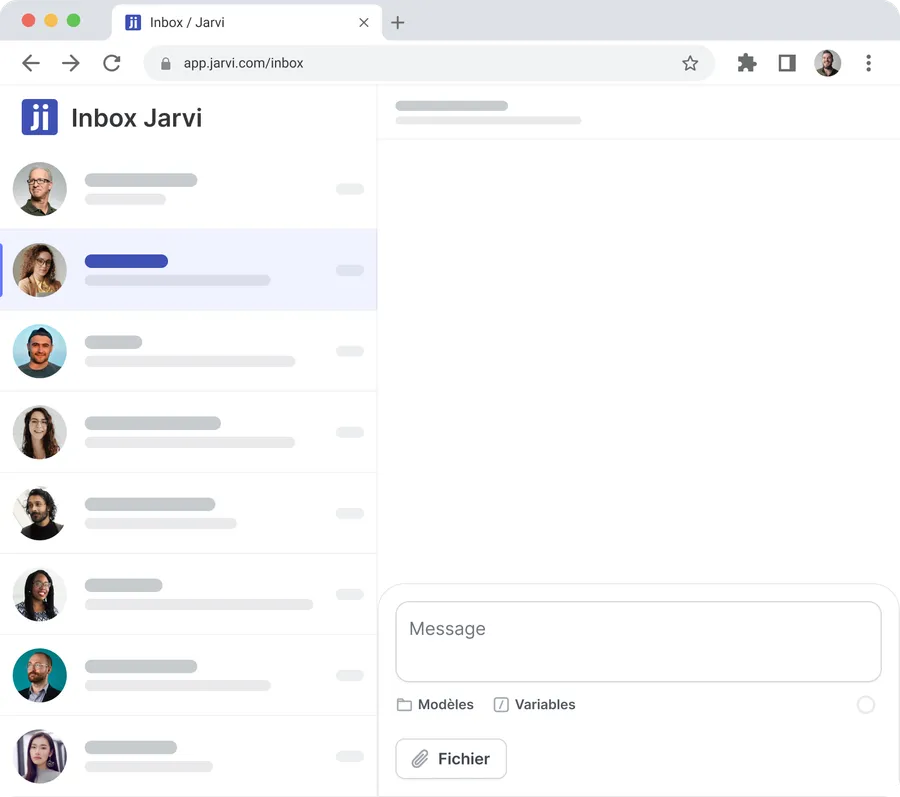
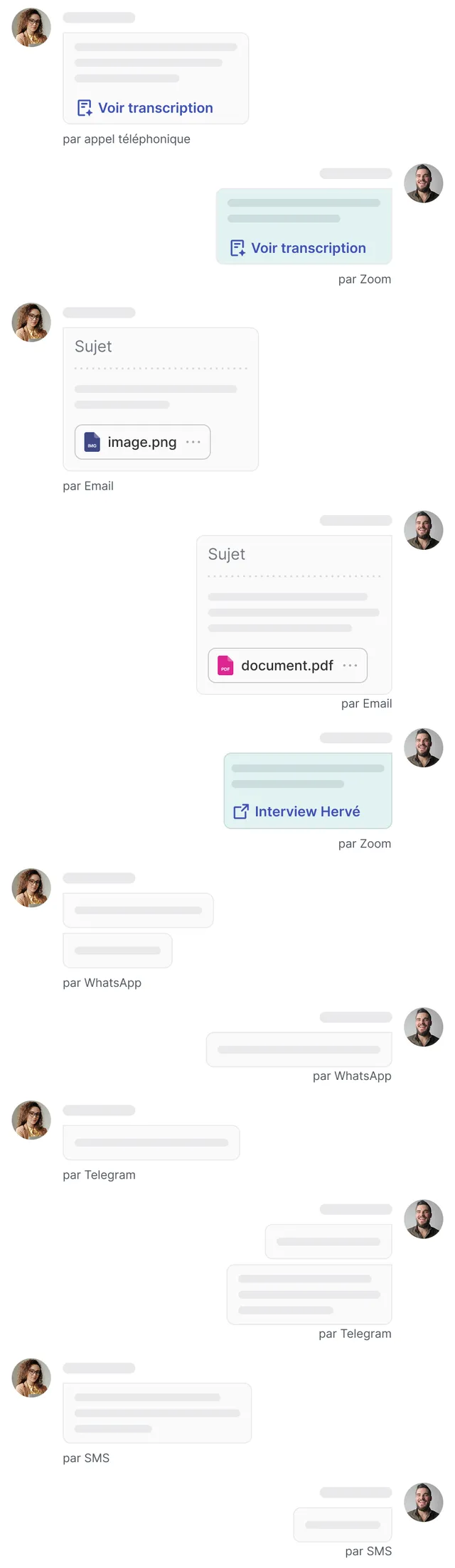
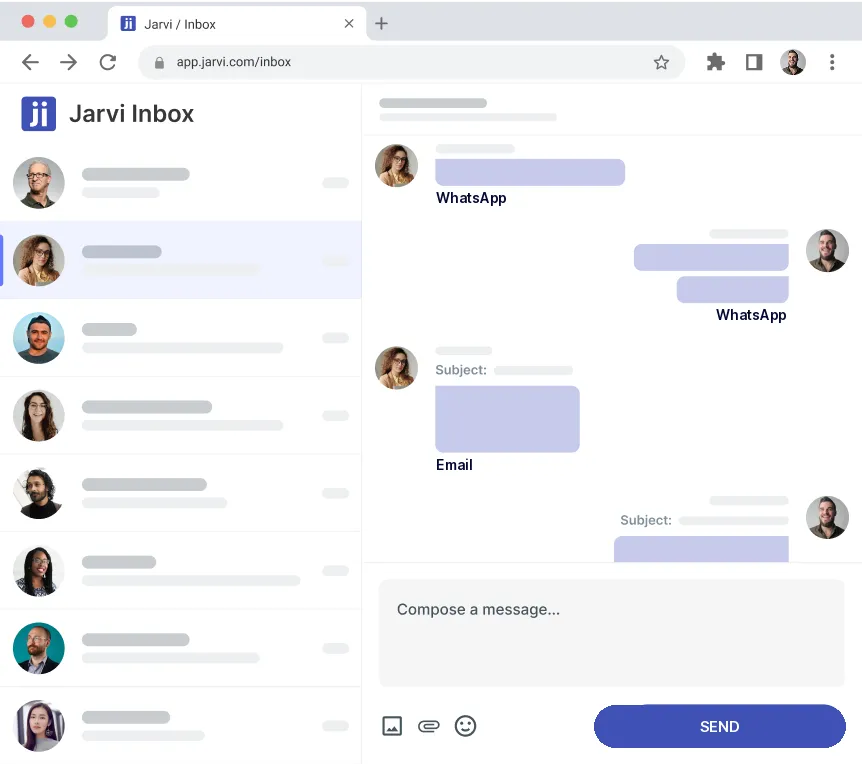
WhatsApp inside your ATS multi-channel inbox
Email, calendar, video calls, WhatsApp, Telegram, SMS, calls. Same candidate, one timeline, one ATS. Propose interview slots in the same WhatsApp thread with automated interview scheduling.

See WhatsApp inside your ATS
Book a 30-minute demo and connect your WhatsApp number to Jarvi, live, on your own candidates.

WhatsApp inside your ATS
What the WhatsApp integration covers in Jarvi
No third-party tool, no Cloud API setup. WhatsApp lives inside your ATS, next to your candidate database and your projects.
Send and receive from any candidate profile
Open a profile, write a message, hit send. Replies come back to the same place, attached to the candidate file.
Connect multiple WhatsApp accounts
Each recruiter links their own number via QR code. Conversations stay tied to the recruiter who owns the candidate relationship, even on shared projects.
Reusable templates with variables
Save your best opening lines, follow-ups and rejections. Drop in variables like first name, role and interview slot in one click.
Files, voice notes, media
Share resumes, job briefs, salary grids, voice notes. Everything is archived on the candidate profile and searchable later.
Unified inbox across channels
WhatsApp, email, Telegram, SMS, calls. One inbox, one history per candidate.
Team handover without friction
When a colleague picks up a project, the full WhatsApp history follows the candidate, not the phone. No "let me forward you the chat".
Connect WhatsApp to your ATS in under two minutes
Same flow as WhatsApp Web. No Cloud API, no developer, no IT ticket. Three steps to a WhatsApp-enabled ATS.
Open Settings, then Emails, calendars and phones
Step 1Click "Connect an account" and pick WhatsApp.
Scan the QR code with your phone
Step 2Open WhatsApp, go to Linked devices, scan. Done.
Start messaging from any candidate profile
Step 3Existing chats sync automatically and attach to the right candidate when a phone number matches.
Two minutes to a WhatsApp-enabled ATS
Scan a QR code and start messaging candidates on WhatsApp from Jarvi. Book a demo and we'll set it up with you.
Reply rates by candidate channel
Open rates, reply times and reply rates by channel, based on industry benchmarks and Jarvi customer data.
| Channel | Avg open rate | Avg reply time | Reply rate (cold) | Best for | Native in Jarvi |
|---|---|---|---|---|---|
Email | 20 to 30% | 1 to 3 days | 3 to 8% | Long pitches, attachments, formal offers | |
SMS | 90%+ | A few hours | 10 to 20% | Reminders, urgent updates | |
WhatsApp | 95 to 98% | Minutes | 30 to 45% | Reactivating cold pipelines, offer stage, reminders | |
Telegram | 80%+ | A few hours | 15 to 25% | Tech and crypto communities |
Aggregated industry benchmarks crossed with Jarvi customer data, 2024 to 2025. Cold reply rates assume opt-in and a personalised first-touch.
How Jarvi connects to WhatsApp
Two protocols are possible. Jarvi uses the one that keeps your existing number and skips per-message billing.
How most ATS do it
Cloud API
- A new WhatsApp Business number, separate from yours
- Meta verification process, days to weeks
- Per-message fees billed by Meta
- 24-hour reply window before extra costs kick in
- Built for high-volume marketing, not 1:1 recruiting
How Jarvi does it
QR code
- Your existing WhatsApp number, scanned in under two minutes
- No Meta verification, no business account required
- Zero per-message fees on every paid Jarvi plan
- Same flow as WhatsApp Web, multi-device since 2021
- Built for recruiters who run real conversations, not blasts
Same approach as any recruiter who already runs WhatsApp Web on a desktop. Jarvi plugs your candidate database and your projects into the same window.
Five WhatsApp sequences recruiters automate from their ATS
Common WhatsApp recruiting patterns drawn from active Jarvi accounts.
Reactivating silent candidates
After two unanswered emails, send a short WhatsApp. Most replies land within an hour, even on candidates who went dark three months ago.
Interview reminders the day before
Trigger a one-line reminder the evening before. On most accounts, no-show rates drop by roughly half.
Live updates during the offer stage
Keep top candidates warm with quick updates: feedback received, offer being prepared, contract on its way. Avoid the silent week where they hear from a counter-offer instead.
Polite, fast rejections
A short WhatsApp lands better than a templated email. Send it manually, or trigger it automatically when a candidate moves to Rejected in your pipeline.
Post-placement check-ins
Two weeks and two months after a placement, send a check-in. You catch onboarding issues early and stay in the relationship for the next role.
WhatsApp security and compliance for ATS data
Built for recruiters and ATS administrators who care about how candidate data is stored, accessed and erased.
- EU-hosted data on SOC 2 Type 2 certified infrastructure.
- Encrypted in transit and at rest.
- GDPR-ready archiving, with configurable retention per project.
- One-click candidate erasure, including the full WhatsApp history.
- Per-recruiter access control. Conversations stay private to the project owners.
- Full audit trail. Every action, channel, timestamp and user is logged.
Read our security and compliance page for the full picture.
WhatsApp ATS comparison: how Jarvi stacks up against other ATS platforms
Snapshot of how leading ATS handle WhatsApp today, based on public product documentation. Last updated May 2026.
| ATS | Native WhatsApp | Multi-account | Templates & variables | Automated sequences | Unified inbox |
|---|---|---|---|---|---|
| Jarvi | ● | ● | ● | ● | ● |
| Bullhorn | ◐ | ◐ | ◐ | ○ | ○ |
| Loxo | ◐ | ○ | ● | ◐ | ◐ |
| Crelate | ○ | n/a | n/a | n/a | n/a |
| RecruitCRM | ◐ | ○ | ● | ○ | ◐ |
| Manatal | ○ | n/a | n/a | n/a | n/a |
Compare Jarvi to your current ATS in detail on our comparisons page. Last verified on May 2026 from public product documentation. Spotted an inaccuracy? Email hello@jarvi.tech.
What is a WhatsApp ATS integration?
A WhatsApp ATS integration is a native connection between your applicant tracking system and the WhatsApp app, so every chat with a candidate is logged on the right profile, tagged to the right project, and visible to the team. Jarvi uses your existing WhatsApp number through the WhatsApp Web protocol, with no Cloud API, no Meta Business verification and no per-message fees.
Why recruiters integrate WhatsApp with their ATS in 2026
Email open rates keep falling, LinkedIn inboxes are saturated, and in LATAM, Southern Europe, India, the Middle East or Africa, WhatsApp is the default channel candidates check. Bringing it inside the ATS keeps the history, the audit trail and the team handover in one place, instead of stranded on a personal phone.
WhatsApp ATS integration FAQ
What is a WhatsApp ATS integration?
A WhatsApp ATS integration is a native connection between an applicant tracking system and WhatsApp. It lets recruiters send and receive WhatsApp messages directly from each candidate profile inside the ATS, instead of switching to their phone or a separate browser. Every message, attachment and voice note is logged on the right candidate, tagged to the right project, and visible to the team. With Jarvi, the integration uses your existing WhatsApp number through the WhatsApp Web protocol, with no Cloud API, no Meta Business verification and no per-message fees.
How do I integrate WhatsApp with my ATS?
With Jarvi, integrating WhatsApp with your ATS takes under two minutes and three steps. Open Settings, then Emails, calendars and phones. Click Connect an account and pick WhatsApp. Scan the QR code from your phone, the same way you would for WhatsApp Web. Your existing conversations sync automatically and attach to the right candidates when a phone number matches. From there, every recruiter on the team can link their own WhatsApp number and start messaging from any candidate profile.
Why should recruiters integrate WhatsApp with their ATS?
Recruiters integrate WhatsApp with their ATS to talk to candidates where they actually reply, while keeping the conversation logged inside the recruitment pipeline. WhatsApp gets opened in minutes and replied to in hours, where email and LinkedIn typically take days. Bringing it inside the ATS solves the side effects: no more conversations stuck on a personal phone, no more lost context on team handover, no more compliance gap on candidate data. Reply rates go up, time-to-hire goes down, and the audit trail stays clean.
Which ATS platforms offer a native WhatsApp integration?
Native WhatsApp integration is still rare among ATS vendors. Most ATS platforms either offer no WhatsApp support, or rely on paid add-ons through the WhatsApp Cloud API, which means a new number, Meta verification, per-message fees and a 24-hour reply window. Jarvi is one of the few ATS to ship native WhatsApp out of the box, with your existing number, on every paid plan, with no Cloud API setup.
Can my ATS send WhatsApp messages automatically?
Yes, with Jarvi WhatsApp can be a step in any automated sequence: first contact, follow-up, interview reminder, post-interview check-in, rejection, post-placement check-in. Sequences auto-stop the moment a candidate replies, so the conversation switches back to the recruiter without any spam risk. Variables like first name, role, client and interview slot are substituted at send time.
Is the WhatsApp ATS integration GDPR-compliant?
Yes. Jarvi hosts data in the EU on SOC 2 Type 2 certified infrastructure, encrypts messages in transit and at rest, and keeps a full audit trail of every WhatsApp action. Each candidate file can be erased in one click, including the full WhatsApp history, and retention is configurable per project. Recruiters keep per-account access control so WhatsApp conversations stay scoped to the right project owners.
Does Jarvi use the WhatsApp Business API or the WhatsApp Cloud API?
Neither. Jarvi connects to your existing WhatsApp account via the same QR code flow as WhatsApp Web. You keep your number and your contacts. No Business API setup and no per-message Meta fees. Works with both standard WhatsApp and WhatsApp Business.
Are there per-message fees?
No. WhatsApp messaging is included on every paid Jarvi plan. No per-message Meta billing and no template approval to go through.
Can I connect more than one WhatsApp account?
Yes. Every recruiter on the team links their own number via their own QR code. Conversations stay tied to the recruiter who owns the candidate relationship, even on shared projects.
Will my WhatsApp account get banned?
WhatsApp's terms allow regular use of the Web protocol, which is what Jarvi uses. Risk goes up the moment you send mass cold blasts to lists of unknown numbers, which is where accounts get flagged. Jarvi enforces human-paced sending and respects WhatsApp's rate limits by default. In normal recruitment usage, ban reports are extremely rare and typically tied to mass cold outreach, which Jarvi prevents by design.
Do I need candidate consent before messaging on WhatsApp?
In most EU markets, yes. You need a legal basis: consent, legitimate interest with a clear opt-out, or a pre-existing relationship. Jarvi keeps the trail traceable, with project tagging and one-click erasure. We recommend stating who you are and where you got the candidate's number in your first message.
Are WhatsApp messages logged on the candidate file?
Yes. Every message, attachment and voice note is archived on the candidate profile and tagged to the right project. The audit trail logs each action with its channel, timestamp and user. Retention follows your GDPR settings.
Can I automate WhatsApp messages?
Yes. WhatsApp can be a step in any Jarvi sequence: first contact, interview reminders, post-interview follow-ups, rejections, post-placement check-ins. Sequences auto-stop the moment a candidate replies. A recruiter can take over the conversation manually at any point.
Can I send files, images and voice notes?
Yes. Resumes, job descriptions, salary grids, images, voice notes. Everything supported by WhatsApp is supported by Jarvi.
What happens if a candidate replies when I'm offline?
Replies surface in your Jarvi inbox and through push notifications. Nothing is lost, and nothing has to be re-typed from your phone.
Is WhatsApp included on every Jarvi plan?
Yes. Jarvi has a single plan and WhatsApp is included, with no add-on or extra fee.
Is there a daily message limit?
Jarvi follows WhatsApp's own pacing limits, which are built for human use, not bulk marketing. In practice, an active recruiter sending personalised messages will not hit a ceiling. If you are moving toward bulk send territory, our team will help you set up the right configuration before you scale.
Can I export my full WhatsApp history?
Yes. Each candidate profile can be exported, and admins can extract full conversation logs at any time for audits, compliance reviews or candidate-erasure requests.
Connect WhatsApp to your ATS
Connect your number to Jarvi in under two minutes via QR code. Every candidate conversation in one place.
Other channels Jarvi connects natively
One ATS, every recruiter channel.
More than just WhatsApp
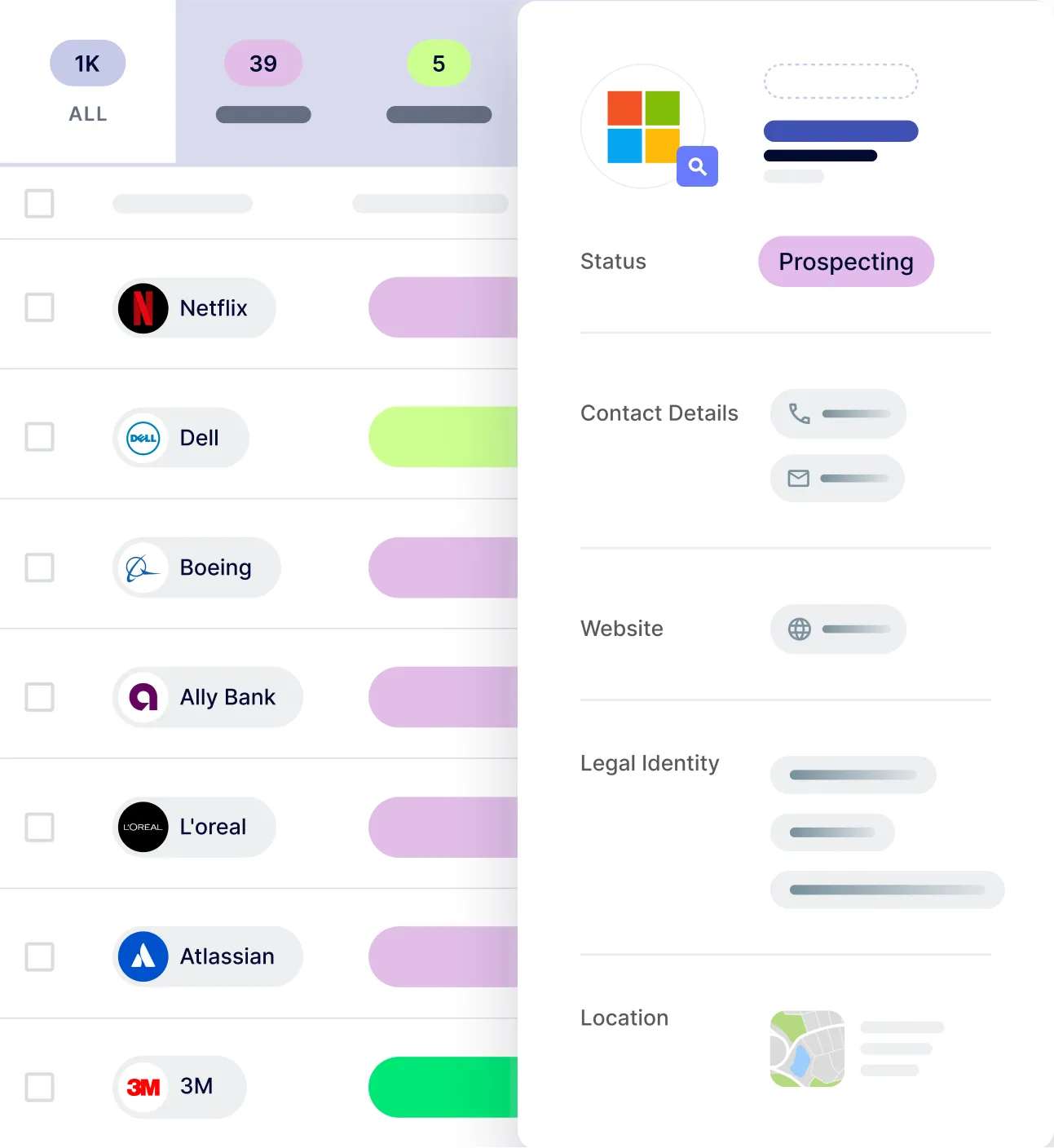
Jarvi is a full ATS, CRM, AI Agent and outreach platform. WhatsApp is one piece of a much bigger toolbox.



Software built by recruiters for recruiters
Get started with Jarvi and grow your recruitment business