

AI automation for recruitersYour follow-ups run on their own while you talk to candidates.
You set it up once, and Jarvi follows up in your name until the candidate answers.
- Follow-ups by email, WhatsApp or Telegram
- The sequence stops as soon as someone replies
- A reminder when a call is needed from you
Used by 1,200+ agencies and recruiters in 25 countries.
Your day
AI recruiting workflows take the admin and leave you the conversations
Here is an ordinary day for an agency recruiter, with rough timings. Switch between the two versions to see what Jarvi takes over and what stays with you.
Tuesday, an example day
Time on admin1 h 35 minAbout 10 min
- 08:3015 min
Chase the eight candidates who have not answered
Sent by email and WhatsApp at 8:00, in your name
- 09:00You
Call Anna about the Senior Accountant role in Leeds
- 09:4520 min
Update the statuses after yesterday’s replies
Each status moved when the reply came in
- 10:30You
Video interview with David for a Payroll Manager role
- 11:3025 min
Copy notice periods and salaries from emails into the files
Filled in by AI, only where the field was empty
- 12:30You
Lunch with the finance director of a client
- 14:0020 min
Write to the candidates you did not keep
Rejection emails sent a day later, each one in your name
- 15:00You
Take a new brief from a client on the phone
- 16:3015 min
Work out who needs a call tomorrow
Reminders written from each conversation
- 17:15You
Prepare the shortlist for tomorrow’s client call
Examples
Recruitment automation examples you can start from today
Pick an example to see the automation as it looks in Jarvi. You start from the closest one, tell Jarvi AI what is different in your agency, and it adapts the steps.
Candidates
The second message goes out on time, even in a week full of interviews, and the sequence stops as soon as the candidate replies.
Built by describing it to Jarvi AI.
Automation
When I move a candidate to Contacted, send my email, wait three days and follow up on WhatsApp. Stop if they reply.
Done. Here is your automation, and it stops as soon as the candidate sends a message.
Senior Accountant role in Leeds
Hi Anna, just checking you saw my email...
Your pipeline is up to date in the morning, without anyone moving candidates by hand.
Built by describing it to Jarvi AI.
Status change on reply
The candidate says they are interested in the role
Change status
RepliedEvery candidate gets a proper answer a day later, without you having to remember to write it.
Ready to use in Jarvi as a template.
Application rejection email
Response to your application
The candidate moves to Interview on their own once the meeting is in your diary.
Ready to use in Jarvi as a template.
Status moved when an interview is booked
Change status
InterviewYou call your placed candidate at the right moment, which clients tend to notice.
Built by describing it to Jarvi AI.
Check-in after a placement
Create a reminder
Call Sara to hear how her first weeks went
Consent is requested on time, and you only step in when a profile has to be deleted.
Ready to use in Jarvi as a template.
GDPR consent request
GDPR consent, retention of your data
The candidate asks for their data to be deleted
Create a reminder
Delete profile data
Clients and prospects
Each prospect hears from you twice, then you get a reminder to call, with no spreadsheet to keep.
Built by describing it to Jarvi AI.
Business development sequence
Finance profiles available in Leeds
Following up on my last email
Create a reminder
Call Lukas about his hiring plans
A new hiring manager at a client hears from you during their first week.
Built by describing it to Jarvi AI.
New contact at a client
Glad to be working with your team
Create a reminder
Call Priya to introduce yourself
The professional email is found with your own FullEnrich, Kaspr or Lusha account, then your first message goes out.
Ready to use in Jarvi as a template.
Enrichment then contact
FullEnrich
Find the professional email
A shortlist for your controller role
Right after the meeting, a reminder lists what you promised the client, based on the summary.
Built by describing it to Jarvi AI.
Follow-up after a client meeting
List what I promised the client during the meeting
Automations work the same way on candidates and on the contacts in your CRM, and they are all managed from one place in Jarvi.
AI steps
AI steps that read the reply before deciding what comes next
Some decisions depend on what the candidate actually wrote. Three AI steps handle them inside the automation and tell you what they understood.
The candidate says they are interested in the role
Change status
RepliedAI Field Step 3
Extract the candidate's notice period
Notice period
AI Reminder Step 5
Remind me to call to book the interview
Change status
Candidate RefusalCreate a reminder
Check in again in six months
Simulation results
Anna KovacThe candidate says they are interested in the role
Condition
YesAI Field
Step 3
Fields filledNotice period
3 months
AI Reminder
Step 5
Reminder createdSaved value
Call Anna to book the interview (1d)
AI Condition
It reads the reply and picks the right branch, so an interested candidate and a polite no do not receive the same next message.
AI Field
It fills one field from the record, such as the notice period or mobility, and can leave alone anything your team already typed.
AI Reminder
It writes your next task from where the conversation stopped, with a priority, rather than a generic note to follow up.
For each AI step, you choose what it may read, from recent messages and the parsed CV to the summary of your last recorded call.
Switched on by the Jarvi team
The AI steps and the test mode are switched on for your workspace by the Jarvi team, and you can ask about them during your demo. An automation that uses them only starts once someone in your team has validated AI usage.
Peace of mind
You stay in control of every automation
Letting software write to candidates in your name takes trust. These safeguards are there so you can switch an automation on with a calm mind.
Disable "Candidate follow-up"?
This automation has 24 active tasks (paused or waiting). Do you want to cancel them?
You see it work before it runs
With the AI steps comes a test mode that runs the automation on a real profile and shows each step, without sending or changing anything.
Your team’s notes stay as they are
An AI Field can be set to fill only empty fields, so nothing a colleague typed gets replaced.
Messages leave within your sending hours
If you set sending hours, a message planned outside them waits for the next slot instead of going out in the middle of the night.
A deleted automation can come back
It stays in the recycle bin for seven days, ready to be restored.
See it on your own process
Bring the follow-up you send by hand every week, and we will build it with you
In a 30-minute demo, we set it up on your own statuses and run it on one of your candidates, so you can judge on a real case.

Recruiters who let Jarvi handle the follow-ups.

"Focus on what's essential: the human connection"
Jarvi simplifies my sourcing and saves me precious time by automating repetitive tasks. Since I started using it, my recruiting approach has become more efficient and streamlined! This allows me to focus on what’s essential: human interaction and the quality of the candidate experience.

"Why AI works 1000x better than mail merge"
You know the drill… You think: “I’ll just send my emails oldschool via Outlook + Word + Excel.” Because yes, that has been working for 20 years.
Well… I proved again why I NEVER do that anymore. Mail sent without a signature? Without a first name? One person even got the same wrong email 3 times?
And then anyone dares to say that AI is “not reliable”? Don’t make me laugh. AI sends my messages perfectly personalized, without errors, without hassle. Jarvi has never forgotten a single first name or sent the same email to someone three times.
I’d rather work smart than retro.

"2 of us do what others need 5 or 6 for"
“How many people do you have to manage all this?” That’s the question a prospect asked me a few days ago for a recruitment mission. My answer: there are two of us. And I’m proud of it.
Why? Because with two people, we accomplish what others sometimes need five or six for. Not by magic. Not by burning out. But because everything is thought through, structured, and properly equipped. With an ATS that also serves as a CRM, allowing us to track every candidate, every step, every company.
"We have x4 our placements!"
We’ve have done as much recruitments in 3 months as we did last year! We don’t necessarily need to increase the team size, it’s just that we’re all becoming much more productive!
AI automation for recruiters FAQ
What is AI automation for recruiters?
It is software that takes over the repetitive part of following candidates and clients, such as follow-up messages, status updates and reminders. In Jarvi, it also includes AI steps that read a reply and decide what comes next. You set the routine up once, and it runs for each candidate who reaches that point.
Is this recruitment automation software made for agencies?
Yes, it was built for agency recruiters, who follow many candidates and clients at the same time. An automation can be shared with the whole team or kept for yourself, and it works on candidates as well as on the contacts in your CRM.
Do I need to be good with technology to set it up?
You do not. You describe what you want in a sentence to Jarvi AI, and it draws the automation for you. You correct it the same way, by asking, and in the demo we set up the first one with you on your own process.
Which channels can an automation use?
Email, WhatsApp and Telegram, sent in your name. If a candidate cannot be reached on the first channel, the step can fall back on another channel you have set up. On WhatsApp, it is wise to keep volumes reasonable, because accounts reported as spam can be suspended.
How does automated candidate follow-up stop when a candidate replies?
The remaining messages are cancelled. You can also stop the automation when the candidate books a meeting, changes status or is archived, so nobody receives a follow-up about a conversation that has already started.
Can I check an automation before it goes live?
Yes, once the test mode is switched on for your workspace along with the AI steps. The test runs the automation on one of your real profiles and shows every step, what the AI understood and the value it would have saved. Nothing is sent and nothing is changed during the test.
Are the AI steps available on every account?
Automations with messages, waits, conditions, status changes and reminders are part of Jarvi, and so is Jarvi AI to build them. The AI steps and the test mode are switched on for your workspace by the Jarvi team, and an automation that uses AI only starts once someone in your team has validated AI usage. You can ask about it during your demo.
Where is my data hosted?
Your data is hosted in Europe on AWS and backed up every minute. You stay the data controller and can export all your data at any time.
See your own follow-ups run on their own.
In a 30-minute demo, we set up an automation on your real statuses and your real candidates.

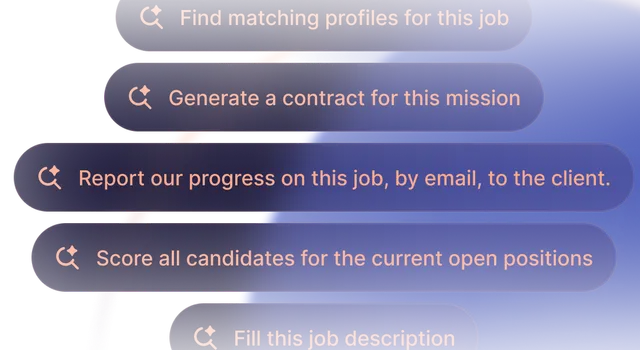

Software built by recruiters for recruiters.
Get started with Jarvi and grow your recruitment business.