Run your recruitment from a single screen
The Jarvi dashboard brings together everything you need to run your recruitment: your priorities for the day, your follow-ups, your numbers and your team’s activity. You build it brick by brick, in plain language, so it fits exactly the way you work.
Discover your dashboard
Step 1: Open the dashboard from the Jarvi home screen. You see the essentials at a glance: follow-ups, recent activity, stats and goals.
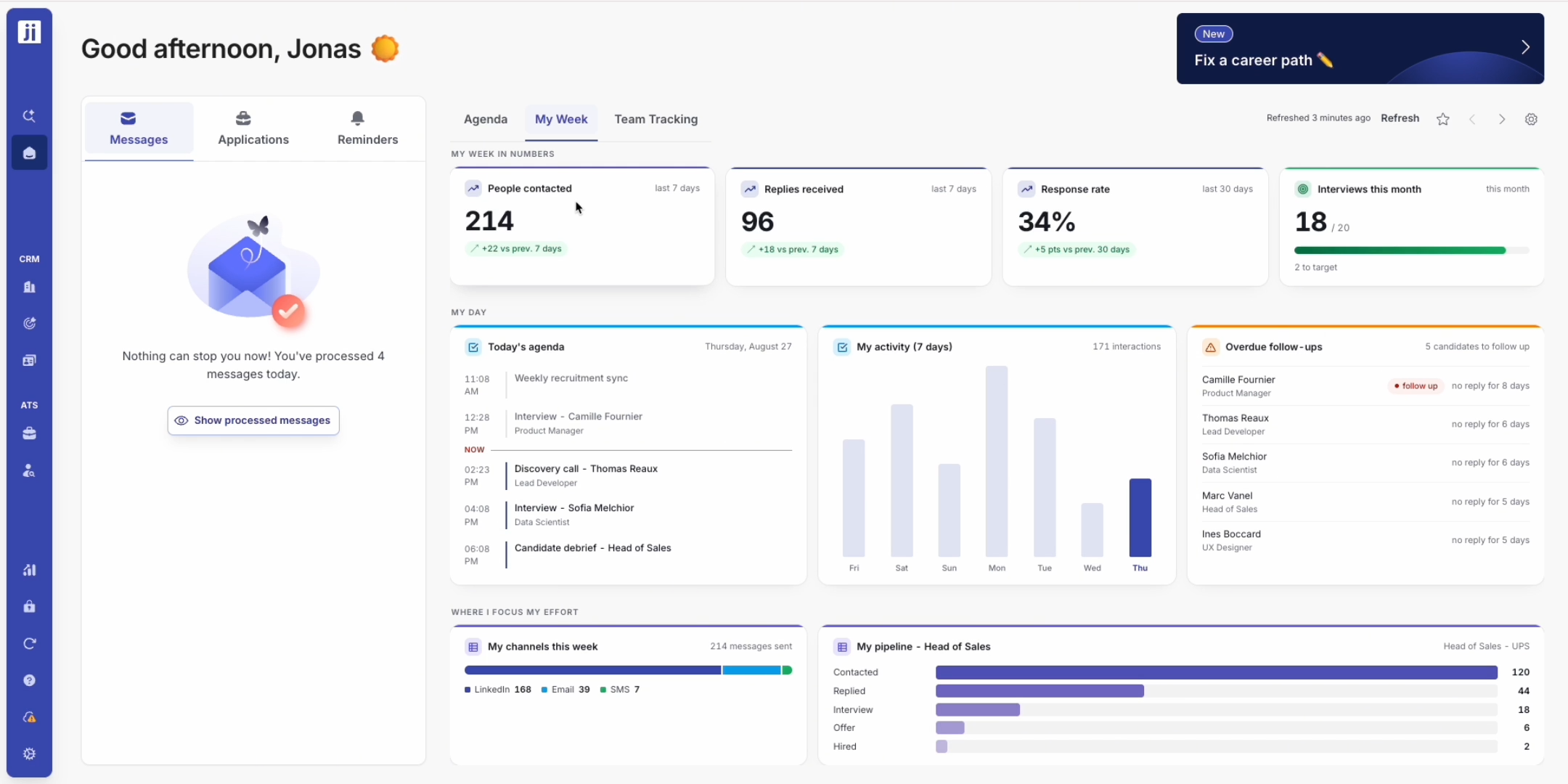
Step 2: Check your priorities for the day: people contacted, replies received, response rate, with the trend against the previous period. You spot right away what is moving and what needs a follow-up.
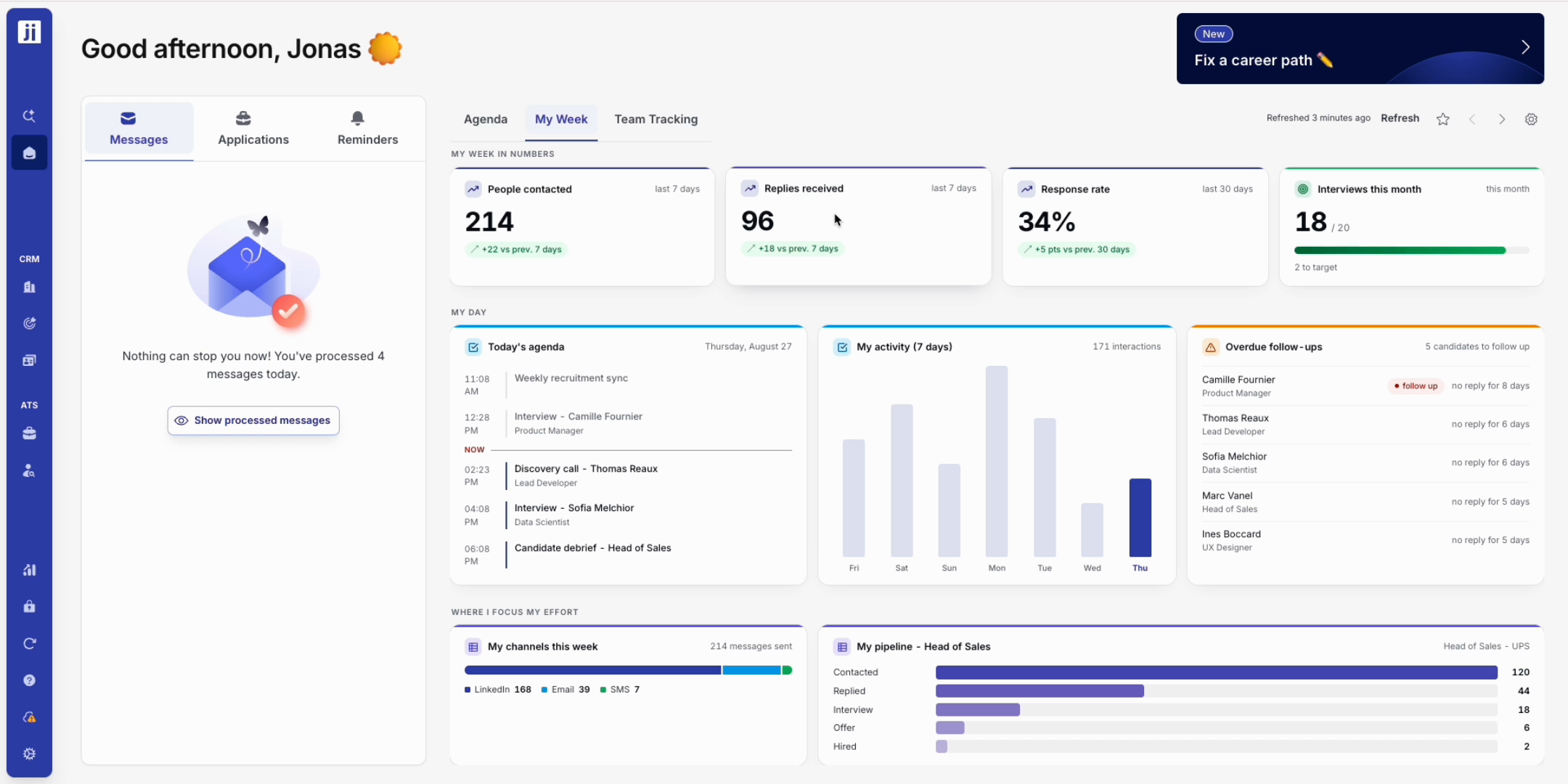
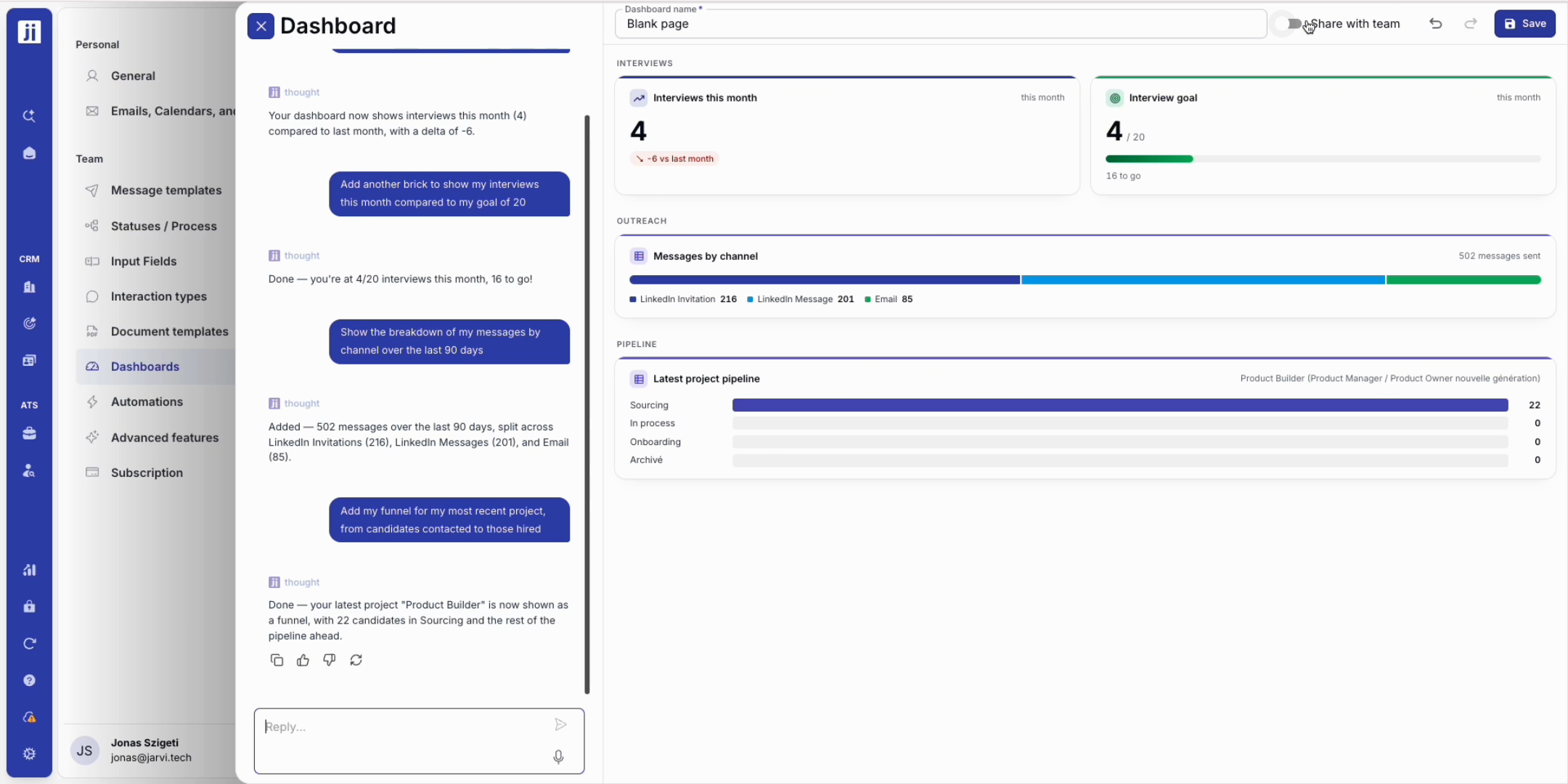
Step 3: Track your interview goal for the month, always in sight so you can follow your progress without any effort.
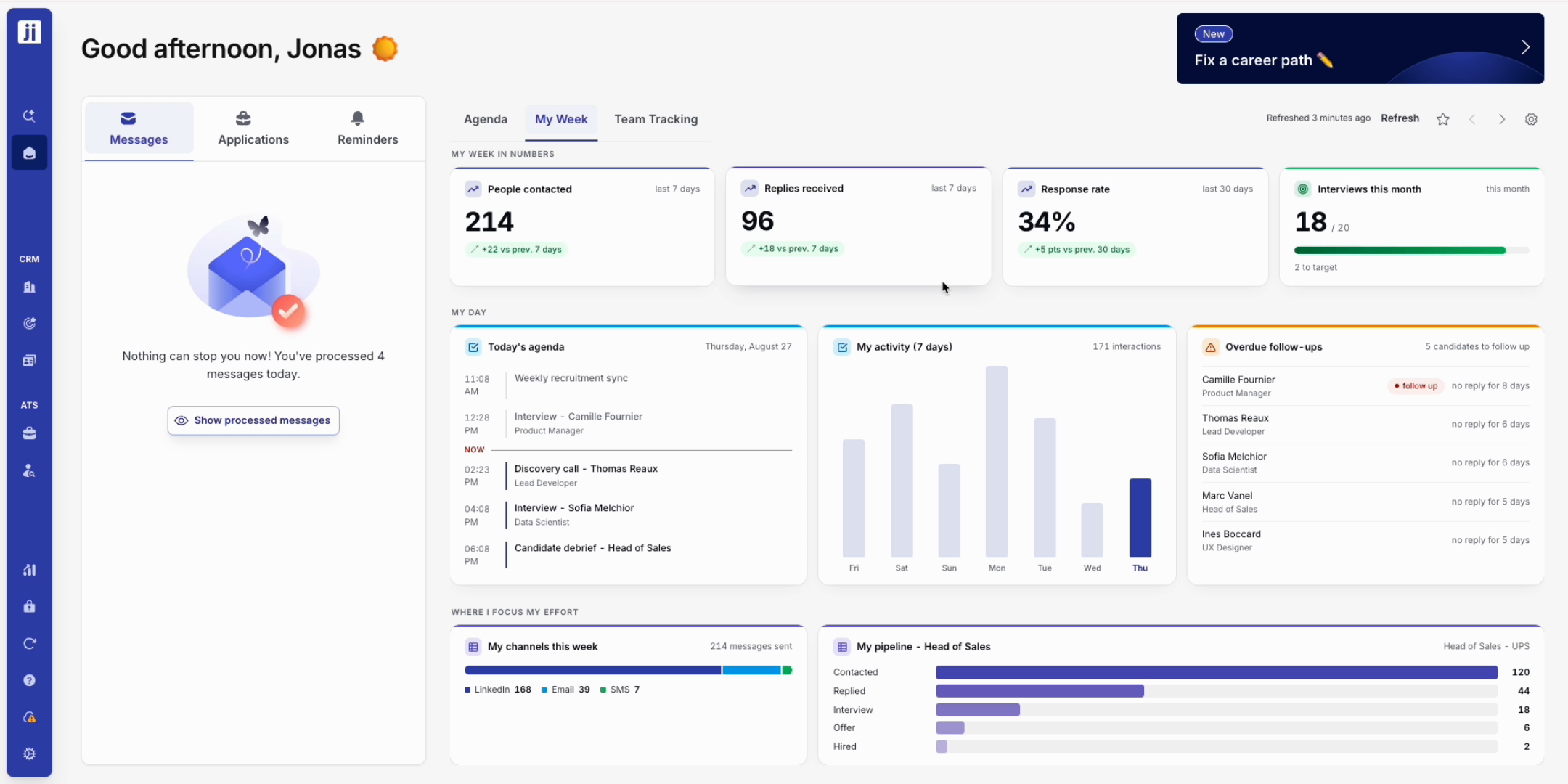
Step 4: Find your agenda and your latest actions side by side, so your day and your recent activity live in the same place.
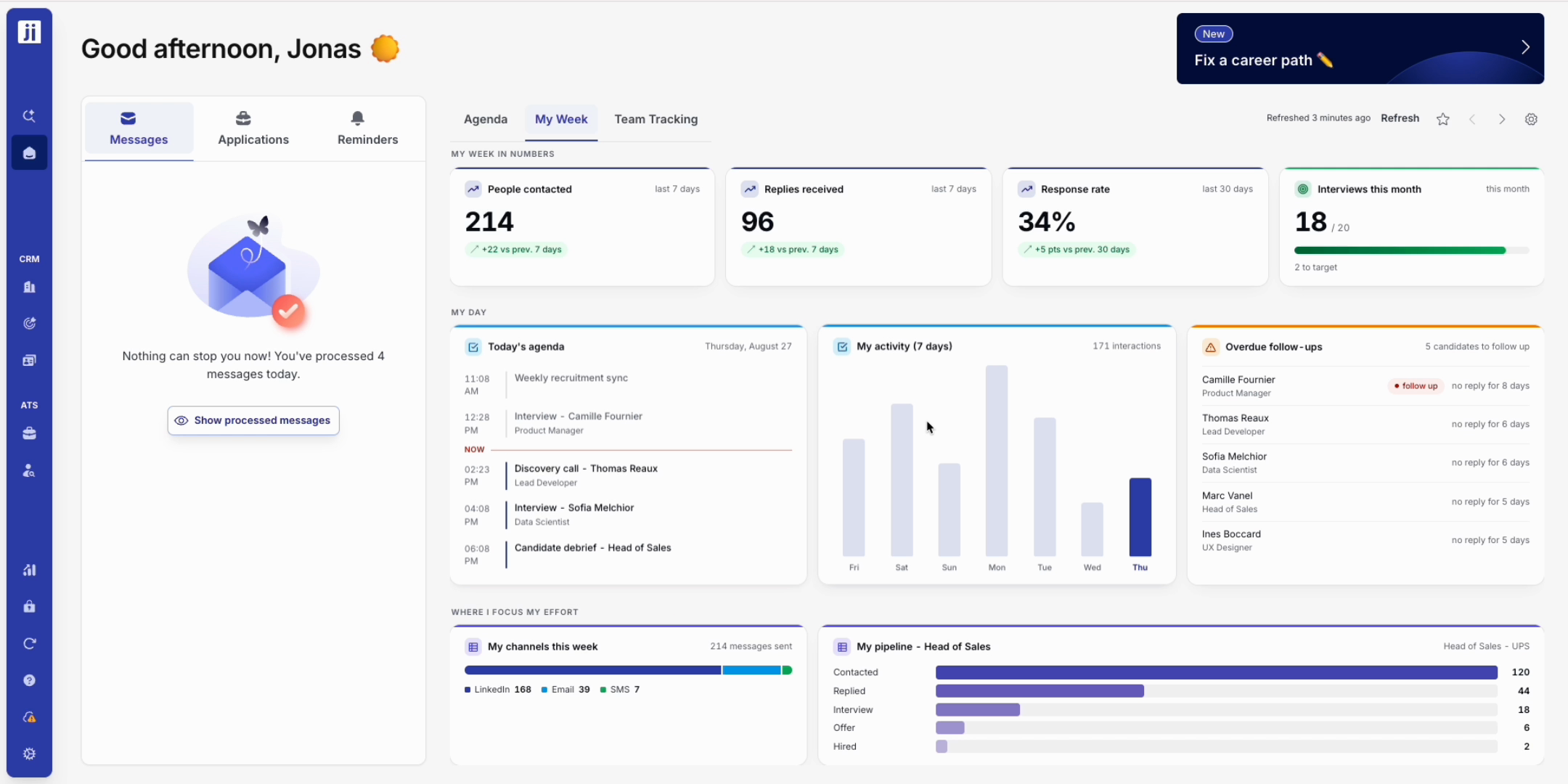
Step 5: Overdue follow-ups surface on their own, in red, from the most to the least urgent. You never lose a candidate and you follow up at the right time.
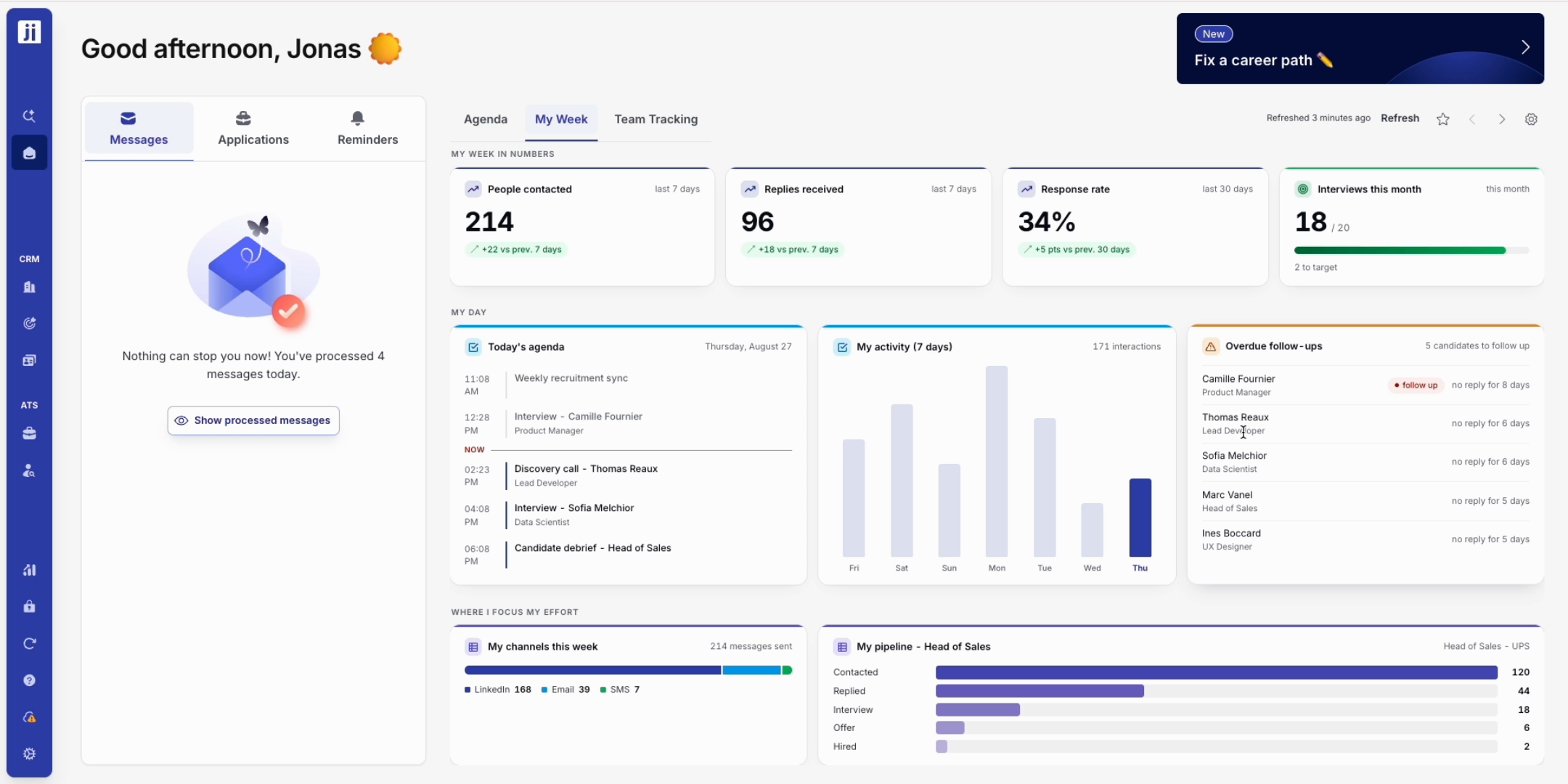
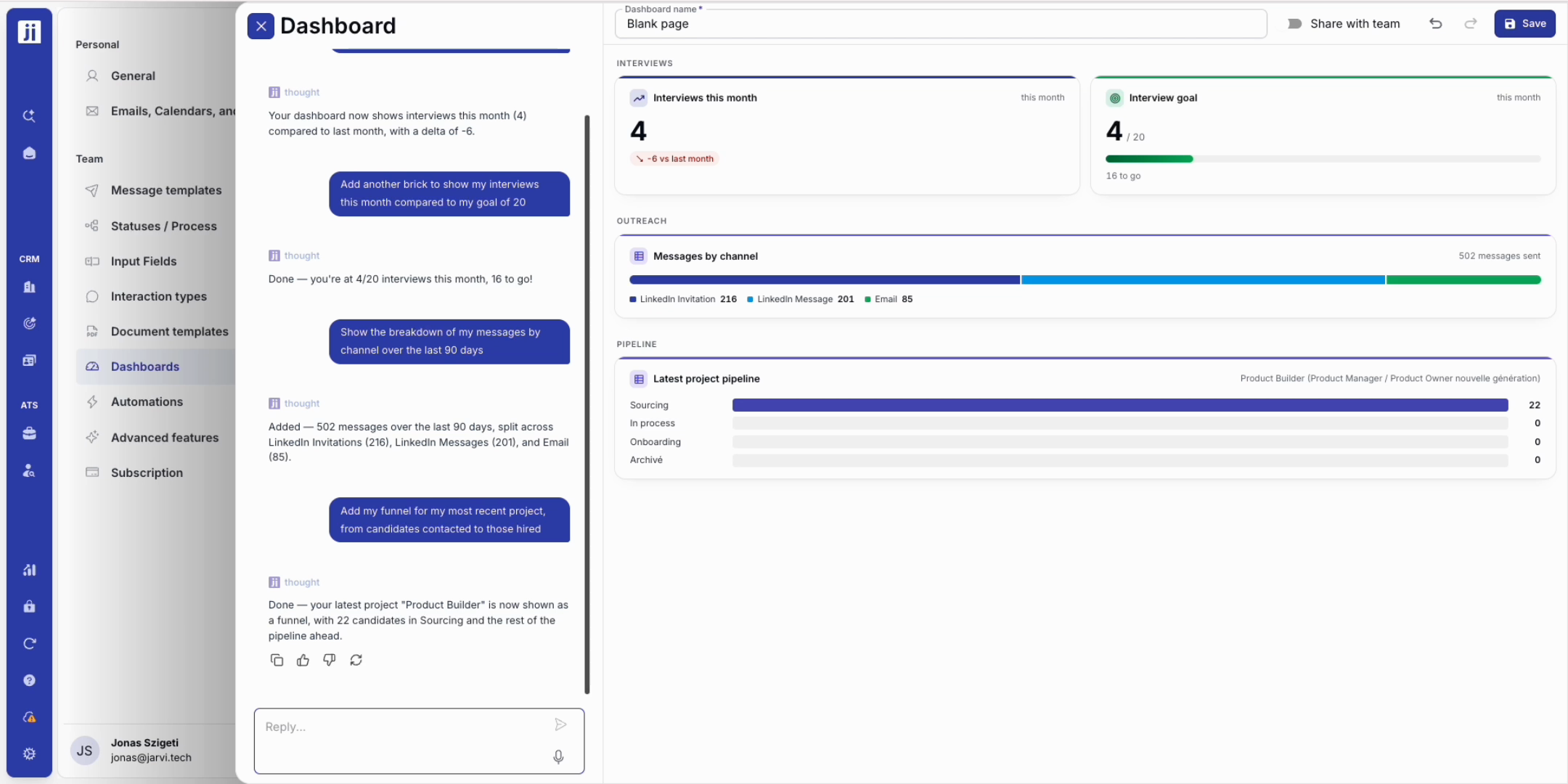
Step 6: See how your messages split by channel (LinkedIn, email, and so on) to check whether your outreach is truly multichannel.
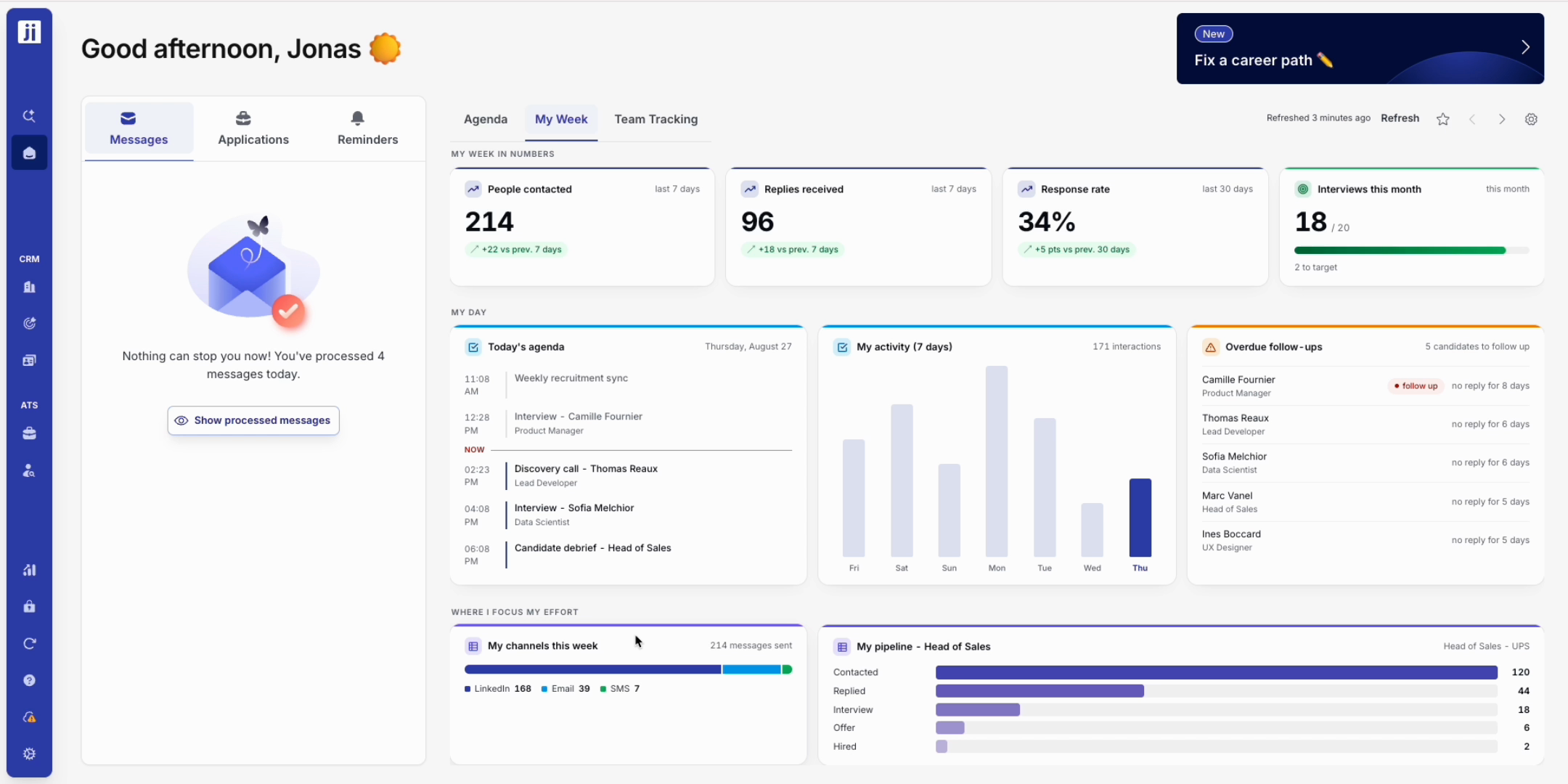
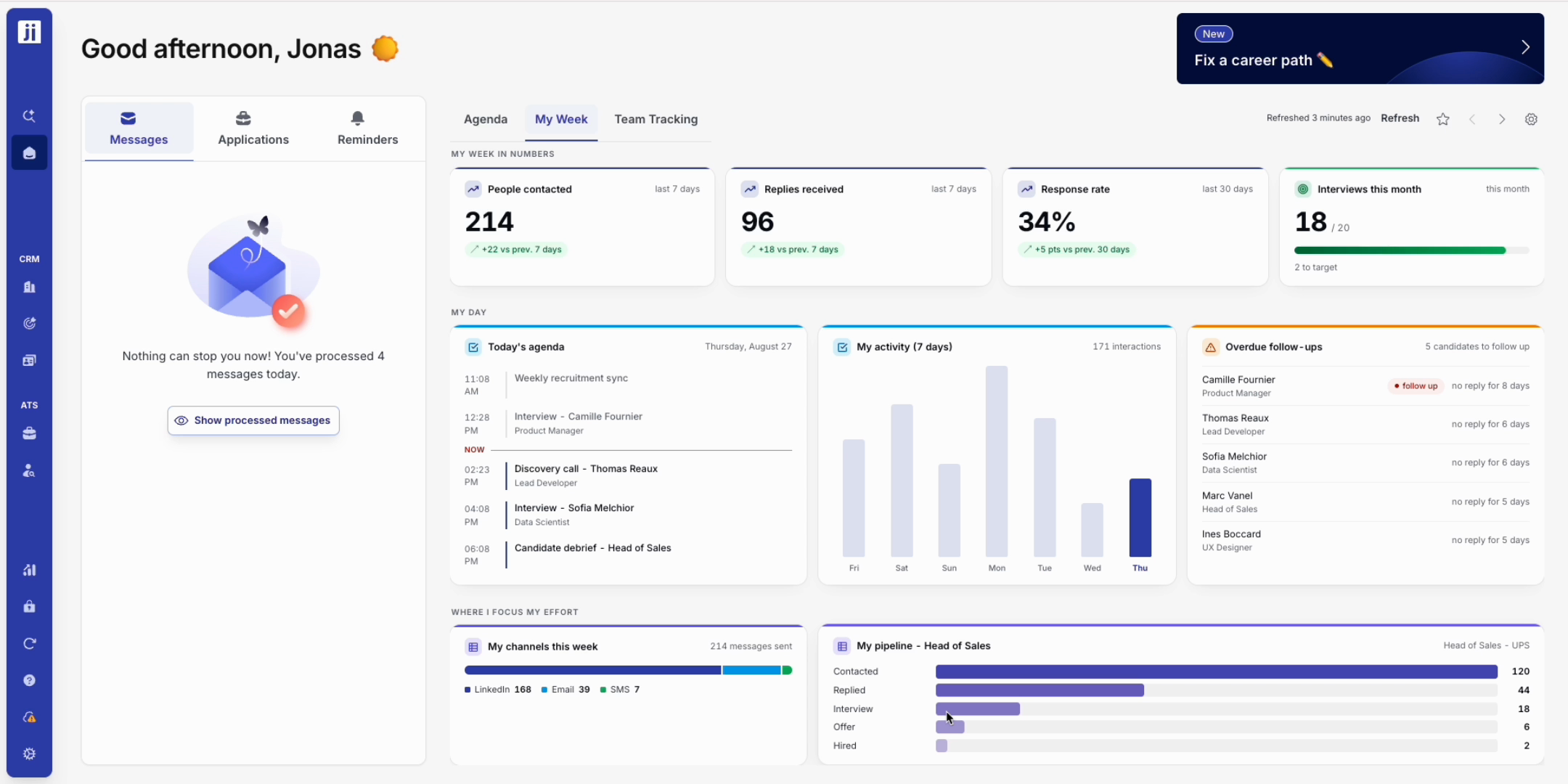
Step 7: Read your mission funnel, from contacted candidates through to hires, to see where things stall and where to focus your effort.
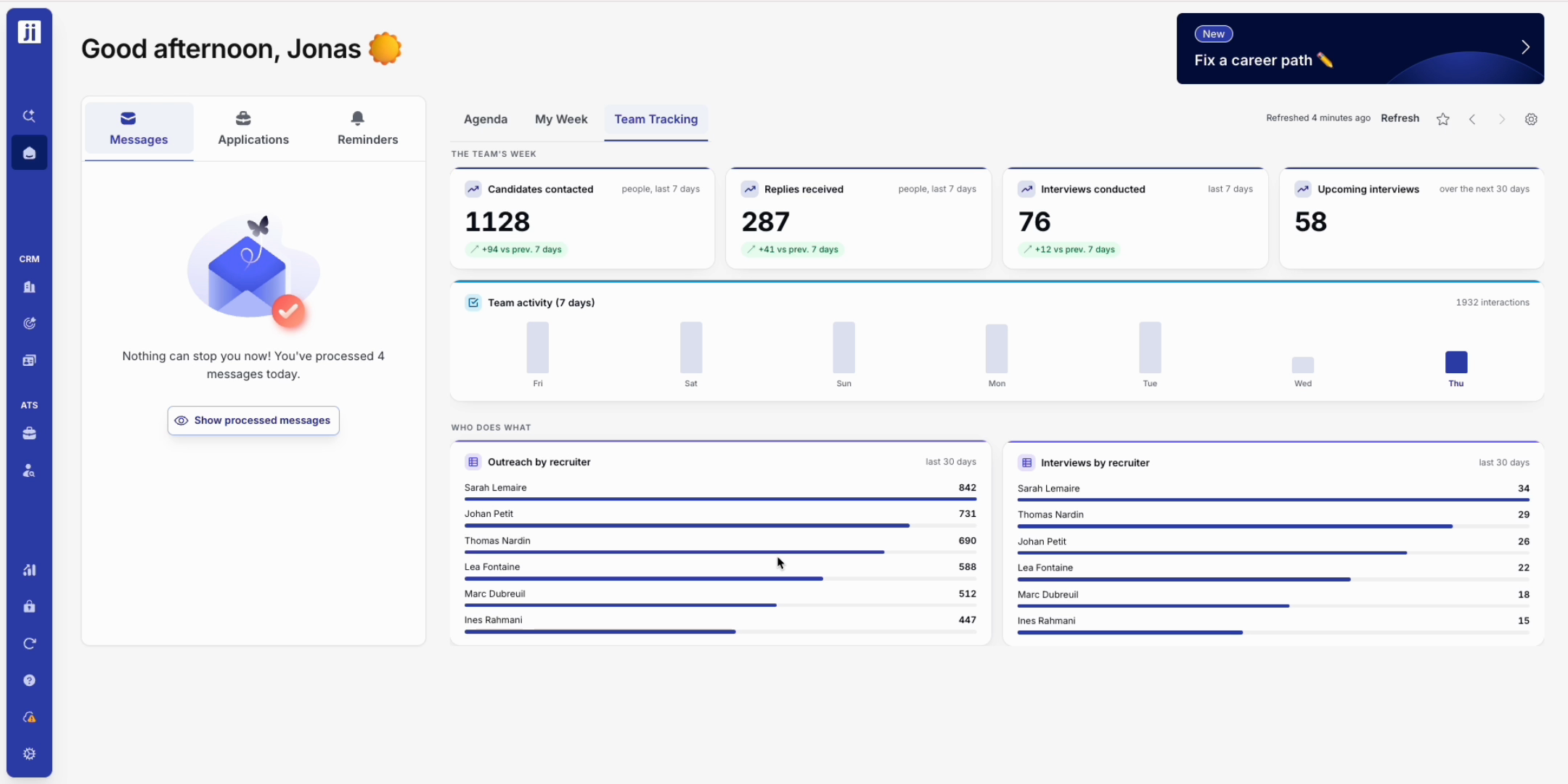
Track your team’s activity
Step 1: Switch to the team view to follow the number of contacts, the replies, the interviews done and upcoming, and every member’s activity over the last seven days.
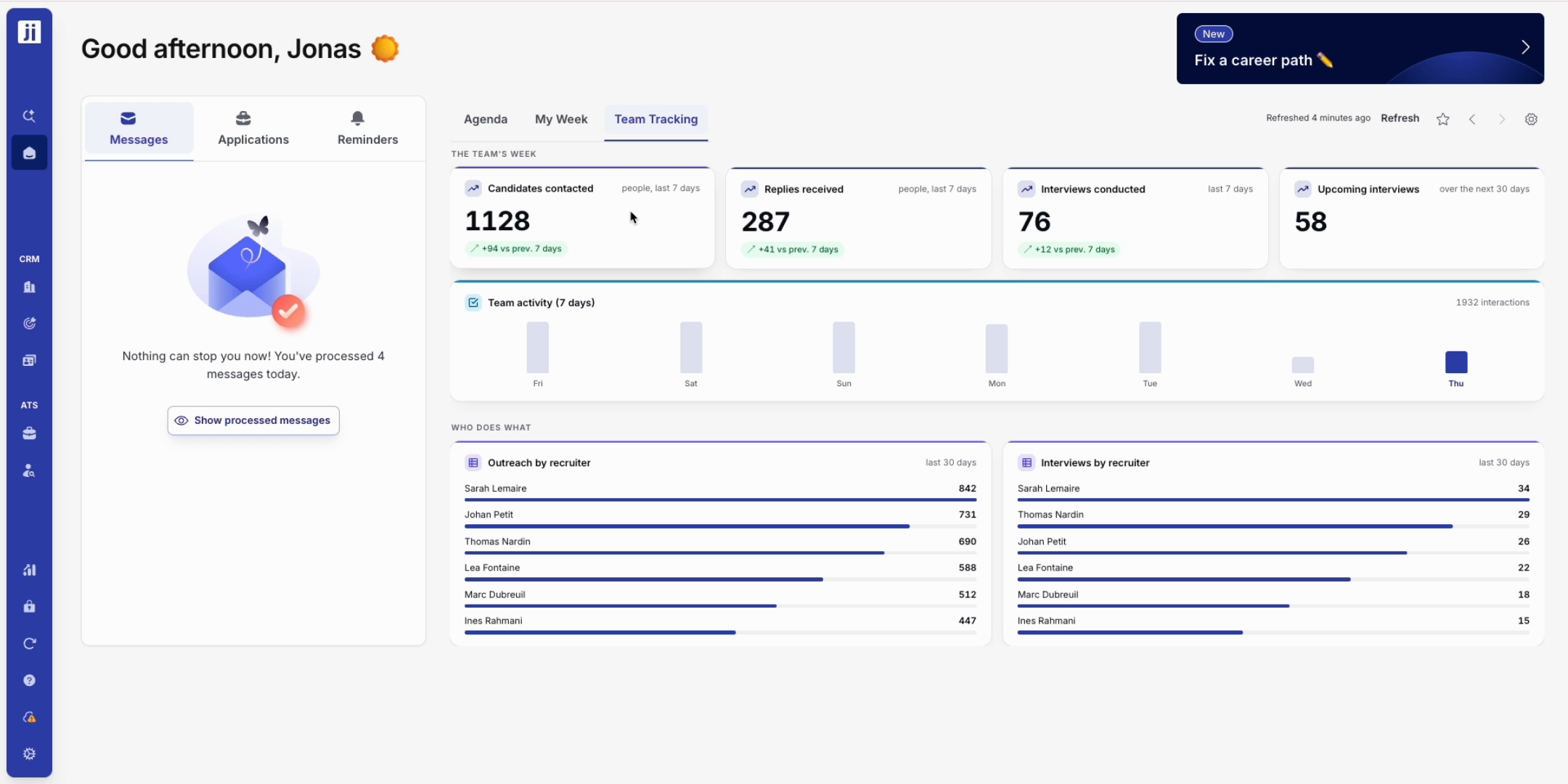
Step 2: Check the ranking by recruiter to see at a glance who is moving forward and who needs a hand. No more reporting to prepare, everything stays up to date automatically.
Build and customize your bricks
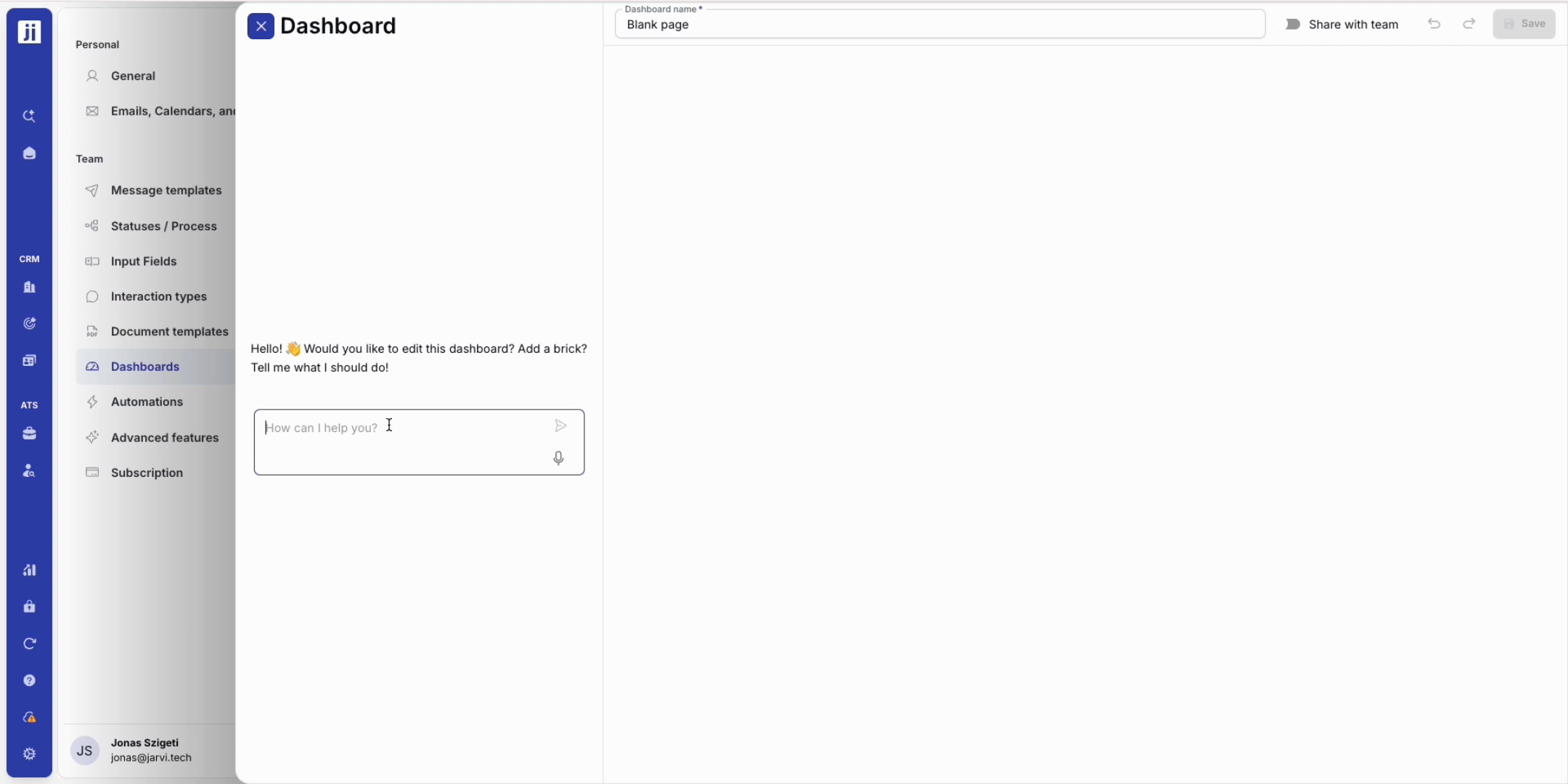
Step 1: Open the copilot and simply write what you need (for example: “show my interviews done this month against last month”). Jarvi builds the brick, with no setup.
Step 2: Repeat as many times as you need to gather the indicators that matter to you. Each brick is added right away, filled with your real data, and you reorder them with a simple drag and drop.
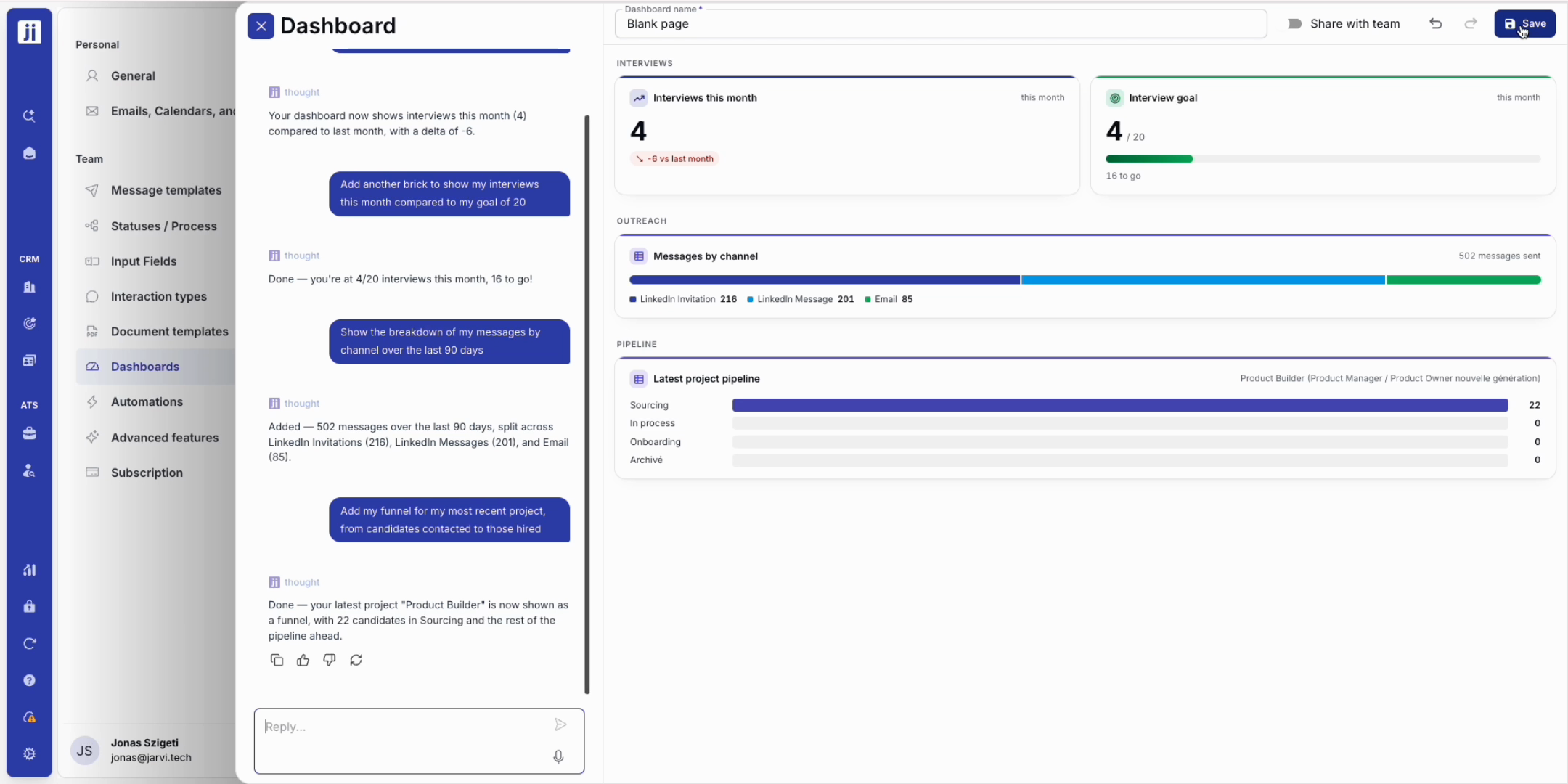
Step 3: Delete in one sentence any brick you no longer need, then save your dashboard so it is ready every time you log in.
Step 4: Keep it for yourself, or share it with the team: everyone will see their own numbers on the same screen.
The Jarvi dashboard adapts to your priorities and keeps you from chasing your own information. Run your missions and your teams, share your views in one click, and stay in control of your recruitment. For any suggestion, the Jarvi team is here for you!