This article covers importing job offers posted by other companies (third-party offers). If you want to sync candidates from your own LinkedIn job postings, check out Import a LinkedIn project into Jarvi.
Save time by automatically importing third-party job offers from LinkedIn into Jarvi. In one click, the job title, company, and full description are transferred — no more manual copy-pasting.
Import a job offer from LinkedIn
Step 1: Find a job offer on LinkedIn that you’d like to work with.
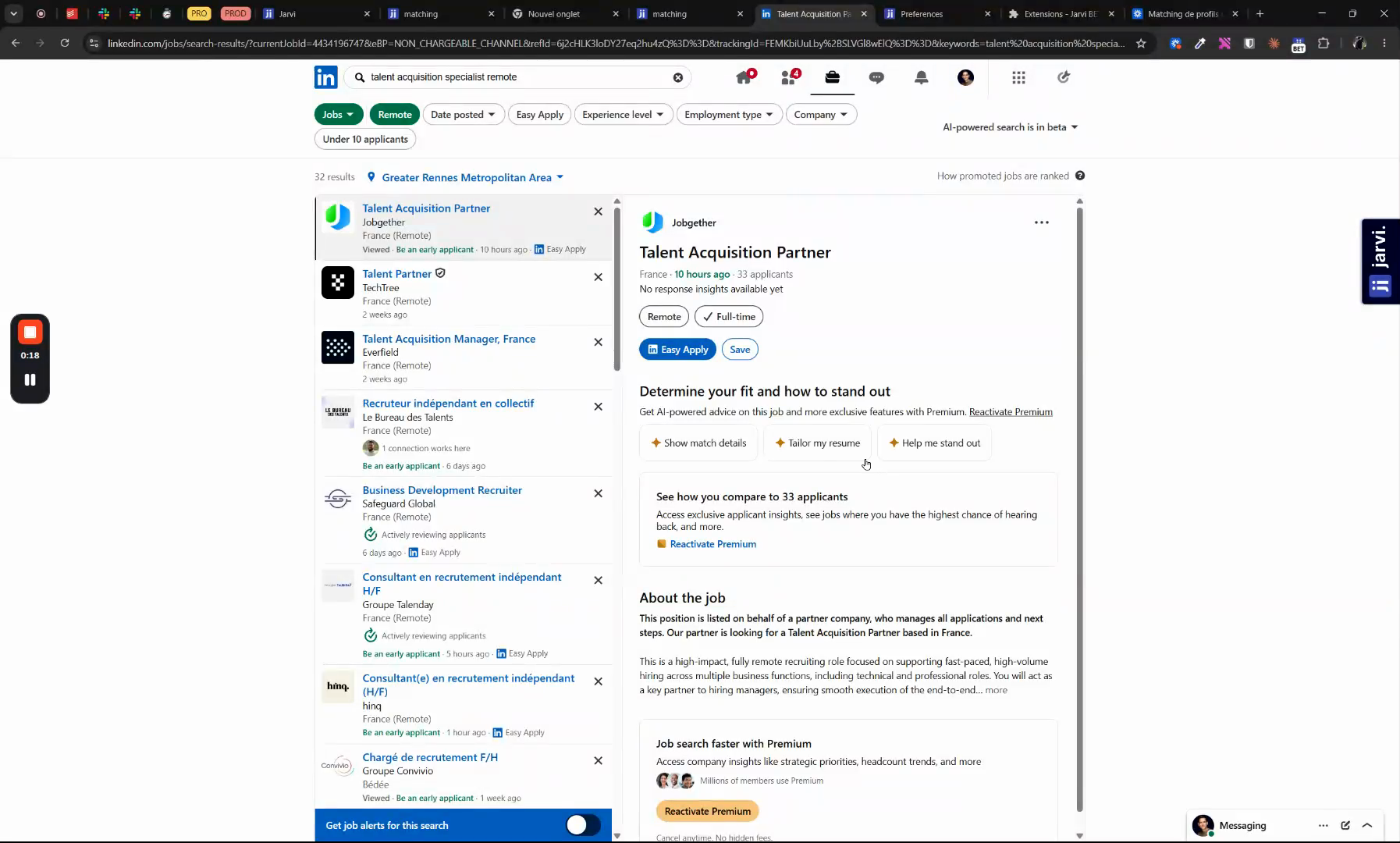
Step 2: Click the Import button to bring the job offer into Jarvi. The job title, company, and full description are imported automatically.
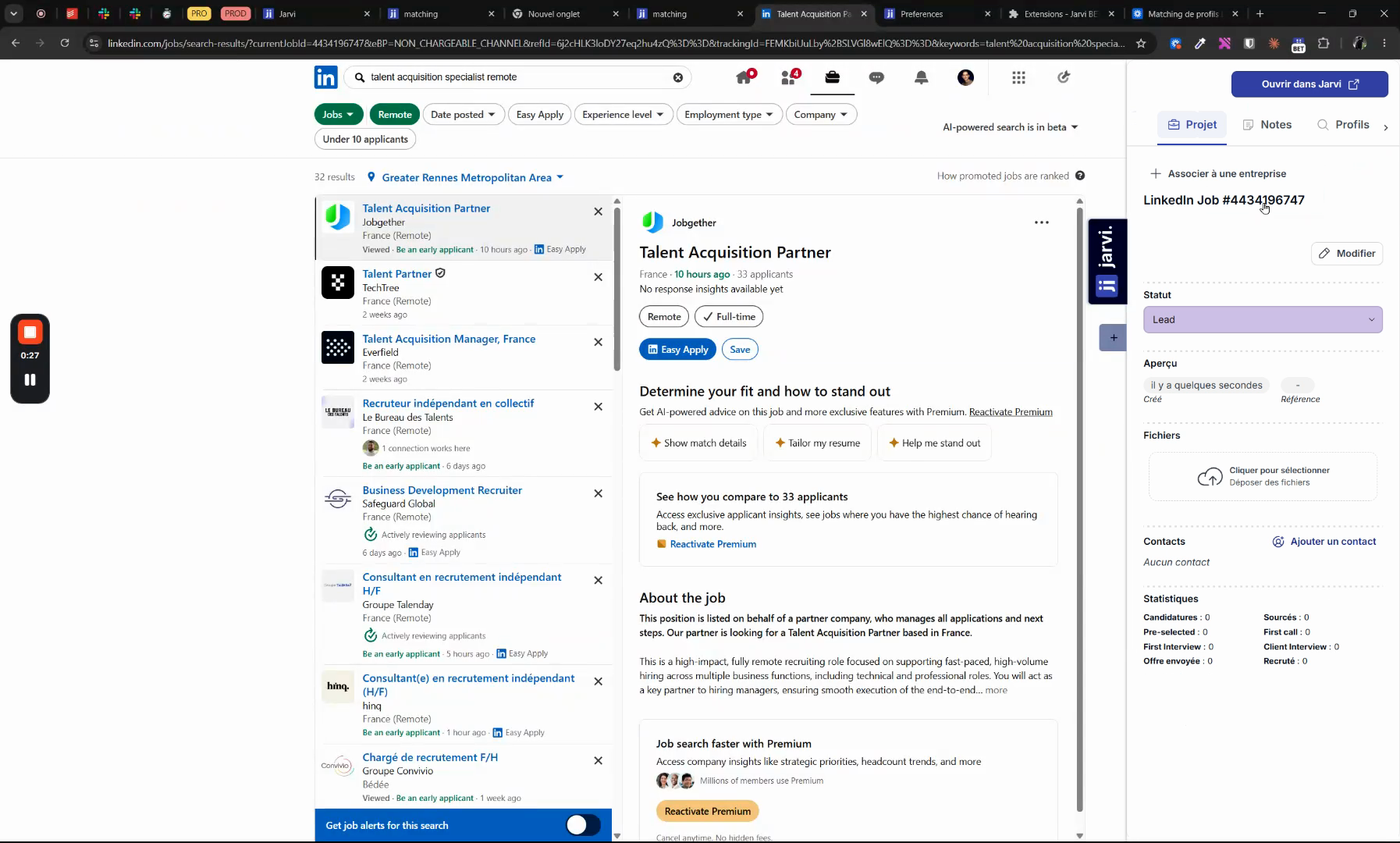
Step 3: Open Jarvi to review your imported job offer. You’ll find the Job Title, Company, and the full Job Description transferred seamlessly.
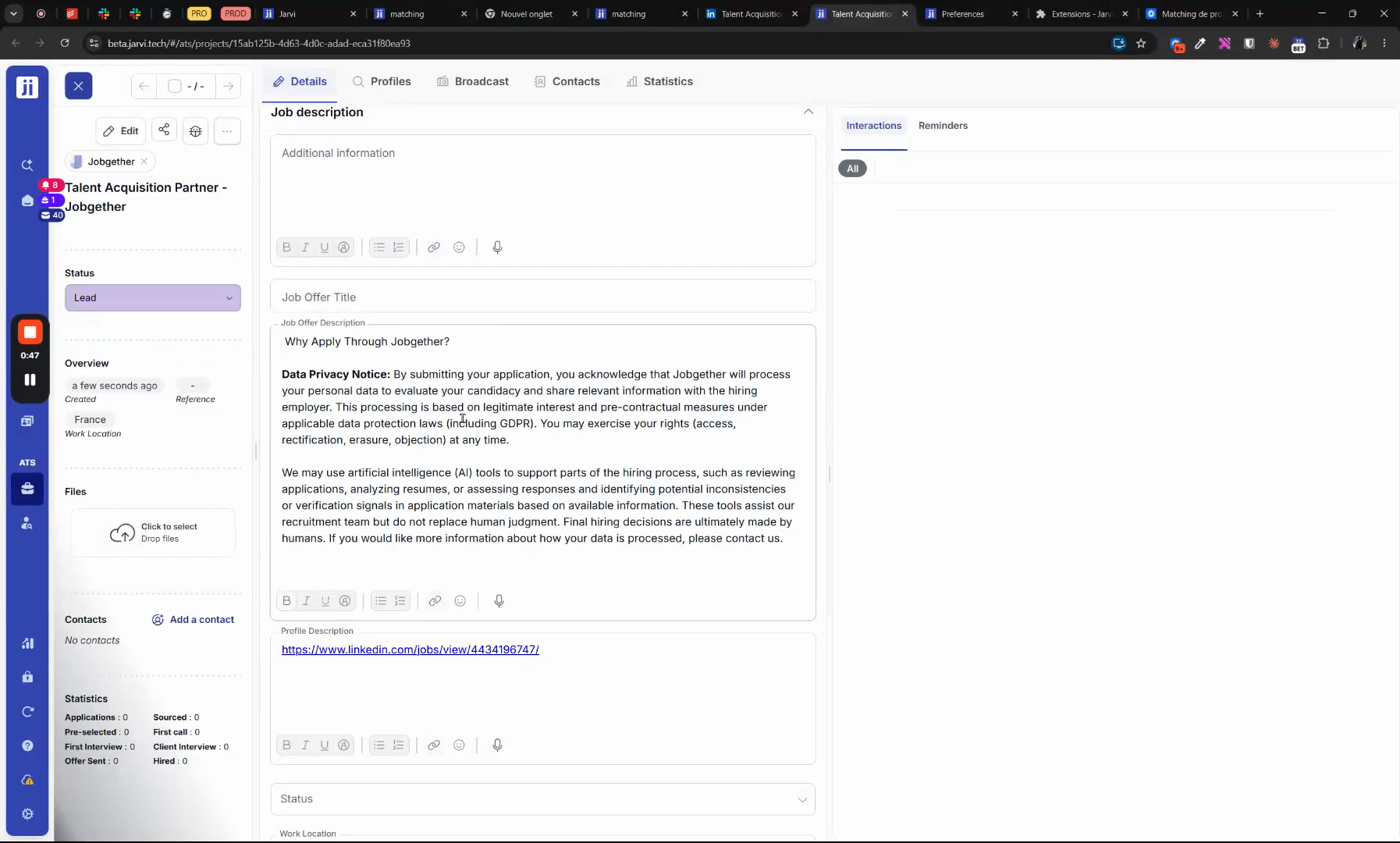
Importing LinkedIn job offers lets you centralize all your information in seconds and jump straight into profile matching or candidate tracking.