Jarvi scoring speeds up your talent selection: get instant feedback on how well profiles match, spot key gaps at a glance, and make every decision better with automatic analysis of your job post and candidates’ backgrounds.
View scores from the dashboard
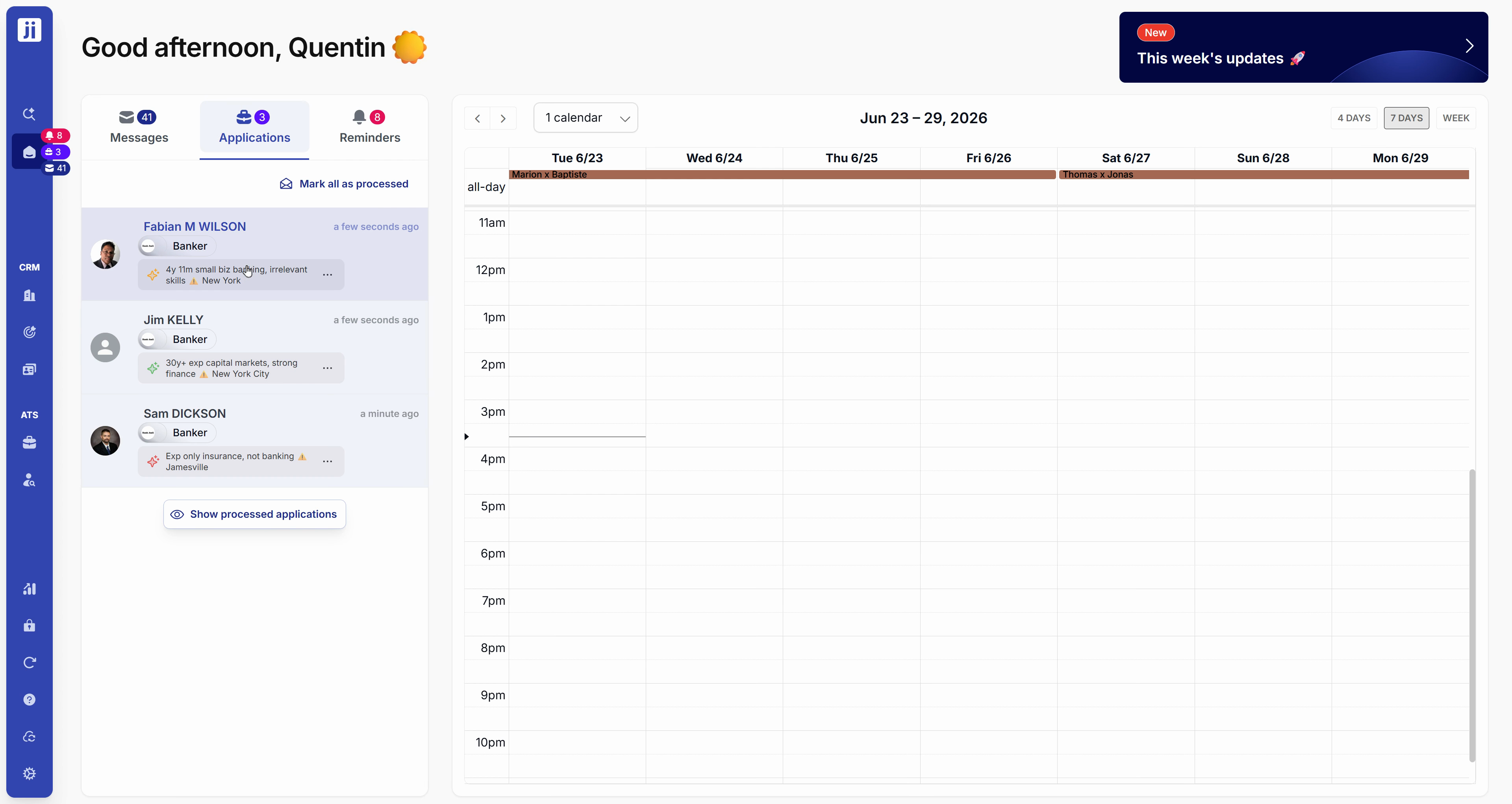
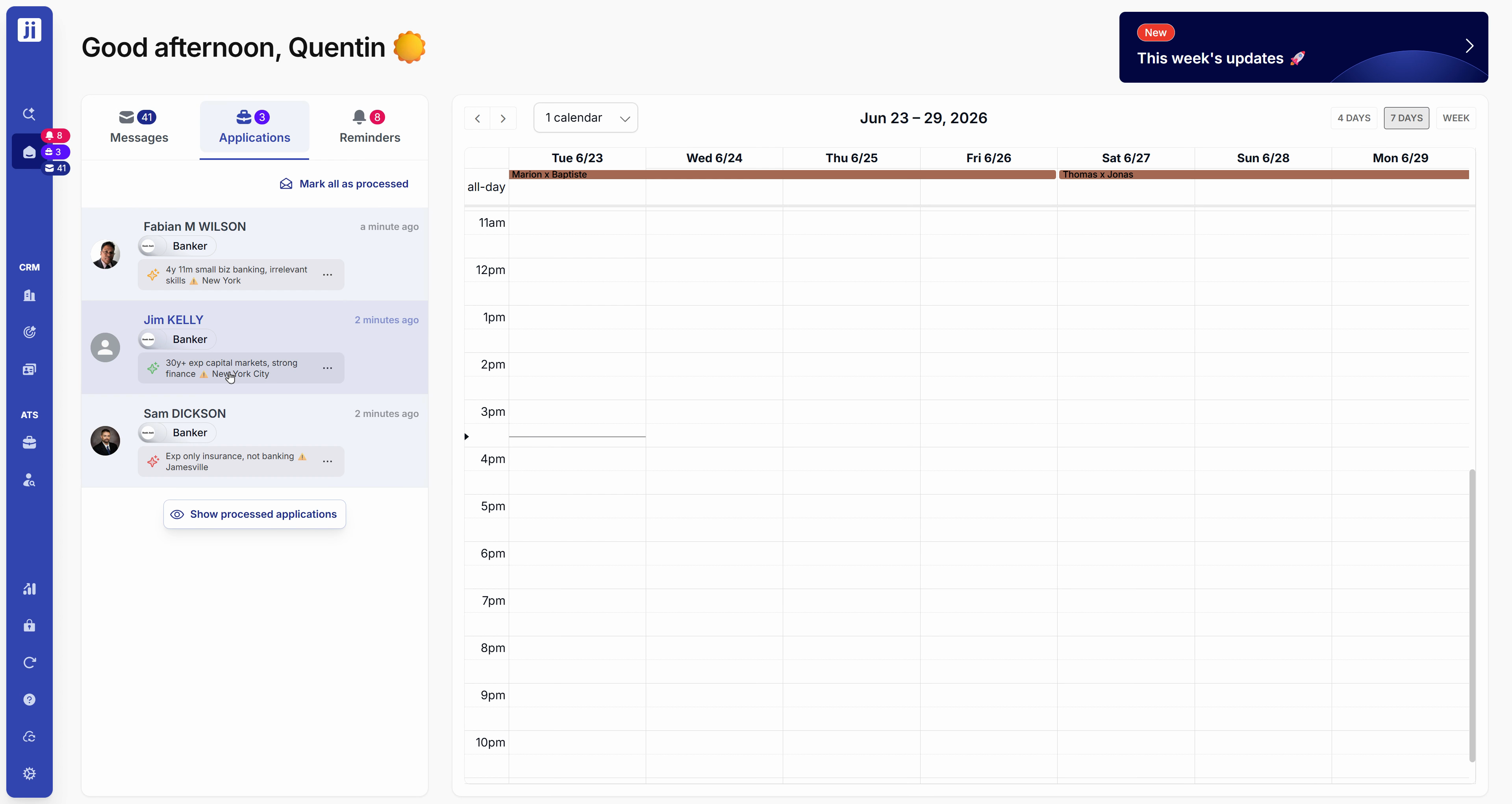
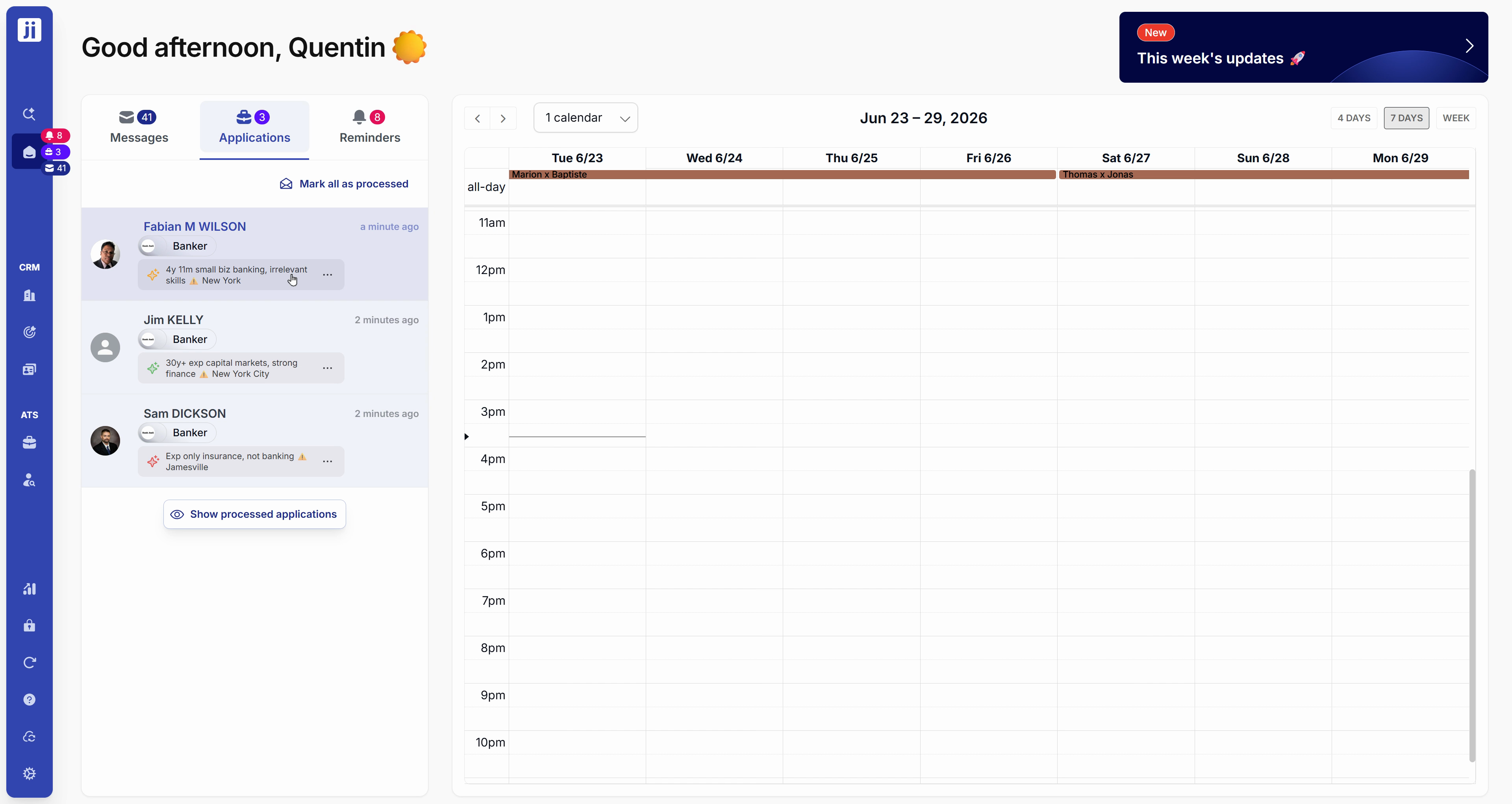
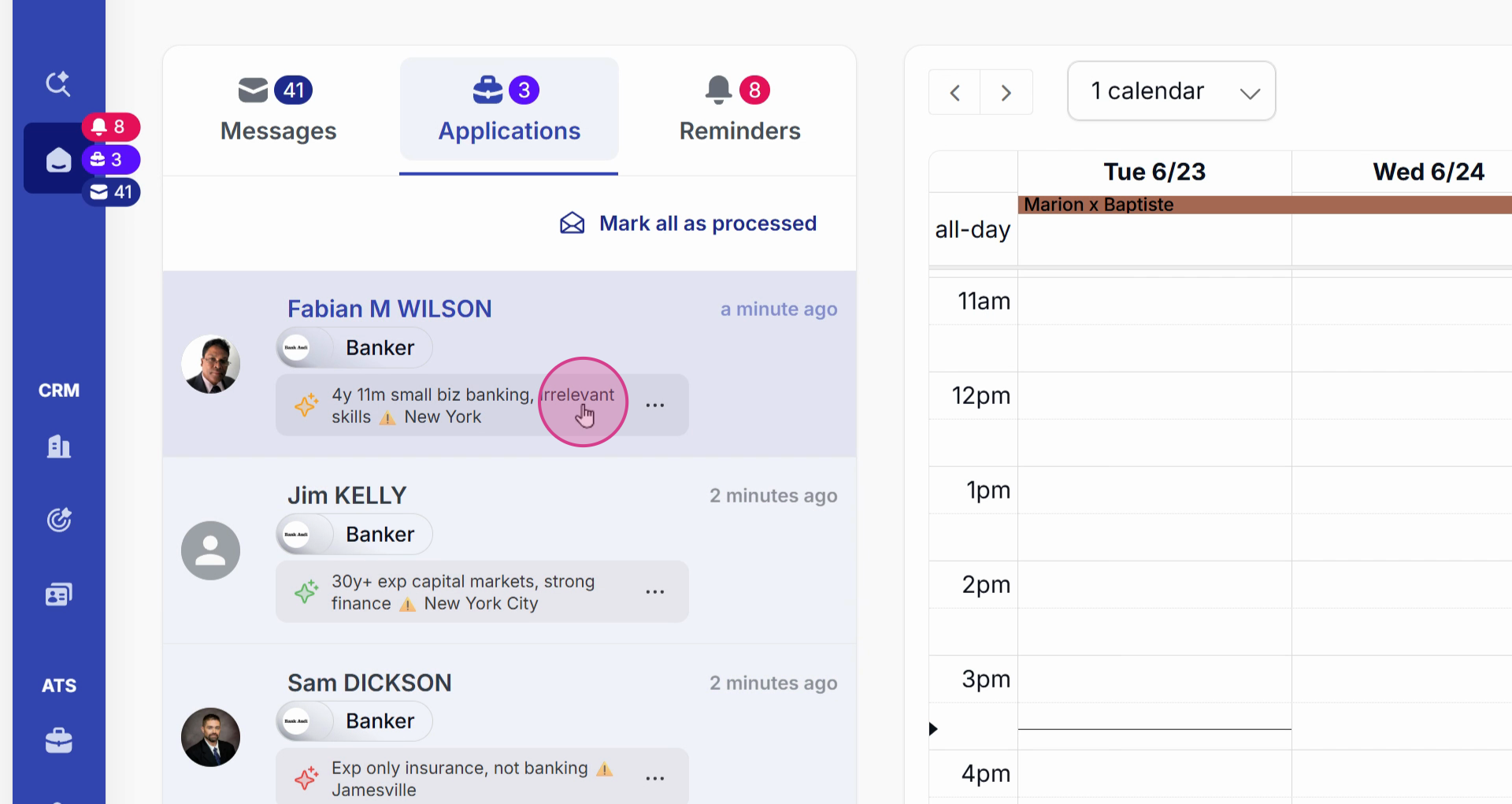
Step 1: From the Applications tab on your dashboard, each new application automatically displays its score. At a glance, you can see how well each profile matches the position.
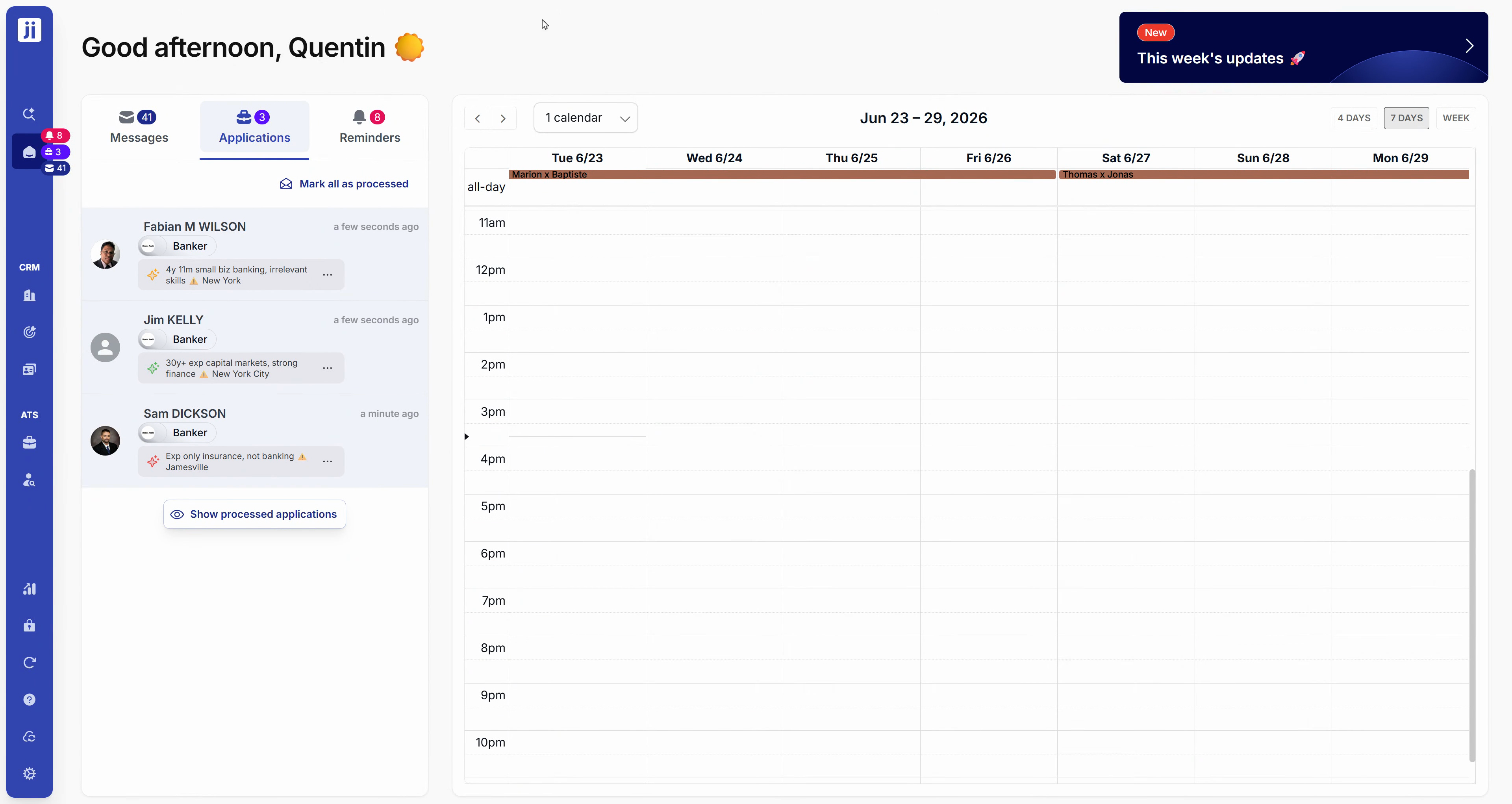
Step 2: Click on an application to open the profile. The scoring is visible in the side panel, next to the associated project. Jarvi automatically points out major mismatches, like a location that doesn’t fit or not enough experience.
Find scores from the project page
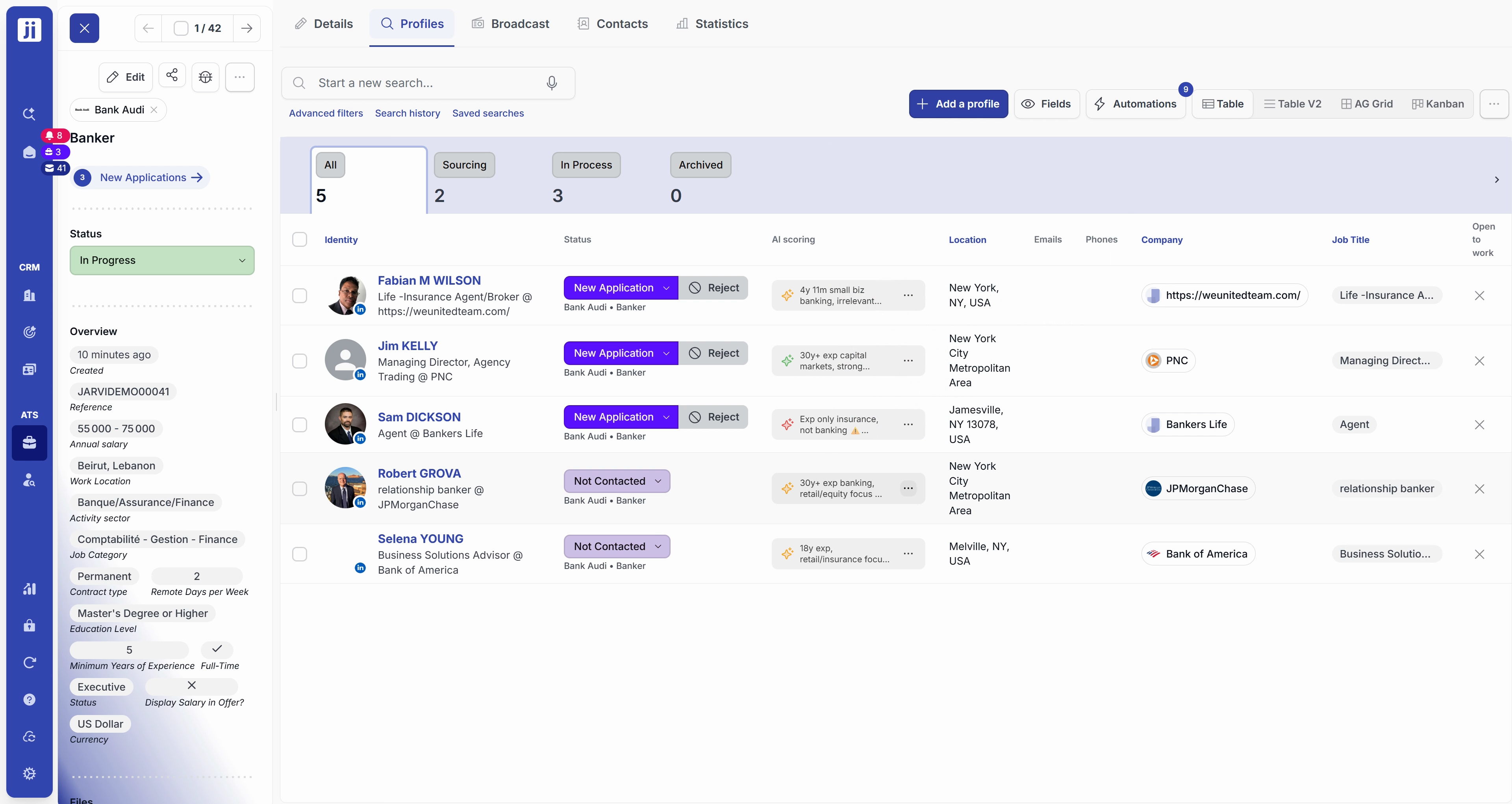
Step 3: Scoring is also available directly from the project page, in the AI Scoring column. Spot the best profiles right away, whether they applied or you sourced them yourself.
Refresh scores after changes
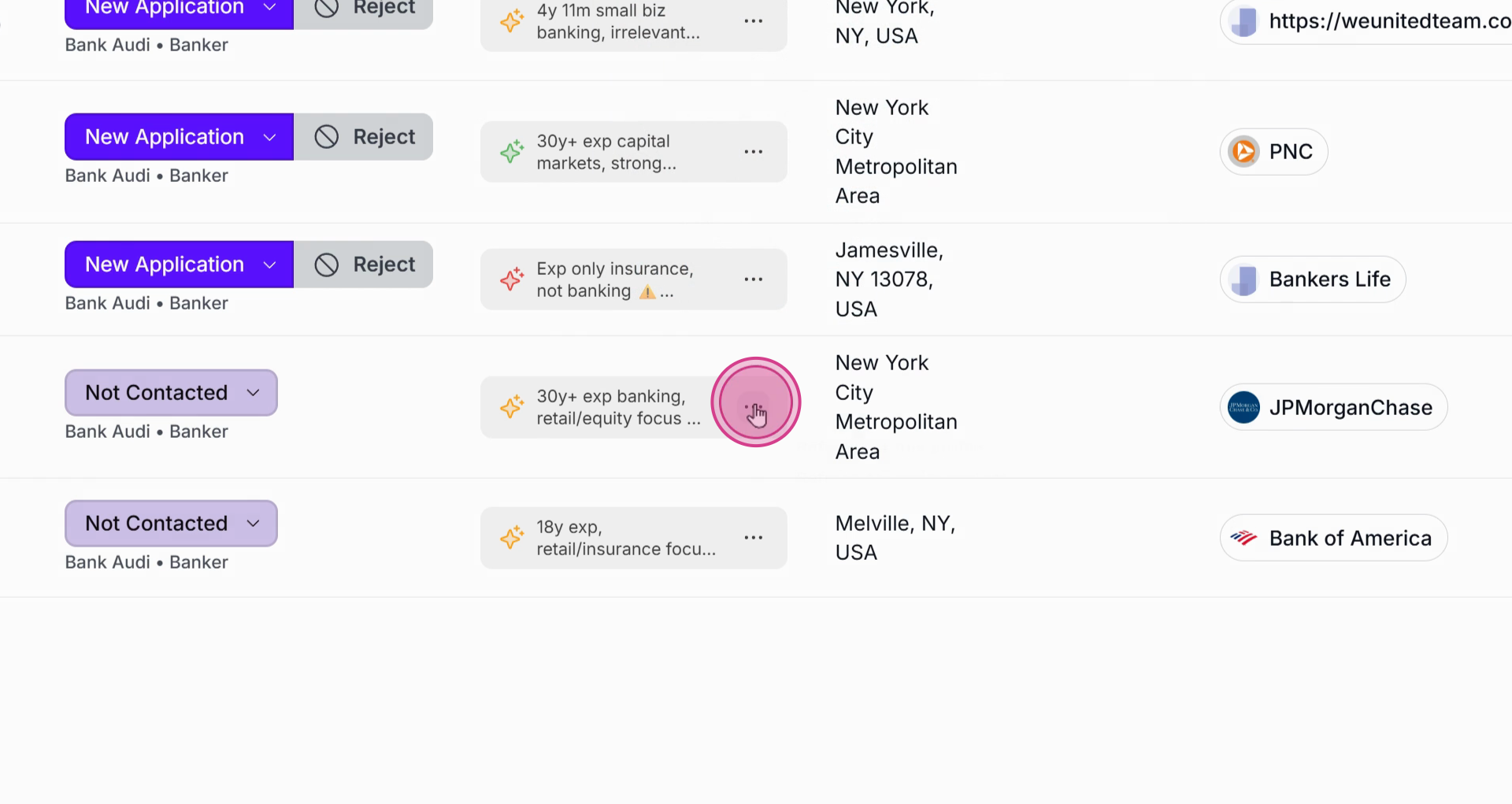
Step 4: When you edit a job post or a profile, click the three dots next to the score then hit Refresh to launch a new AI analysis and get an updated score instantly.
Jarvi’s automatic scoring saves you tons of time, makes your choices more reliable, and flags critical gaps for you without any hassle. Enjoy a clear view so you can better prioritize and move forward with your hiring.