Automatic LinkedIn invitation withdrawal — re-engage hard-to-reach candidates
For roles where candidates are scarce, LinkedIn invitations are a valuable channel. By automatically withdrawing unanswered invitations, you can send a new invitation 3 weeks later (minimum delay imposed by LinkedIn) and maximize your chances of reaching the candidate.
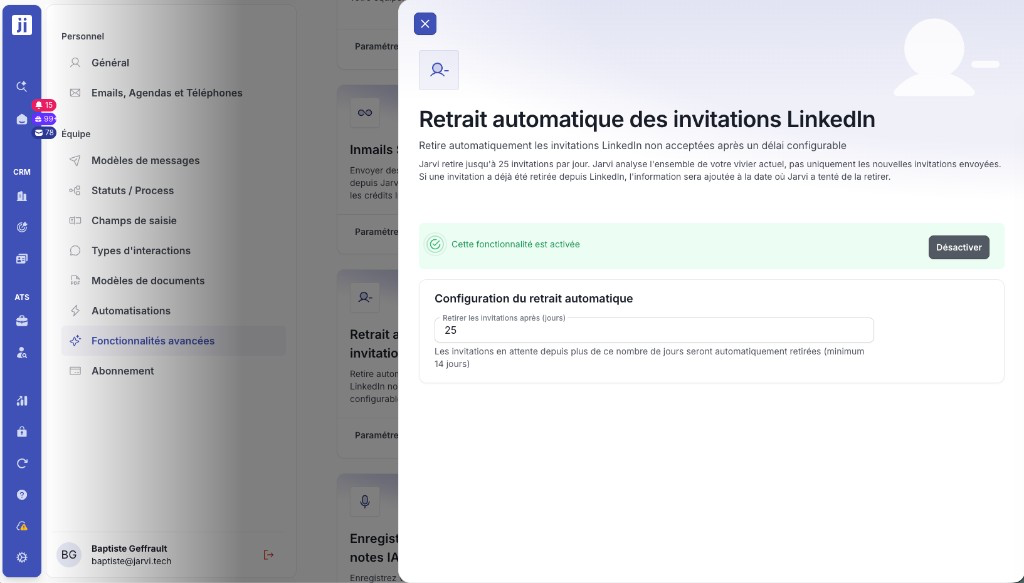
Jarvi handles it for you: up to 25 invitations withdrawn per day, scanning your entire existing talent pool.
Activate automatic withdrawal
Step 1: Go to Settings > Advanced features.
Step 2: Find Automatic LinkedIn invitation withdrawal and enable it.
Step 3: Configure the number of days after which invitations should be withdrawn (minimum 14 days).
How it works
- Jarvi scans your entire existing talent pool, not just newly sent invitations
- Up to 25 invitations withdrawn per day, automatically
- If an invitation was already withdrawn from LinkedIn, the information will be recorded at the date Jarvi attempted to withdraw it
Find profiles to re-engage
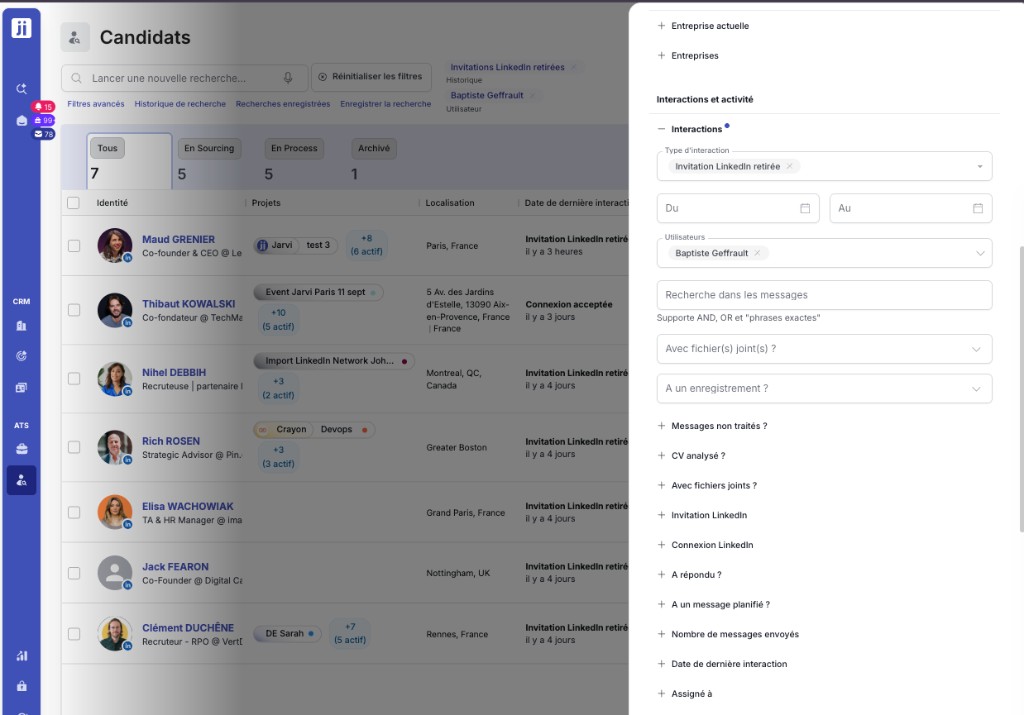
Once invitations are withdrawn, you can easily find those profiles to send them a new invitation.
Step 1: Open the advanced search (advanced filters).
Step 2: In the Interactions section, select the interaction type “LinkedIn invitation withdrawn”.
Step 3: Refine by date to find recently withdrawn invitations, and by user if needed.
Step 4: Re-launch your message sequence or start an invitation campaign on the found profiles.
Automatic invitation withdrawal lets you maximize your chances of reaching the rarest candidates, without any manual effort. Set it up once and Jarvi takes care of the rest!