Accessing status and process customization
- Go to the Jarvi menu (blue column on the left side of the screen).
- Click on “Preferences” then on “Statuses / Process” to access the status customization section.
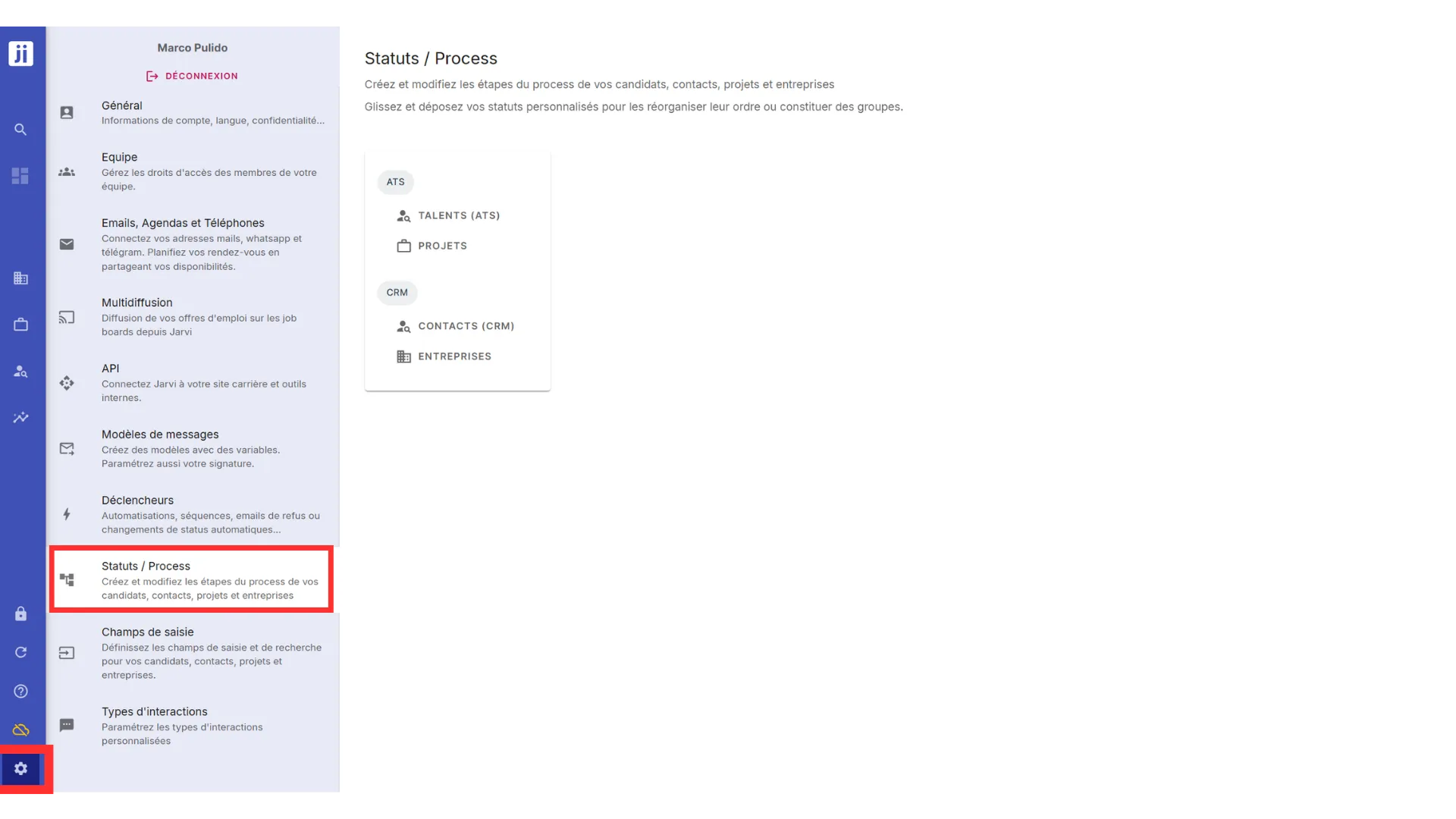
Customizing statuses in the ATS
Jarvi allows you to customize the statuses used in the ATS (talent recruitment) as well as in the CRM.
To get started, select the “Talents” section, which corresponds to the different stages your candidates in the ATS part might go through.
- By default, Jarvi presents the following status sets:
- In sourcing
- In process
- Archived
.DEdzcvaf_ZjUh5Y.webp)
Customizing process stages
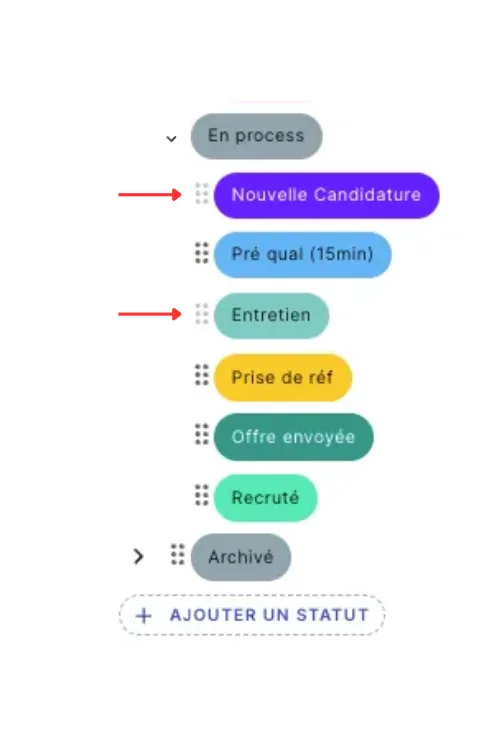
- By clicking on the small arrows to the left of the categories “In sourcing”, “In process”, or “Archived”, you can open these processes and see the different stages your candidates can go through.
- Example of stages for “In sourcing”:
- Not contacted
- Contacted
- Follow-up 1
- Follow-up 2
- Responded
- Example of stages for “In sourcing”:
.BdY_cCLk_nOAVG.webp)
- These stages are automatically detected and updated by Jarvi, they cannot be modified or deleted.
- Example of stages for “In process”:
- New application
- Interview
These two statuses are also linked to Jarvi’s automatic detection and cannot be modified.
Adding new stages
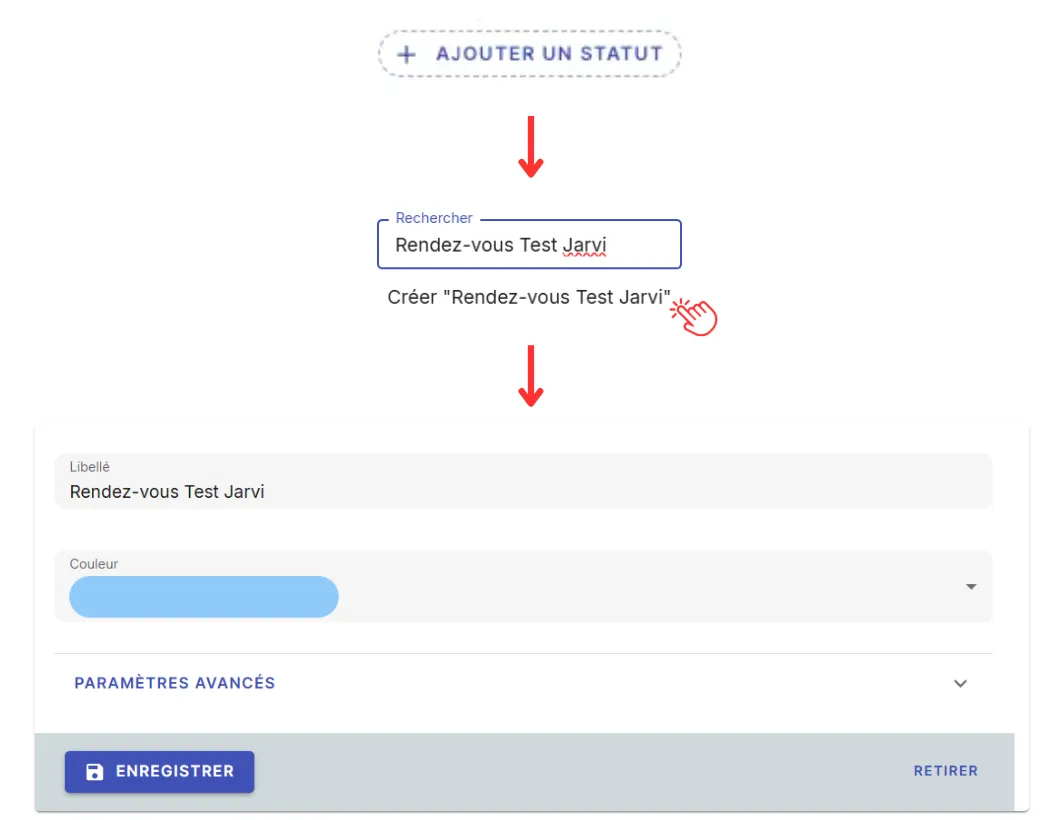
- If you want to add stages to your process, click on ”+ Add a status”.
- This allows you to create new stages and customize your recruitment funnel.
- For example, you can create a stage like “Jarvi Test Meeting”, which you can then associate with a specific color (for example, blue).
- Once your stage is added, it will appear in the list of stages in your process.
Organizing your stages
-
You can reorganize the stages of your process by dragging and dropping the statuses in the desired order.
-
Jarvi allows you to fully customize your process according to your specific needs. You can even add stage groups to better organize your processes.
For example, you can create a stage group like “In sourcing”, “In process”, and “Archived”. You can also create mini-stages within these groups for even more precision.
Example:
- Stage group: Sourcing
- Stage 1: Initial contact
- Stage 2: Follow-up
In just a few clicks, your recruitment process is perfectly structured!
- Stage group: Sourcing