Accessing your Dashboard
As soon as you log into Jarvi, you’ll land on your Dashboard. It consists of several key sections:
- Messaging (left side): displays pending conversations.
- Application management (left side): quick tracking of new applications.
- Reminders (left side): your action item reminders
- Calendar (center): event planning and latest Jarvi news.
- Jarvi updates (right side): the latest feature released on Jarvi
- Discover Jarvi features: learn how to go further with Jarvi’s functionalities
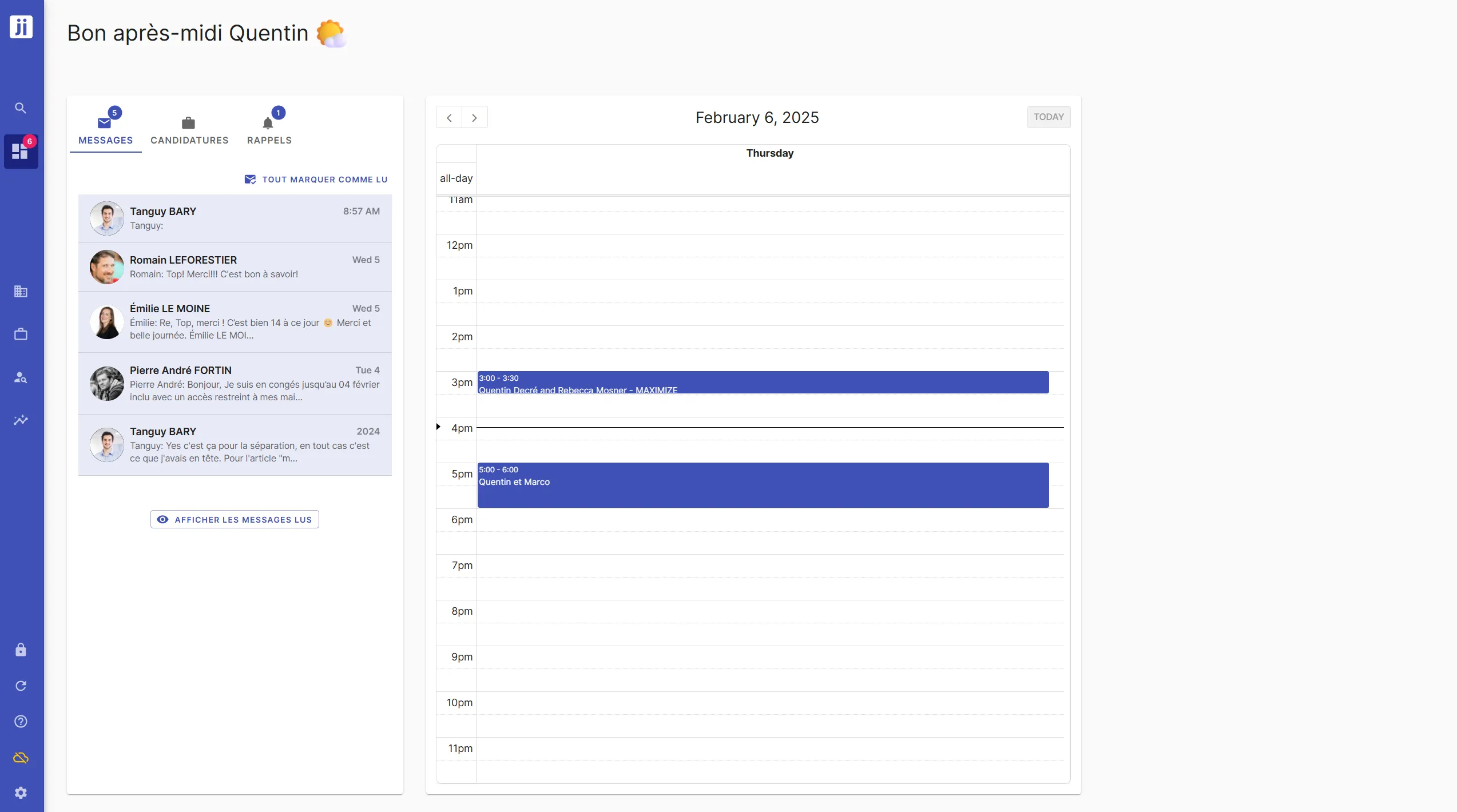
1. Managing your messages
The left panel groups all your pending conversations.
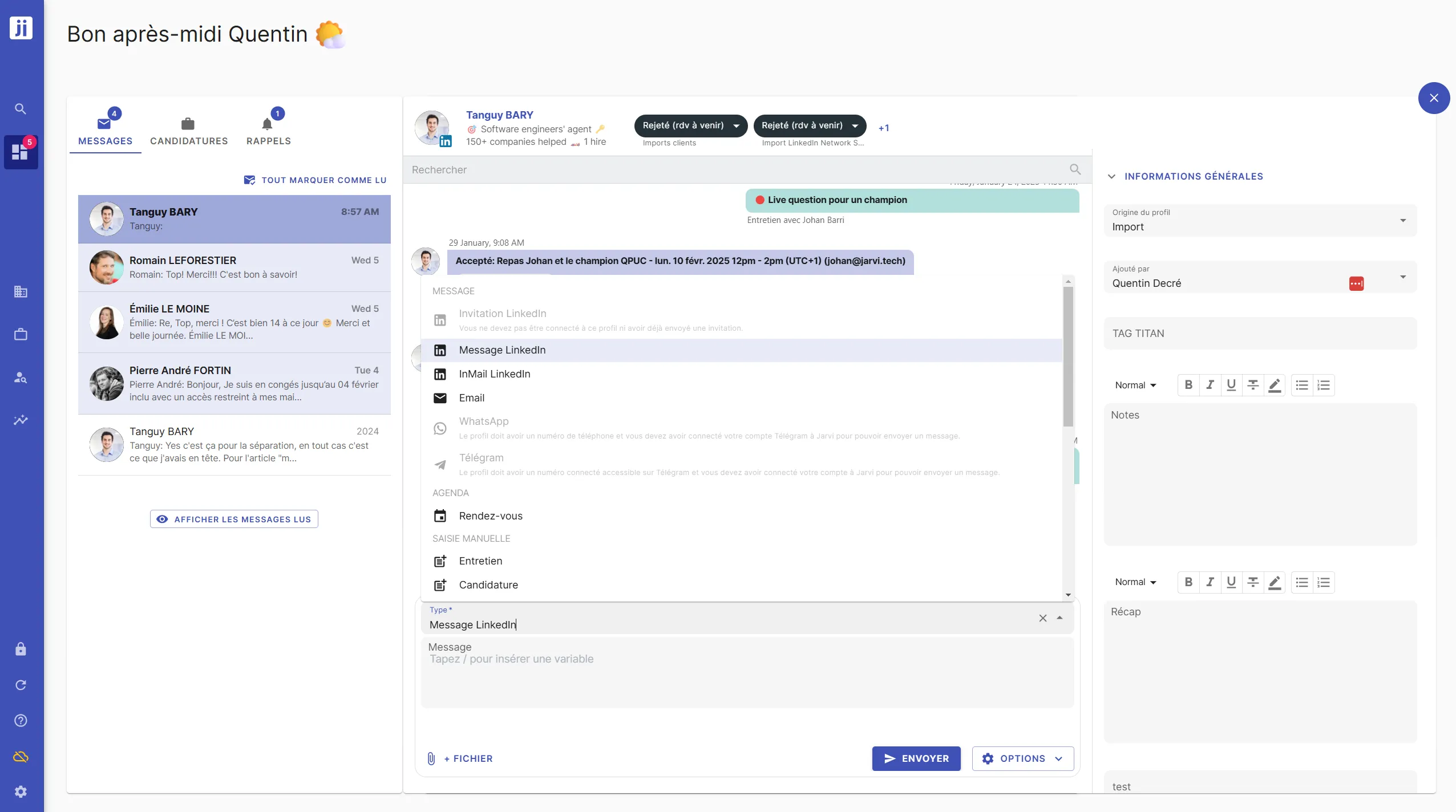
Available actions:
- View a conversation: click on a message to see the exchange history.
- Reply directly: type your message in the reply field.
- Change a profile status: update the candidate’s status directly from the conversation.
- Take notes: add information for effective follow-up.
- Bulk processing: select multiple messages to mark them as read or unread.
2. Managing your applications
Your Dashboard displays all new applications waiting to be processed, organized by project.
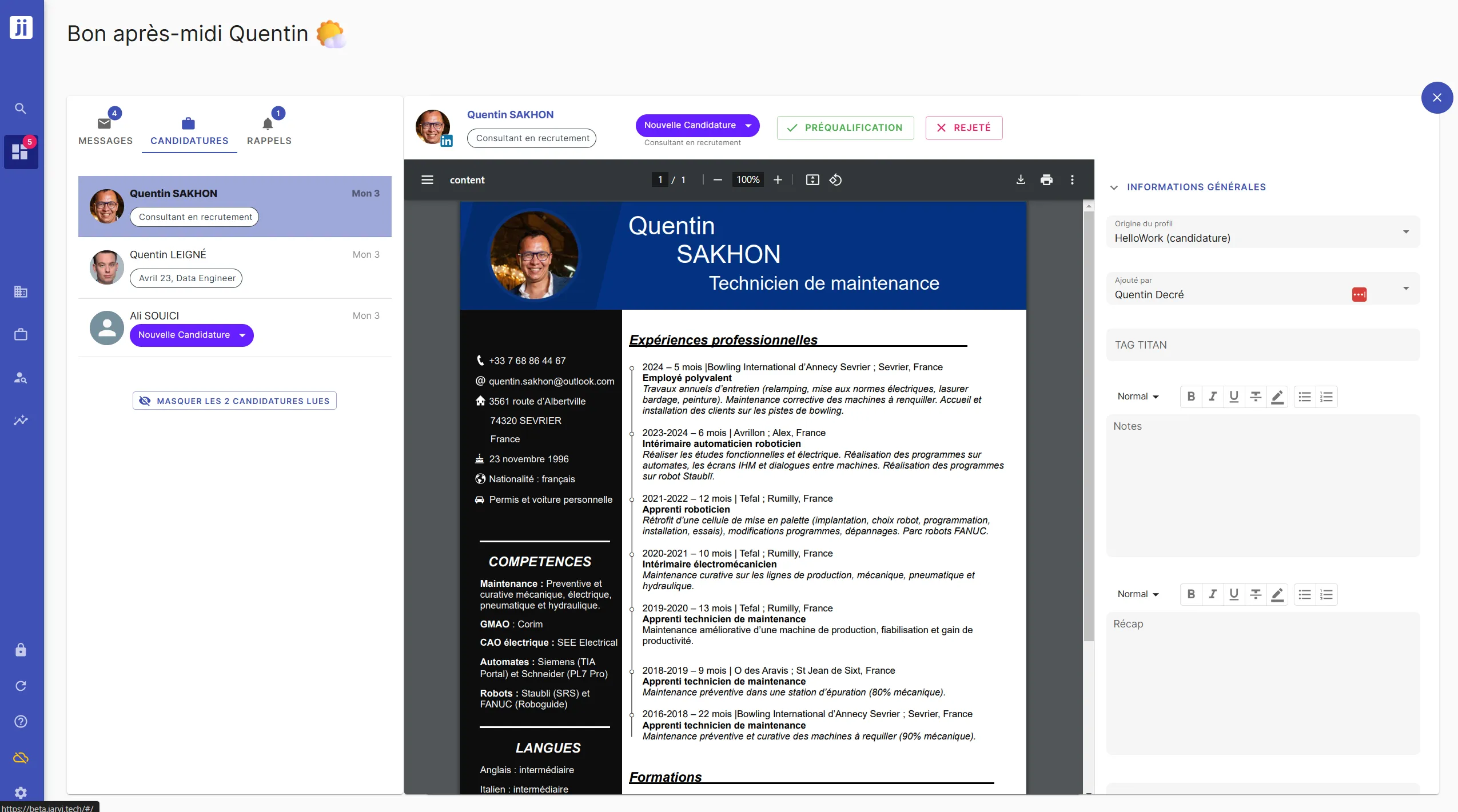
Quick processing:
- View a resume with one click: open the document directly from the applications list.
- Simplified pre-qualification and rejection:
-
Use the buttons to validate or reject an application
-
These buttons are customizable according to your recruitment process. (learn more in the Fast processing of applications section)
-
You can even automate rejection or pre-qualification emails (learn more in the Triggers section)
-
3. Manage your calendar
The integrated calendar allows you to keep an eye on your appointments and important events.
The Jarvi Dashboard is designed to save you time and help you stay in control of your recruitment. Take a few minutes to explore its features and discover how it can simplify your daily work!