Access signature management
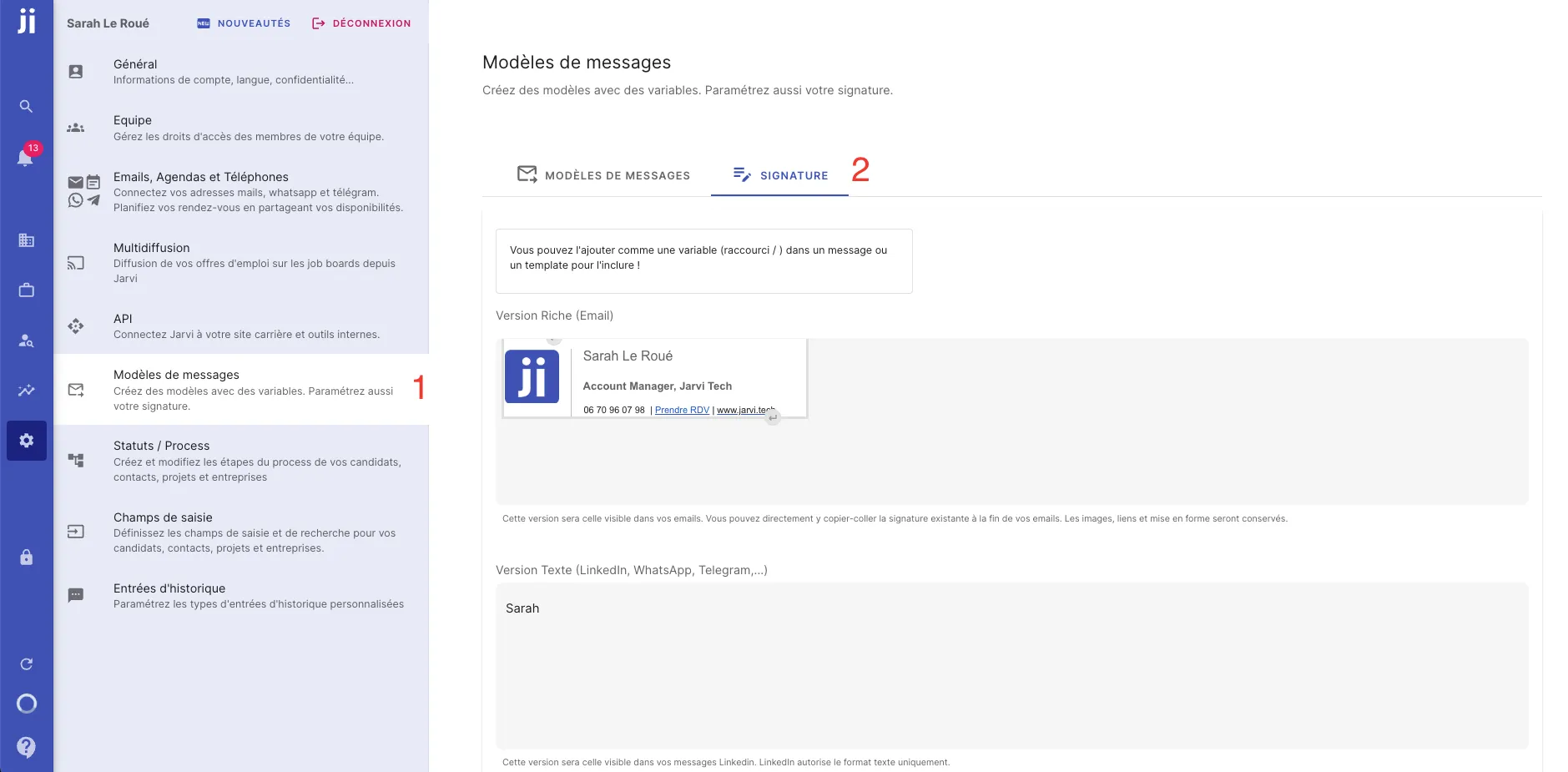
- Go to your Jarvi preferences.
- Navigate to the “Message templates” section.
- Click on the “Signature” tab at the top of the page.
Import or create your signature
- You have the option to either import your email signature or create it directly in the dedicated space.
- If you want to import your email signature, simply copy/paste it into the field provided for this purpose.
- You can also create a specific signature for LinkedIn if you prefer.
Use the signature in your messages
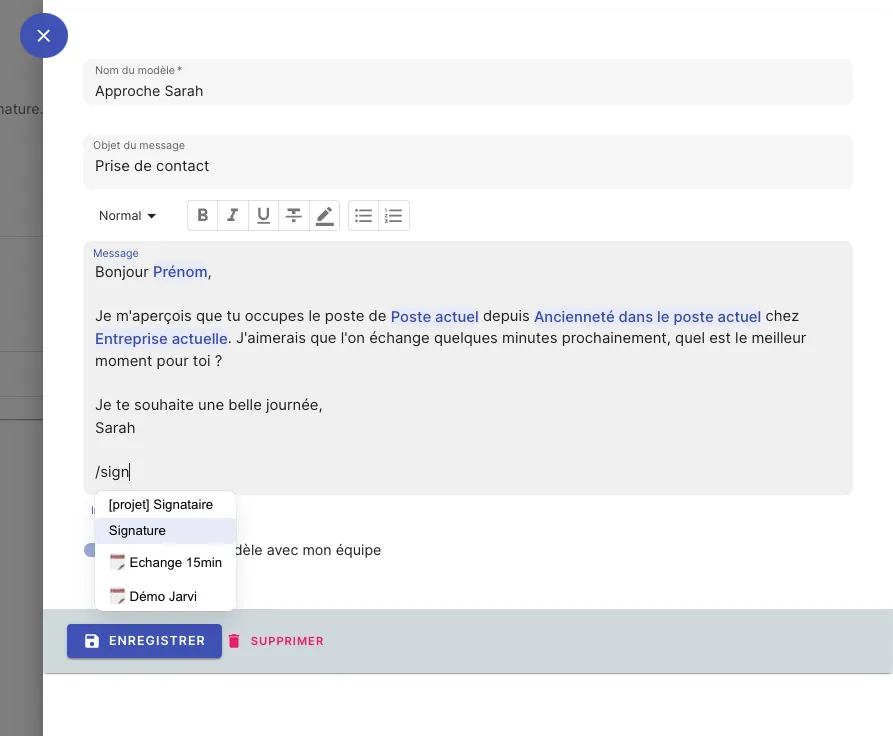
- To automatically integrate your signature into a message, simply add “/signature” at the end of your message or message template.
- Jarvi will automatically select the appropriate signature based on the channel you’re using (email or LinkedIn).
By customizing your signatures in Jarvi, you gain professionalism and consistency in your communications. Whether for your emails or your LinkedIn messages, a well-designed signature strengthens your image and makes communication with your contacts easier.