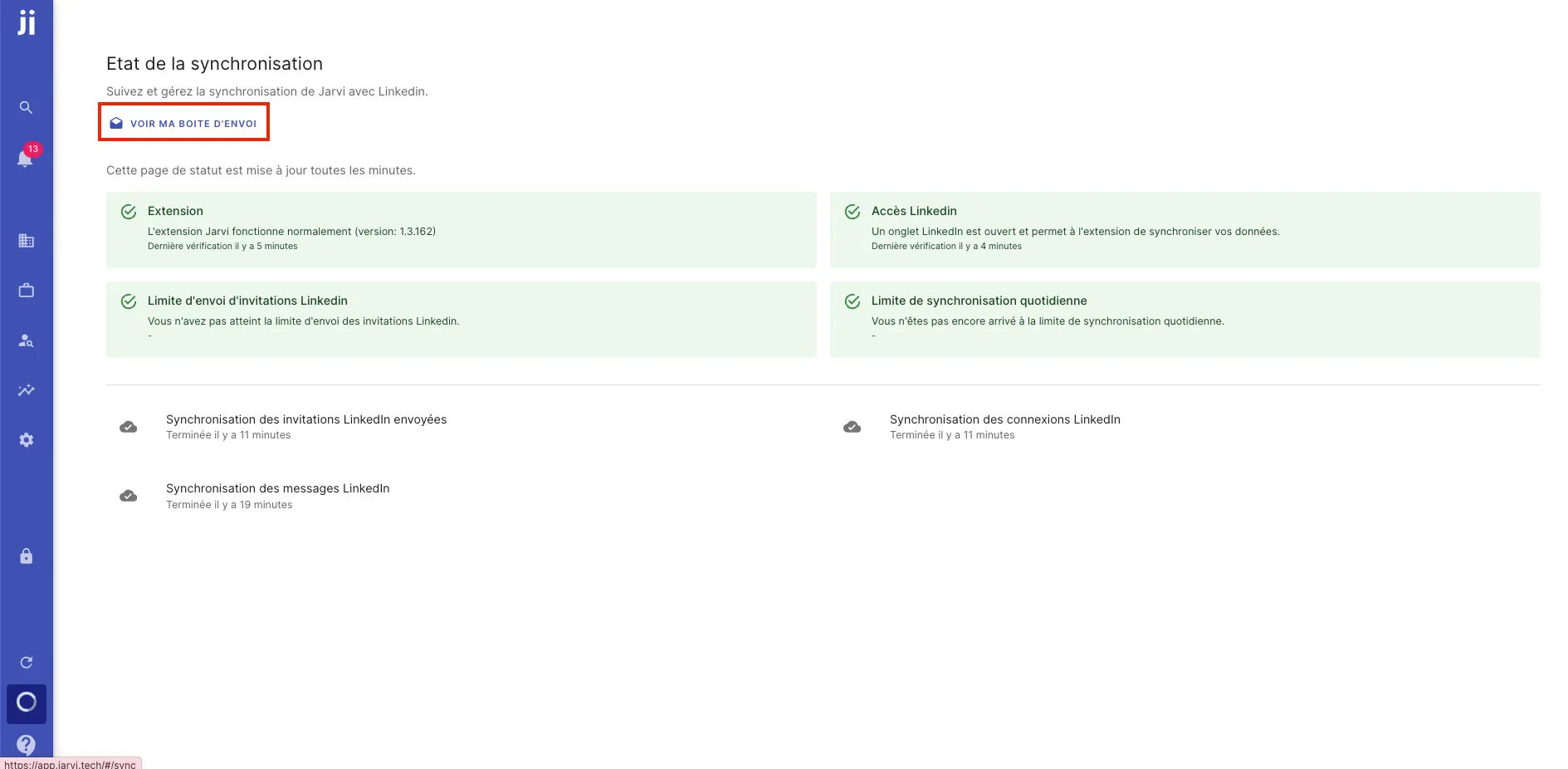
1. Access your outbox
- Go to the synchronization icon at the bottom left of your screen.
- Click on it to display your outbox at the top of the screen.
2. View your pending messages
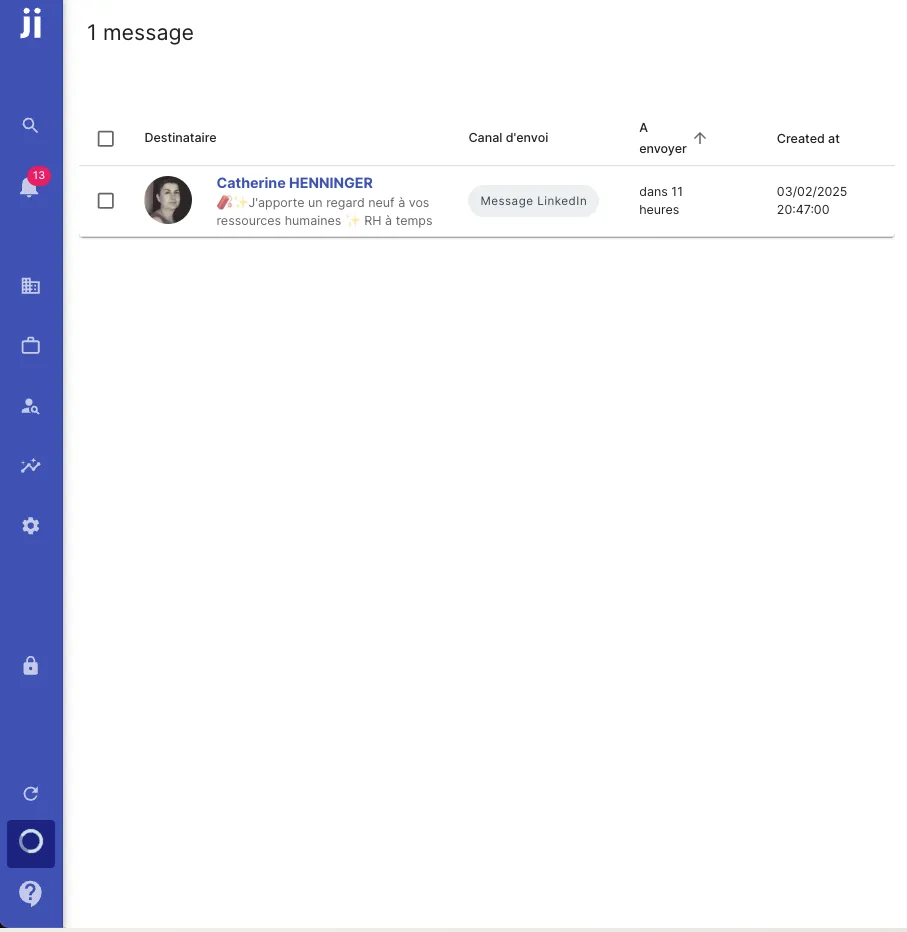
Once in your outbox, you’ll see the list of people who still need to be contacted.
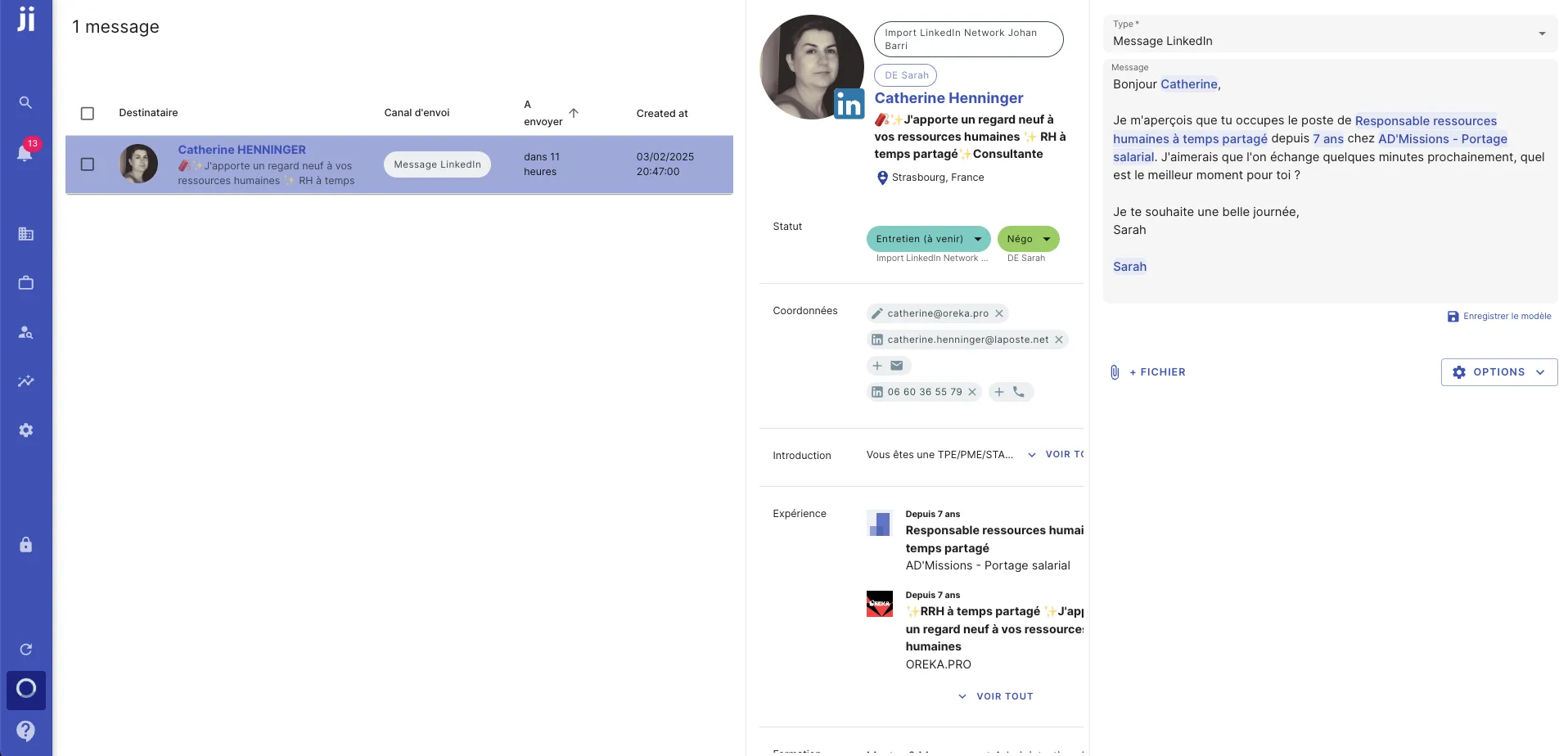
- You can click on each profile to see the planned message.
- You can also edit the message if needed before sending.
3. Manage pending messages
- If you want to cancel a message, you can easily delete it by selecting the relevant profiles and removing the pending messages.
- This feature allows you to maintain full control over the messages you want to send.
With this feature, you can closely monitor the status of your sends, make changes, or delete pending messages if needed, ensuring smooth management of your communications.