How to use global search in the talent pool?
- Go to your talent pool (the Talents tab) or to a project.
- Click on “Filter profiles”.
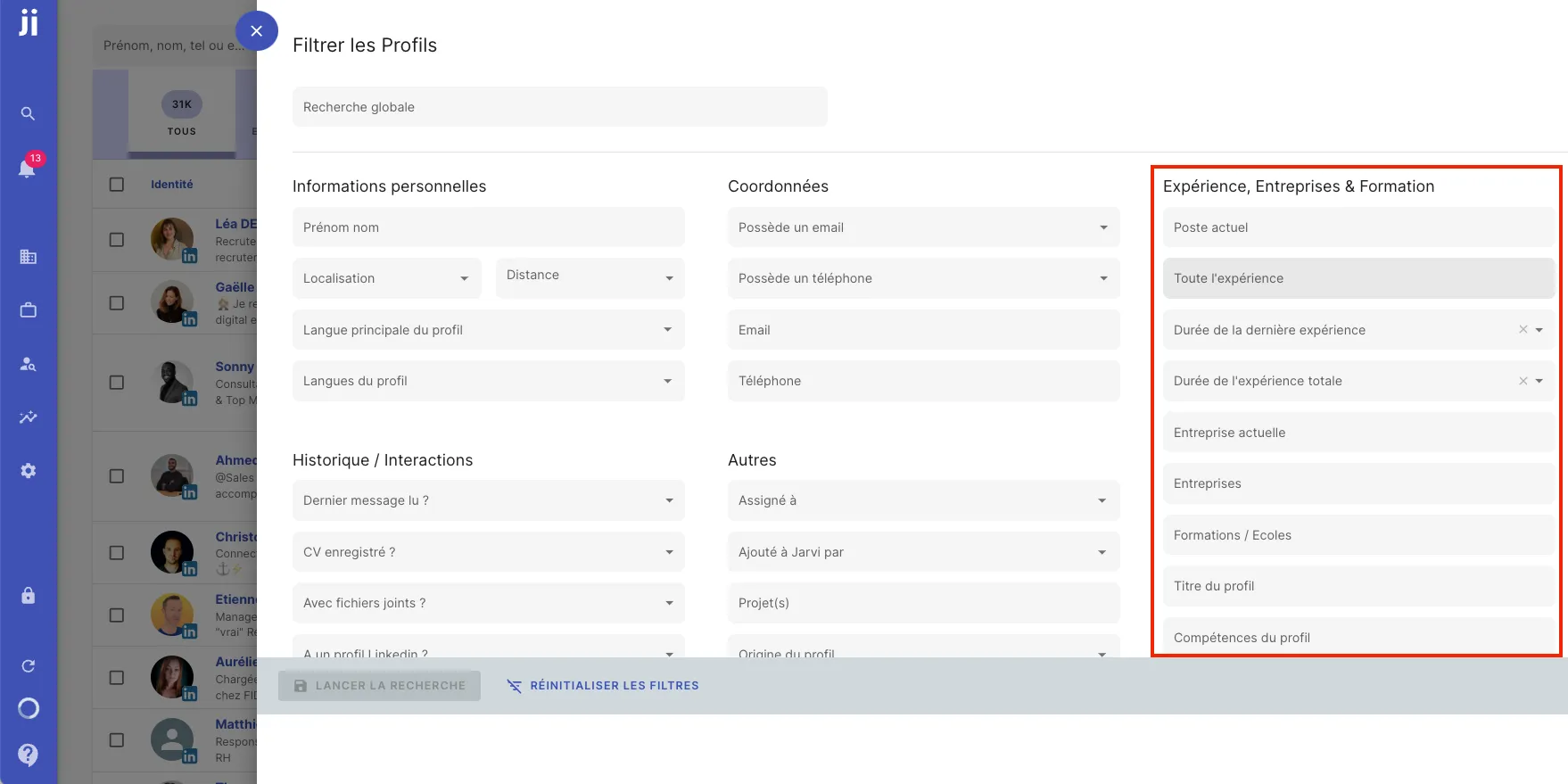
Available filters in Jarvi
1. Search by basic criteria:
You can perform simple searches on information such as:
- Last name
- First name
- Location
- Languages spoken
- Email or phone availability
2. Advanced filters:
You also have more detailed filters, including:
- Current position and current or past companies
- Years of experience, whether total experience or specific to a position
- Education and profile titles
- Skills and interests
3. Custom filters:
You can also use the custom fields that you’ve created yourself in Jarvi, such as:
- Rating fields
- Tag systems
- Free text
4. Boolean filters:
Boolean indicators are also supported in Jarvi. For example, you can combine multiple criteria with OR and AND to get even more refined results. Remember that these operators work in uppercase and in English.
Advanced search example
If you want to search for profiles with specific experience in a particular position, you can easily do so by filtering by these criteria. For example, search for all profiles with 5 years of experience in a developer position at a specific company.
Tip: Jarvi’s filters are a powerful feature for customizing your searches and finding exactly what you’re looking for in a talent pool or project. Don’t hesitate to use multiple criteria to refine your results!