Accessing the list of profiles to contact
- Go to the profile list you want to contact. This could be, for example, in a project or in another view where your profiles are centralized.
- Select the profiles you want to contact by checking the box next to their identity.
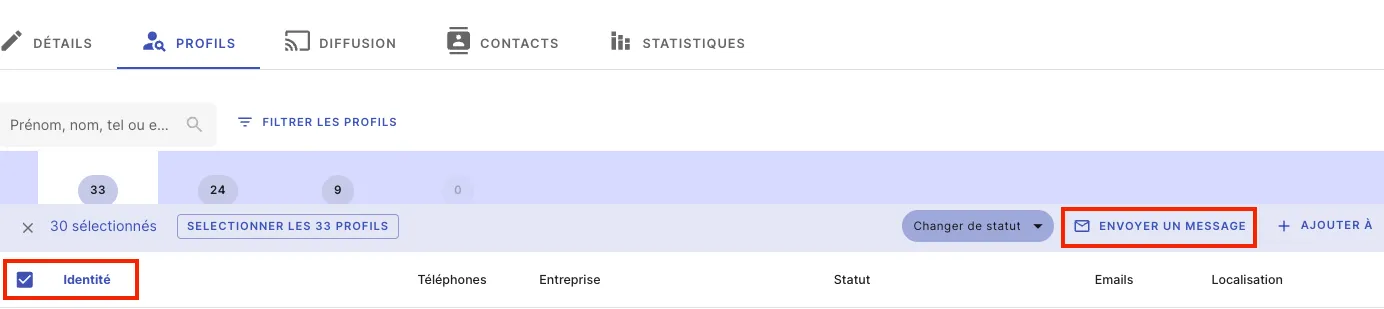
Send a message to your selection
- After selecting your profiles, click on “Send a message”.
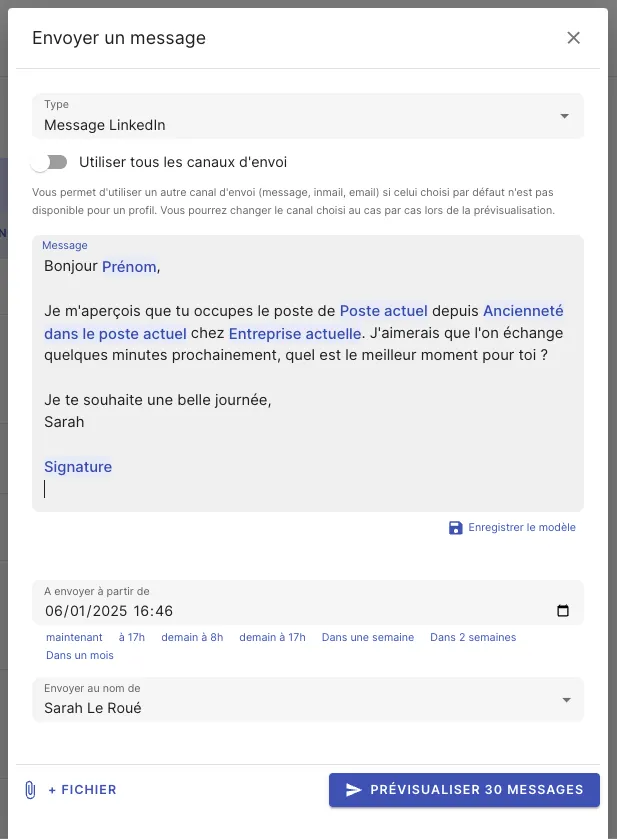
- Choose the sending channel (email, SMS, etc.) and select a message template or write your custom message.
- If you want to schedule the sending, choose the date and time for delivery. You can also attach a file if needed.
- Click on “Preview X messages”. (Don’t worry, your messages won’t be sent immediately.)
Check and customize messages
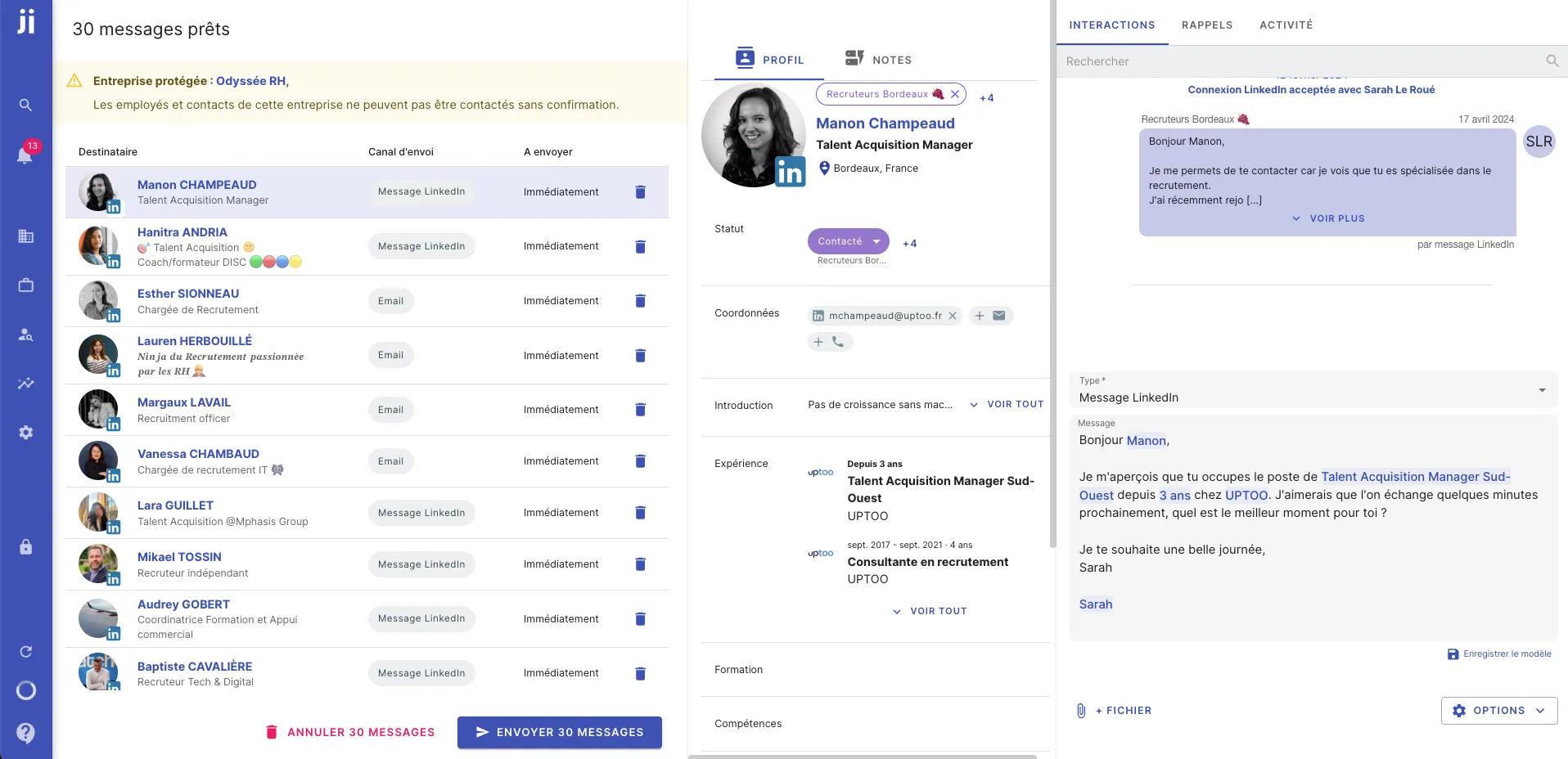
- Review the messages automatically prepared by Jarvi. You can customize each message if needed to add a more personal touch.
- Once you’re satisfied with the content, click on “Send” to send your messages.
All done! You’ve sent your messages to your profiles in just a few simple steps.