Jarvi allows you to contact your talents directly through several channels, including LinkedIn. Here’s how to send a LinkedIn message in just a few steps.
Access the talent’s profile
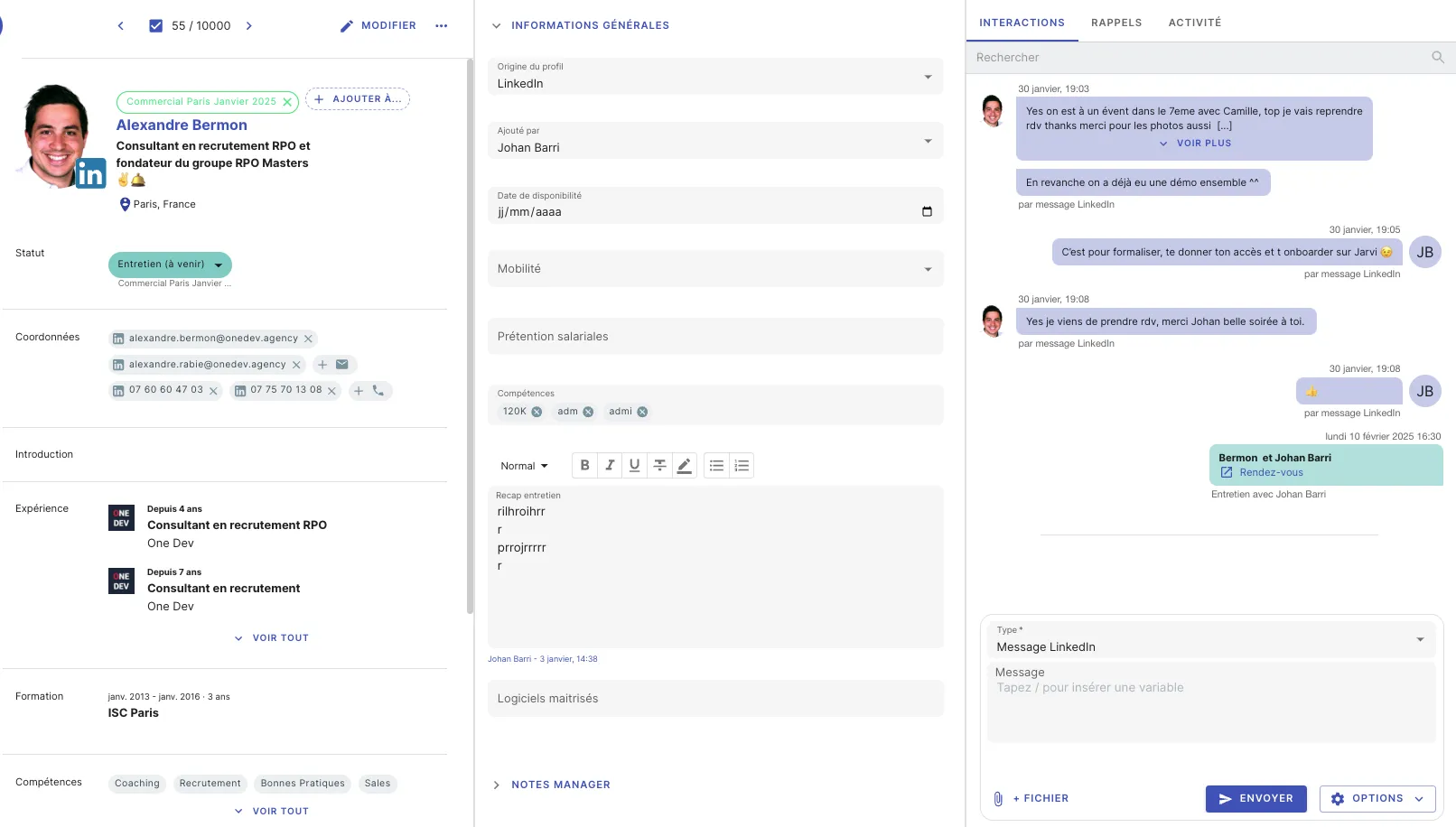
When viewing a candidate profile in Jarvi, you’ll find several information panels:
- On the left: Data retrieved from LinkedIn profile or resume (first name, last name, contact details, experience, education, etc.).
- In the center: Note-taking and customized information.
- On the right: Interaction history and access to communication channels.
Contact a talent via LinkedIn
- Access the right panel (Interaction history).
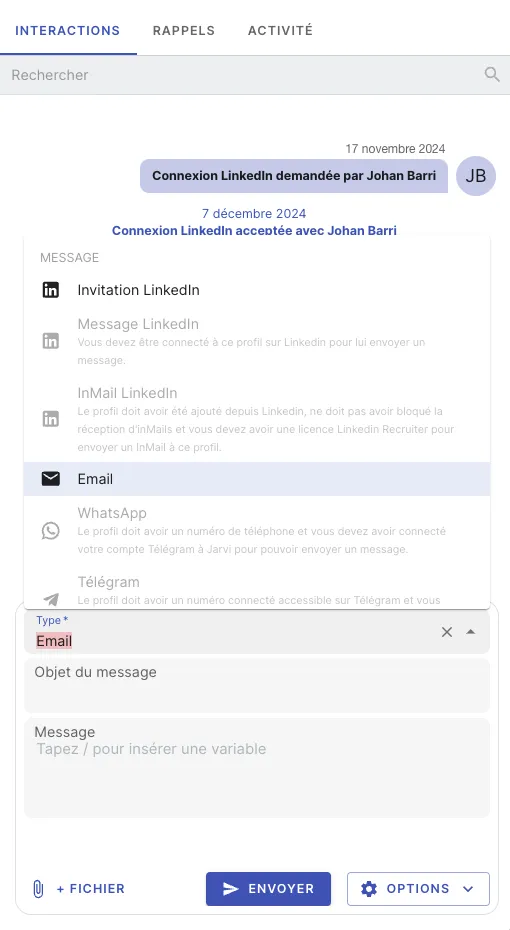
- Under past exchanges, click on “Type”.
- Select “LinkedIn Message” from the available options (email, InMail, LinkedIn invitation, WhatsApp…).
- Write your message.
Example: “Hello /first name, I hope you’re doing well…”
- Click on “Send”. The message will be automatically sent via LinkedIn.
Tips to optimize your messages
Done! You’ve contacted your talent on LinkedIn in just a few clicks.