How to activate filters?
- Go to your talent pool (the Talents tab) or to a project where you want to apply filters.
- Click on “Filter profiles”.
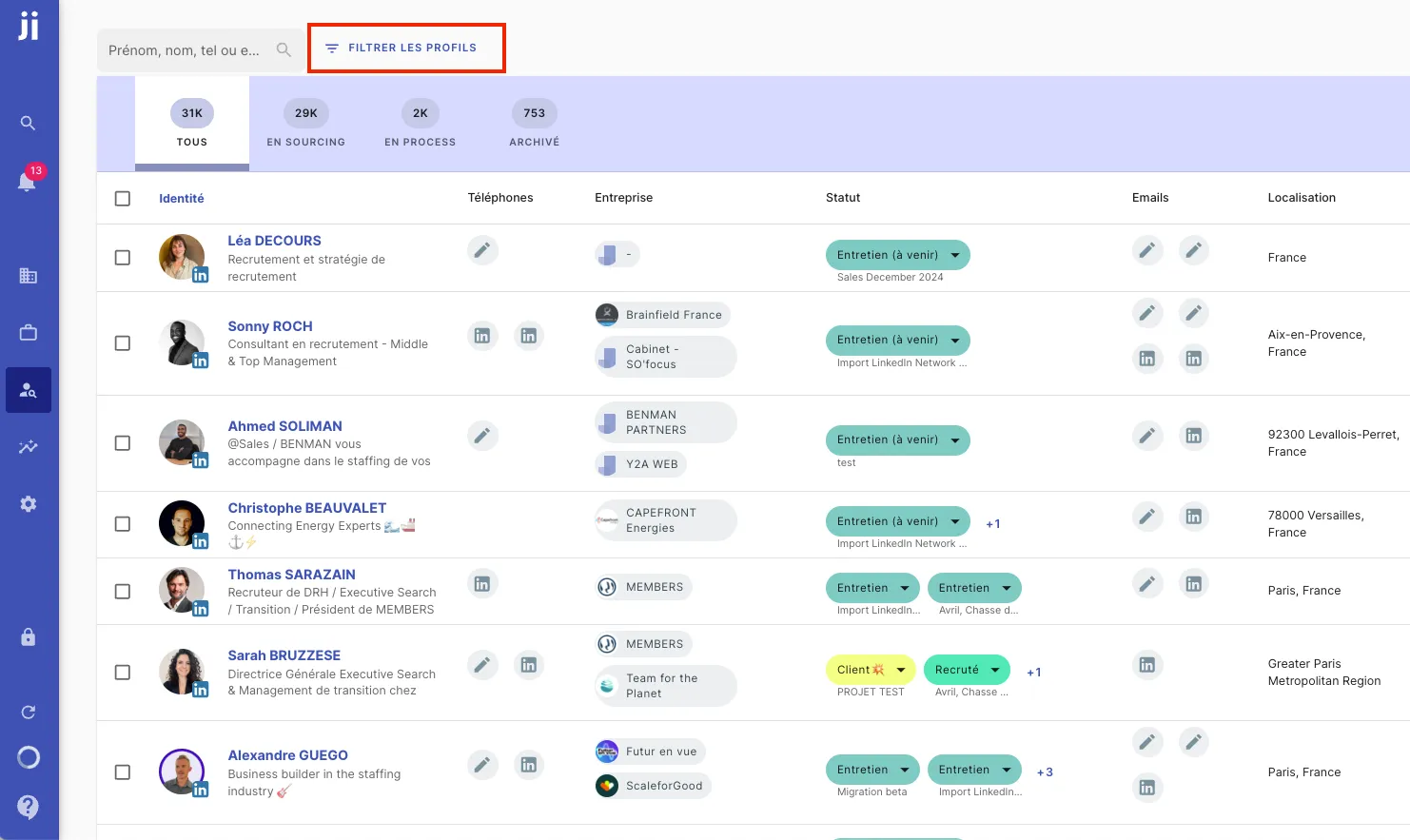
Example of location filter
Let’s take a practical example: you want to know the number of profiles located in Bordeaux or within a 10-kilometer radius around this city among the 30,000 profiles in your talent pool. Here are the steps to follow:
- Enter the desired location (in this case, Bordeaux) and add a distance perimeter if necessary.
- Launch the search to filter profiles according to your criteria.
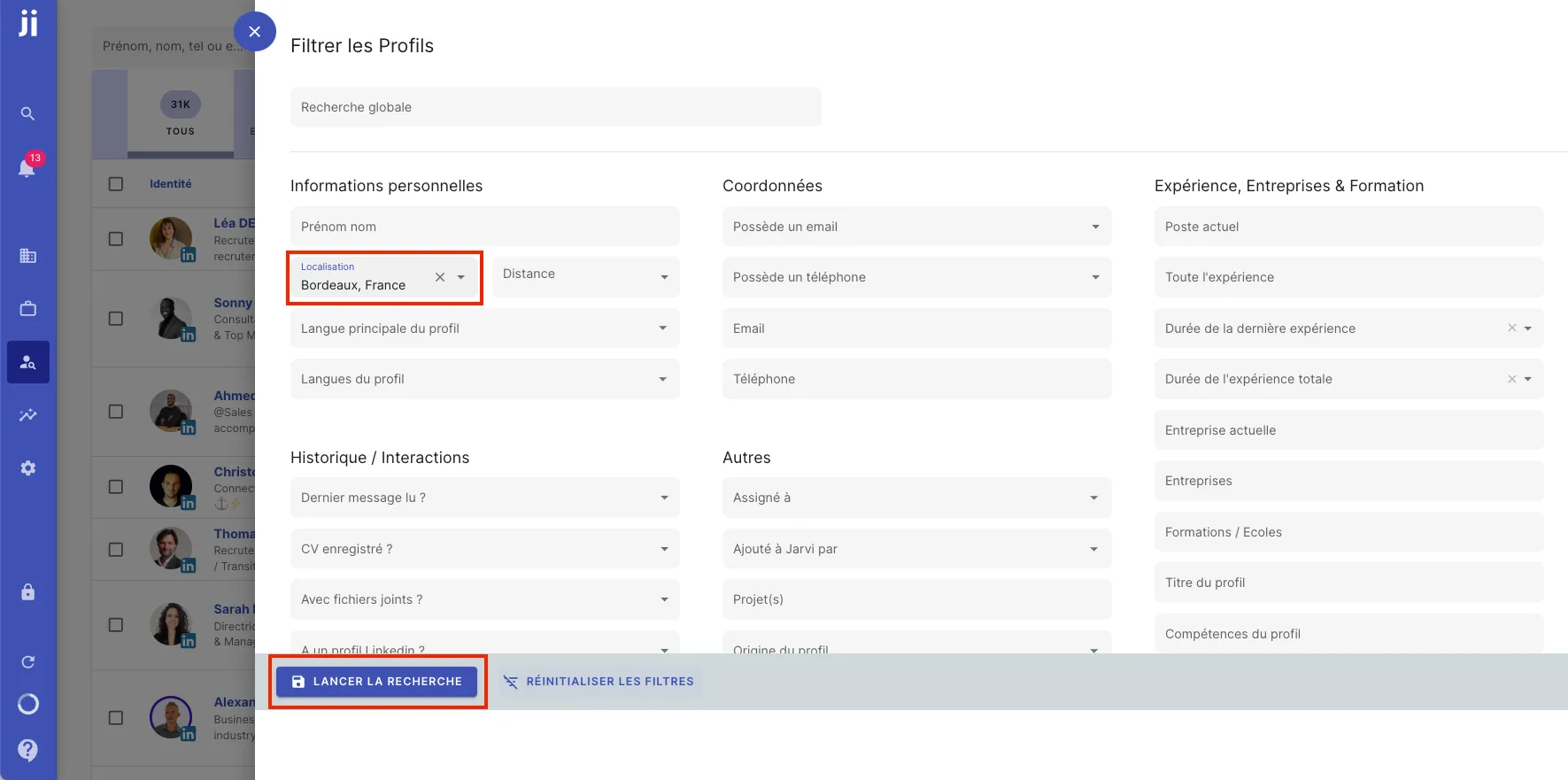
Filter results
By applying this filter, you’ll get all the profiles that match this location and the defined perimeter. In the Montpellier example, you could find approximately 1,000 profiles within this 10-kilometer radius, with details about their statuses in your talent pool.
This allows you to save time by targeting only the profiles that meet your geographical needs and other criteria.
Tip: Filters in Jarvi are an excellent way to refine your searches and find profiles that match exactly your specific criteria.