Discover automatic note-taking in Jarvi
Save valuable time during your interviews, whether video, phone, or in-person, thanks to the new AI note-taking feature integrated into Jarvi. No more expensive and disconnected external tools: the Note Taker assistant transcribes, summarizes, and centralizes all your conversations directly in your ATS, taking into account the context, job posting, and past interactions.
Record a video interview with Jarvi
Step 1: Start your video conference. The Jarvi side panel opens automatically, allowing you to access the profile linked to the conversation. If your appointment is already scheduled and associated with a profile in Jarvi, the tool automatically detects the right record thanks to your calendar link.
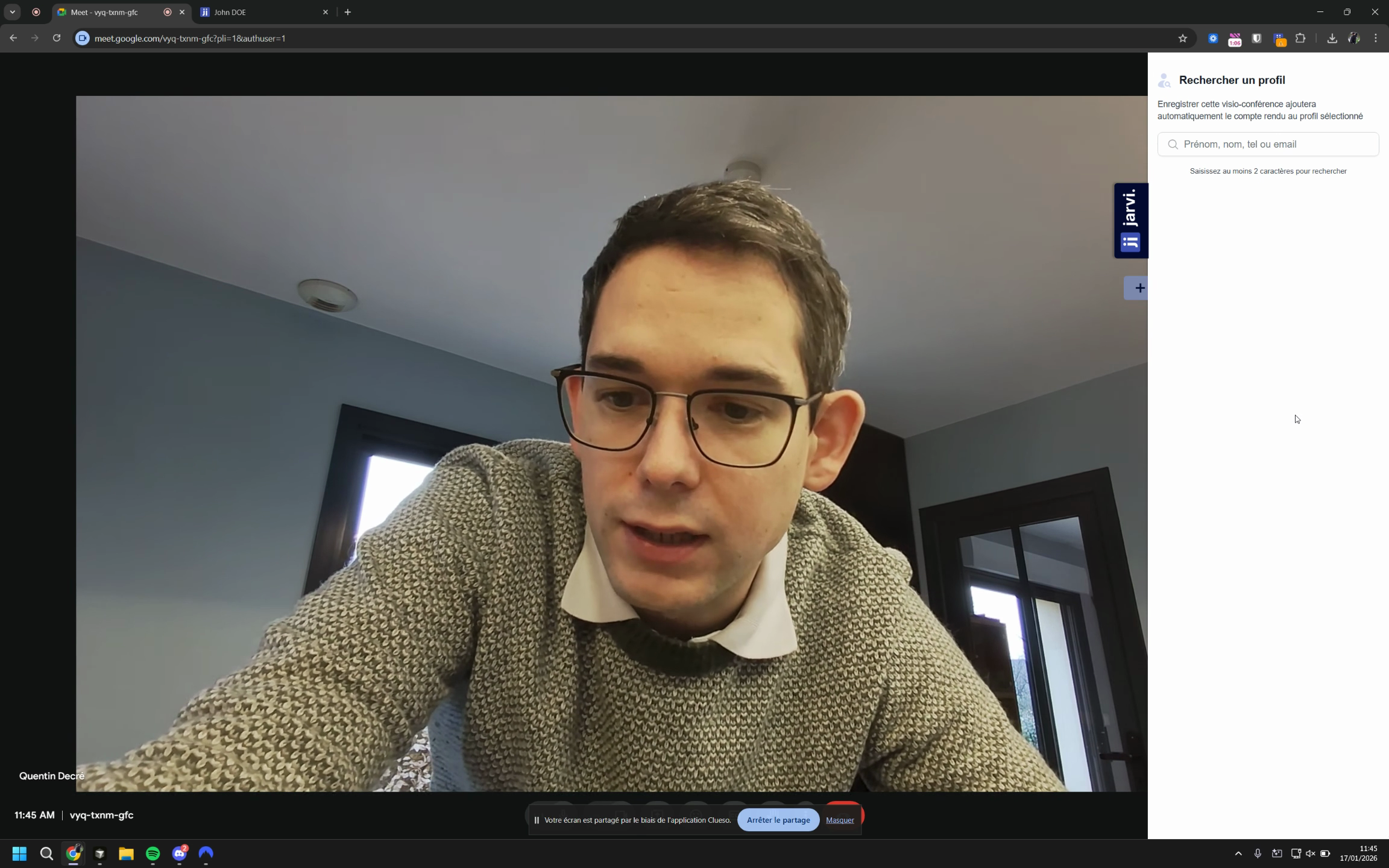
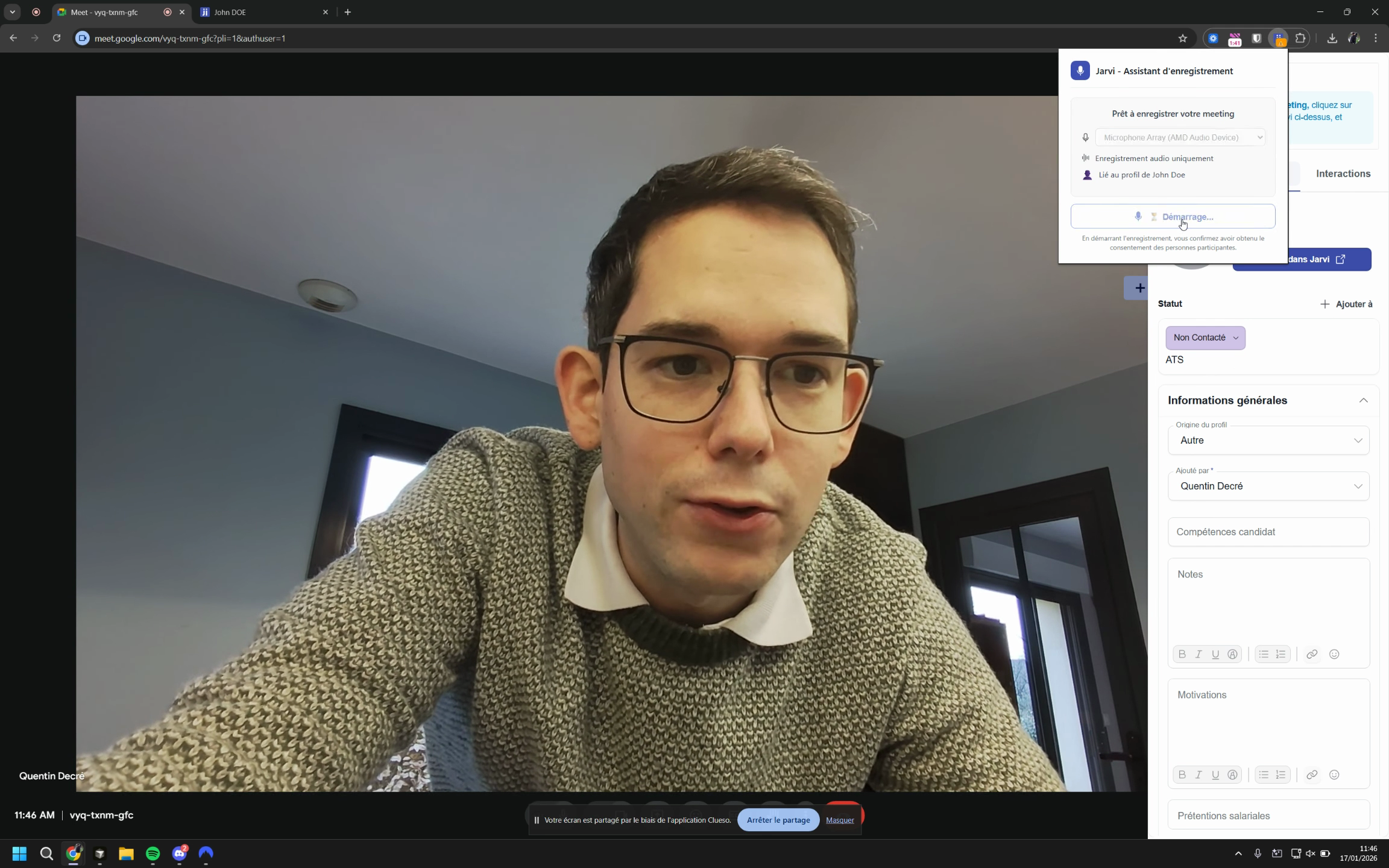
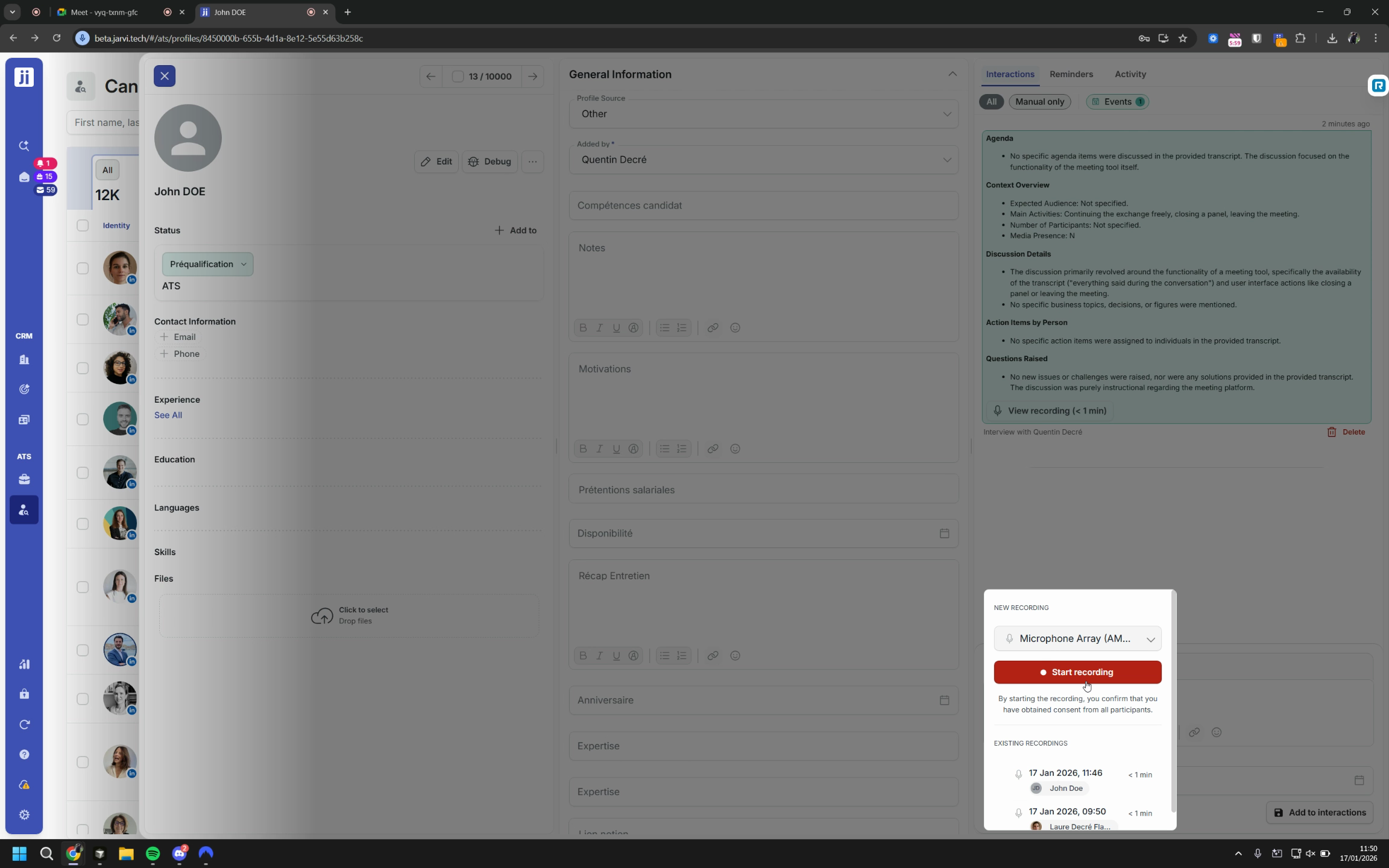
Step 4: Before recording, ask for consent. Click on the Jarvi extension icon, then on Start recording.
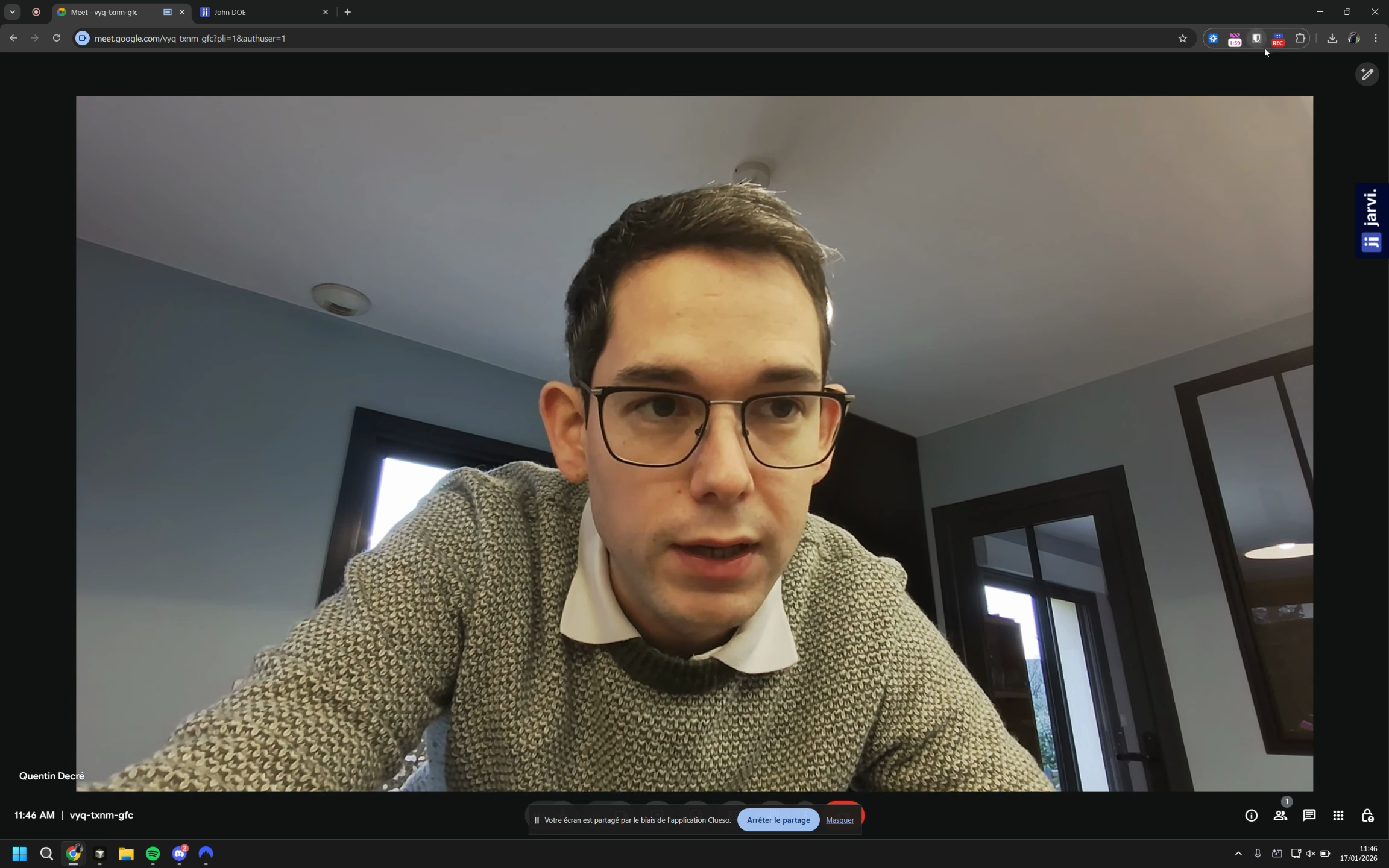
Step 5: To stop, click on Stop recording. The audio will be saved on the profile and linked to the appointment if one exists, or to a new interaction if no appointment was detected with this profile during this time slot.
View and use the recording
Step 1: Find the recording on the associated profile, along with the complete interview transcript.
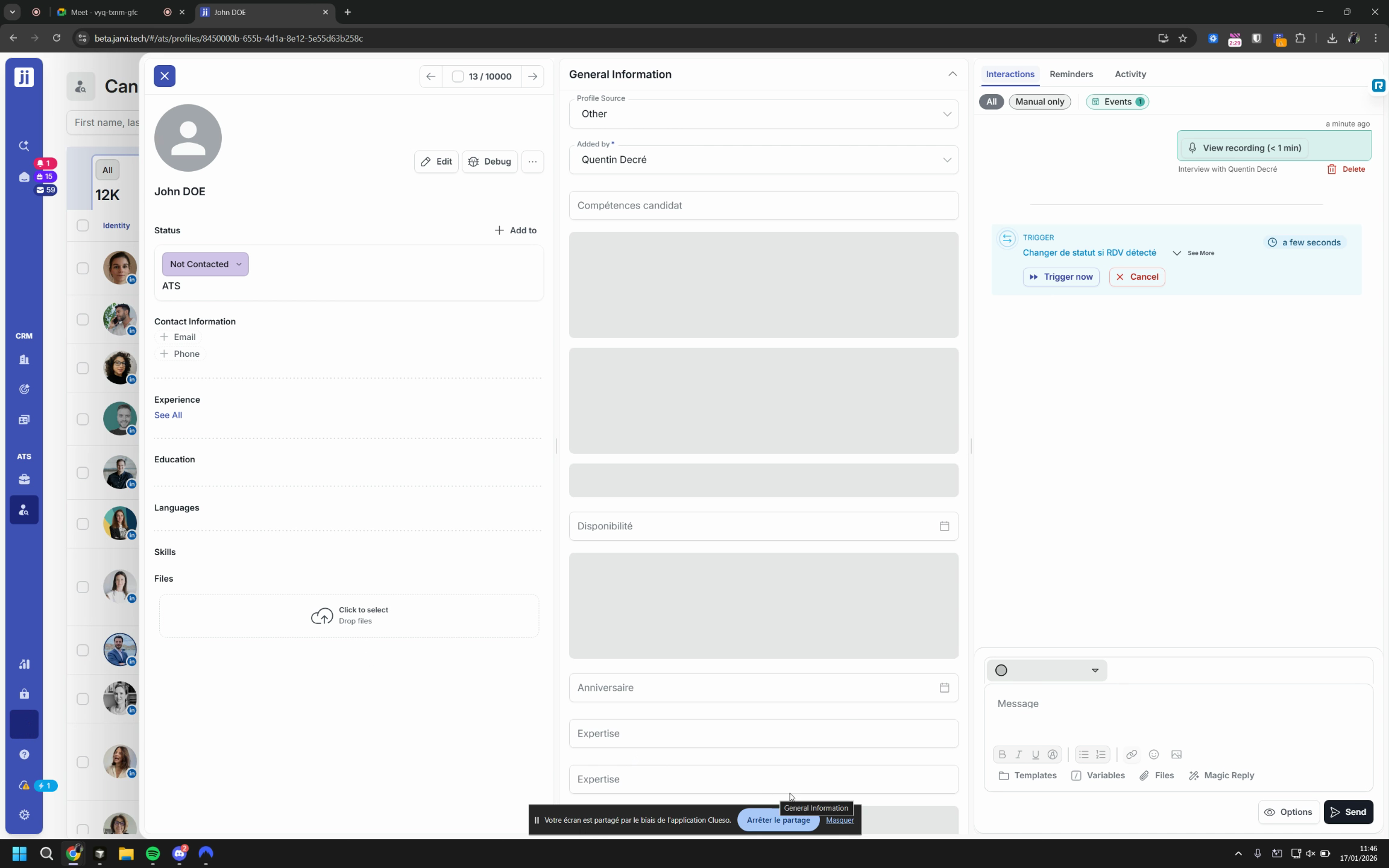
Step 2: Listen to the recorded audio or review the transcript in the dedicated tab.
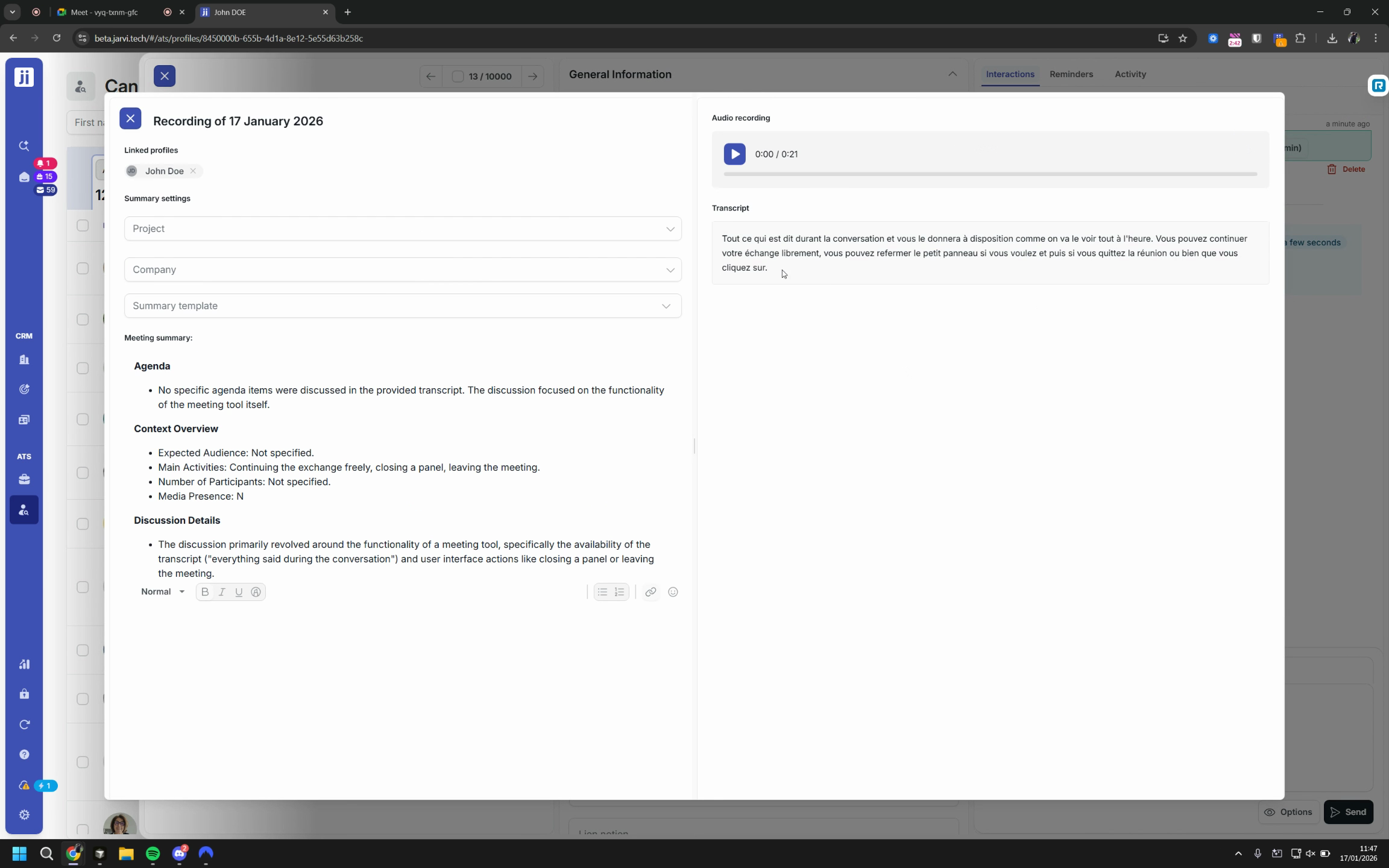
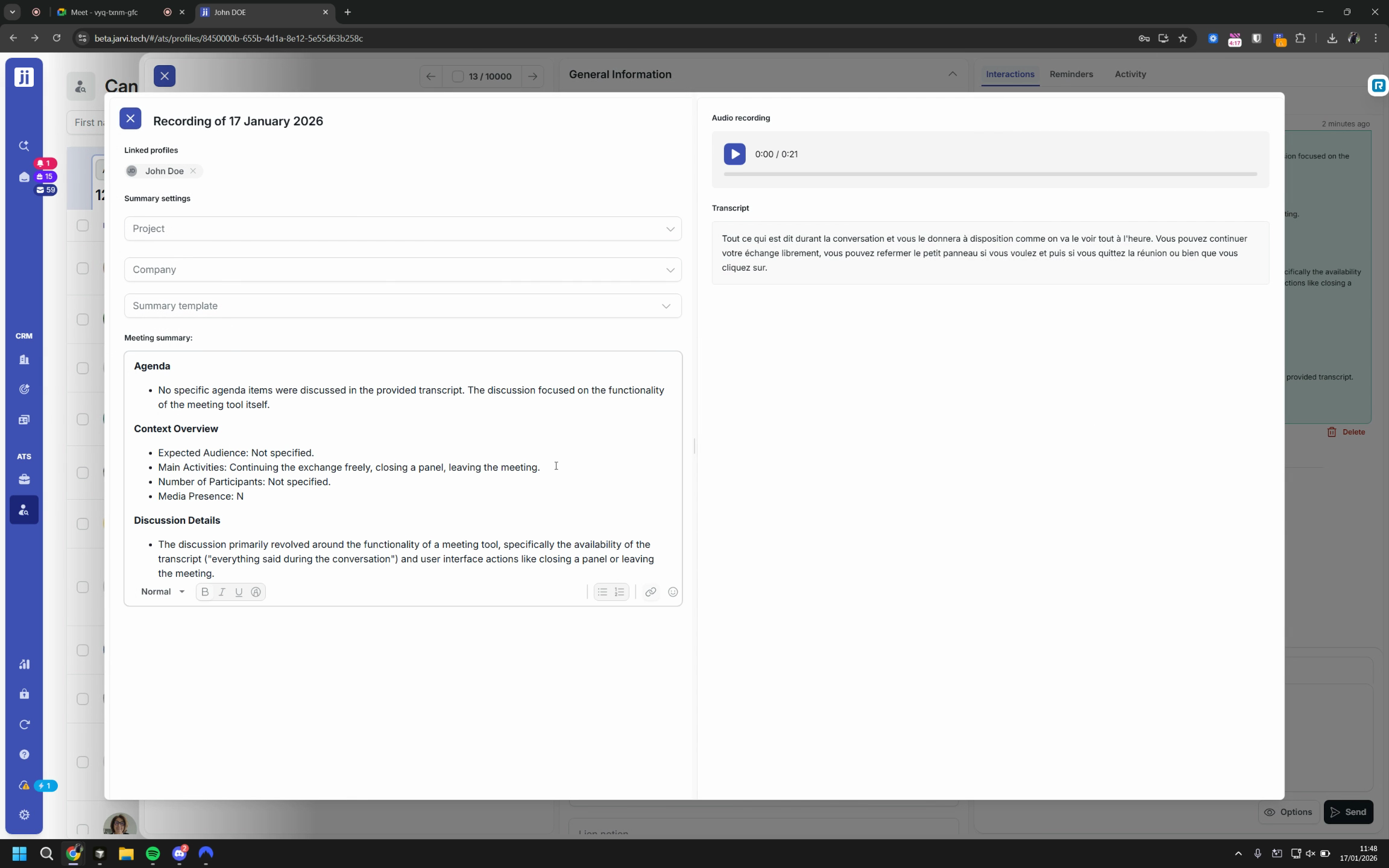
Step 3: Review the automatically generated summary. Create and customize as many templates as needed, tailored to your types of conversations.
Configure and customize your Note Taker
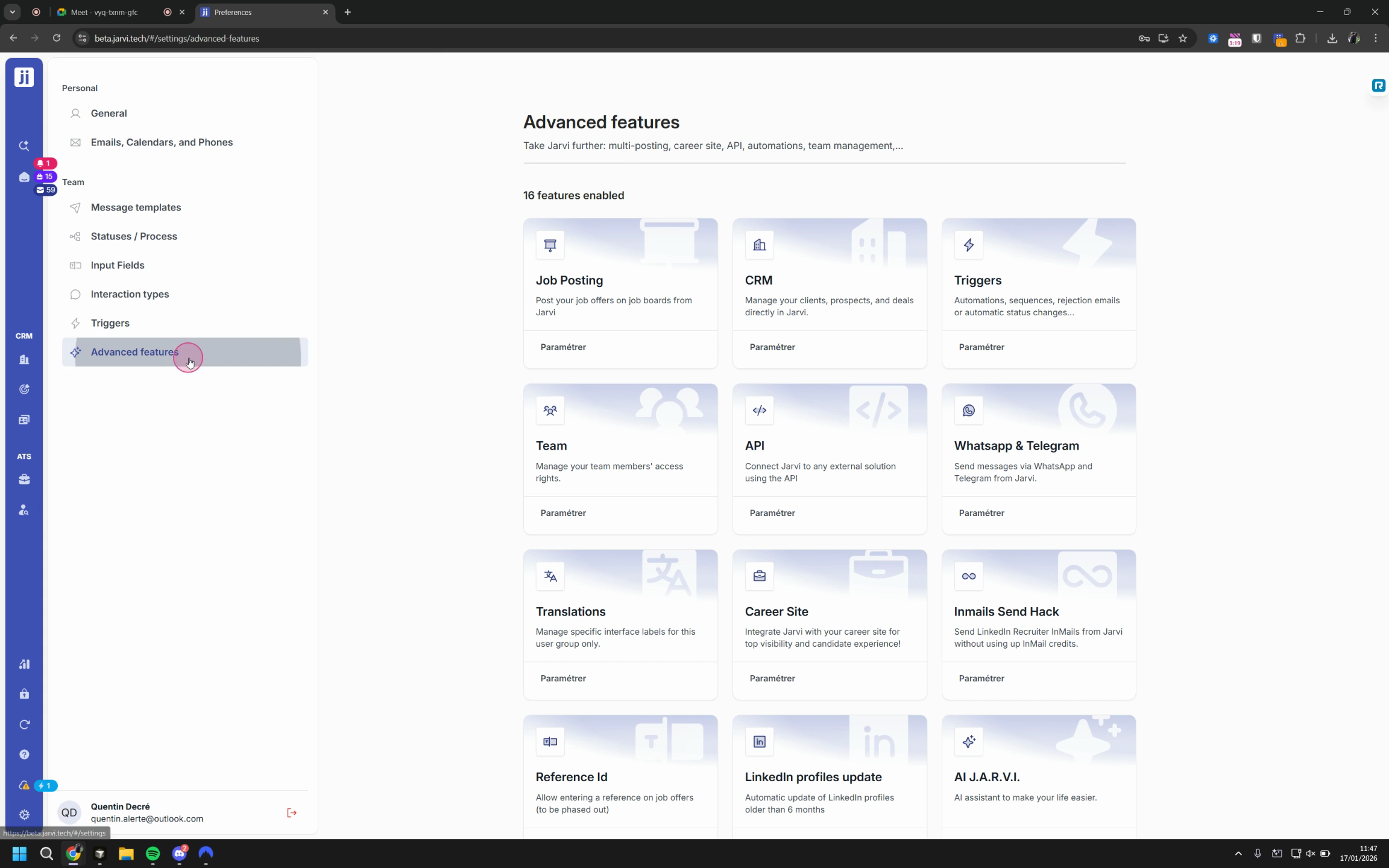
Step 1: Go to Preferences > Advanced features. Enable the Note Taker function.
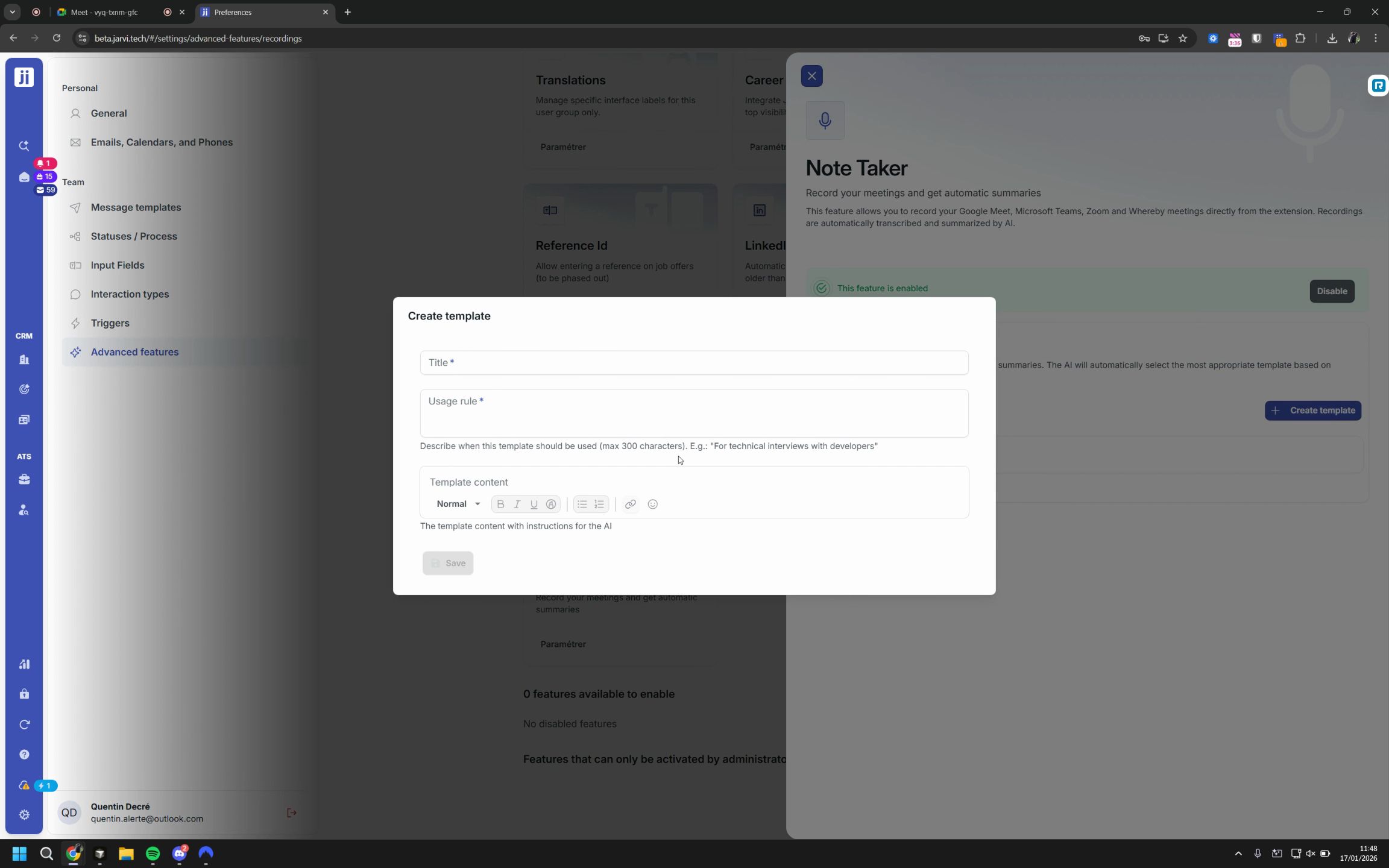
Step 2: Create your own report templates. Define a title, structured content, and usage rules to guide the AI.
Step 3: The AI automatically selects the relevant template based on the interview context, profile, project, and company involved.
Add manual recordings and expand use cases
Step 1: Click Add recording to integrate an existing audio file into a manual note, or start a new recording from Jarvi (handy for in-person interviews or phone calls).
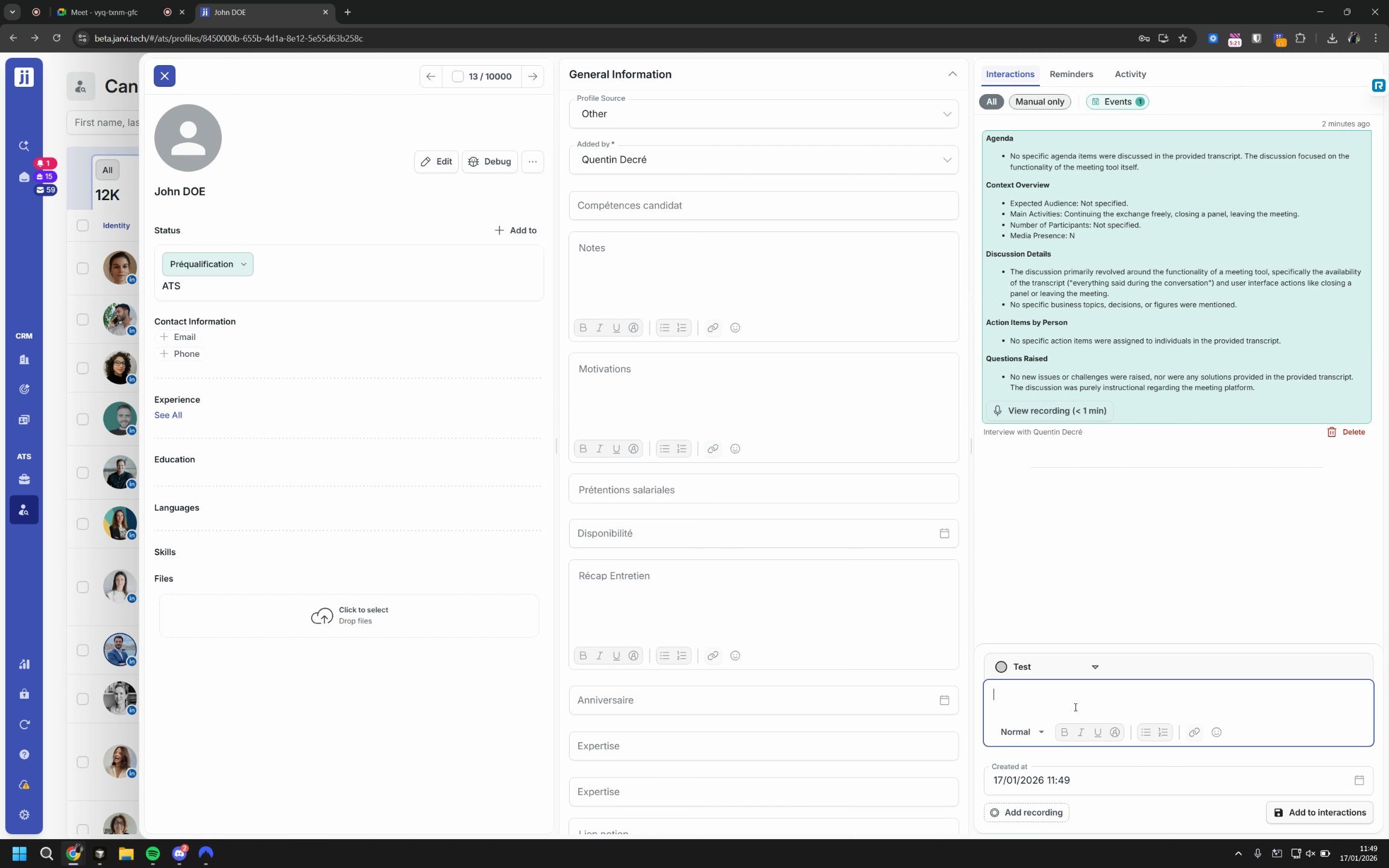
Step 2: For in-person meetings, open the Jarvi app on your phone and record the conversation directly.
For phone calls, simply put your phone on speaker to capture the audio on your computer.
AI note-taking in Jarvi frees you from repetitive tasks and optimizes your interview follow-up, while keeping you in control of your summaries. Centralize all your interactions, save time, and reduce costs on additional tools. For any suggestions, the Jarvi team is here to help!