Introduction
This setup reduces time spent posting jobs and simplifies your multi-account broadcasting so you can focus on sourcing. Follow these steps to connect your Job Posting Pro account and launch broadcasts from Jarvi.
Set up your Job Posting Pro account
Step 1: Open Preferences then select Advanced features.
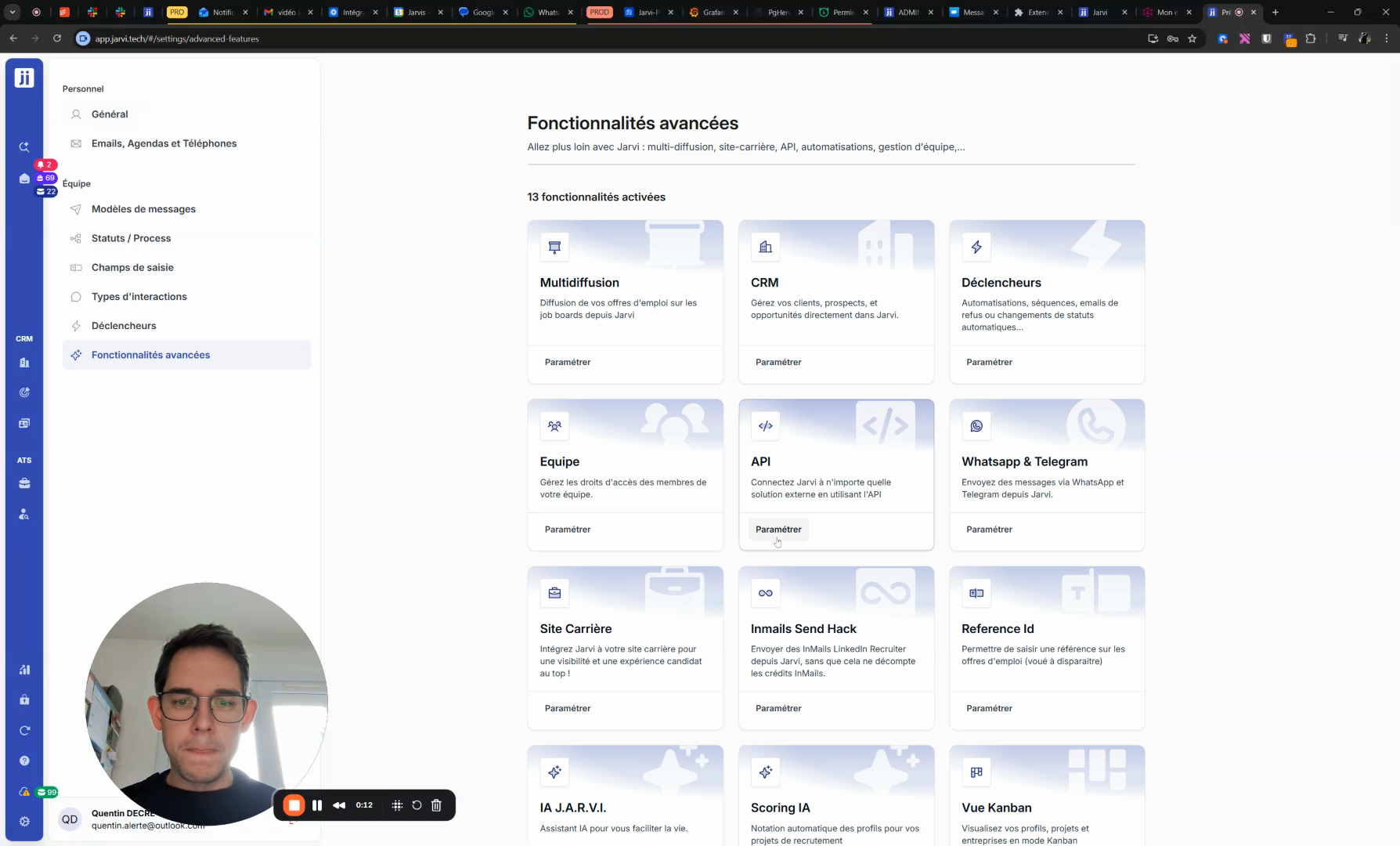
Step 2: Enable Multiposting.
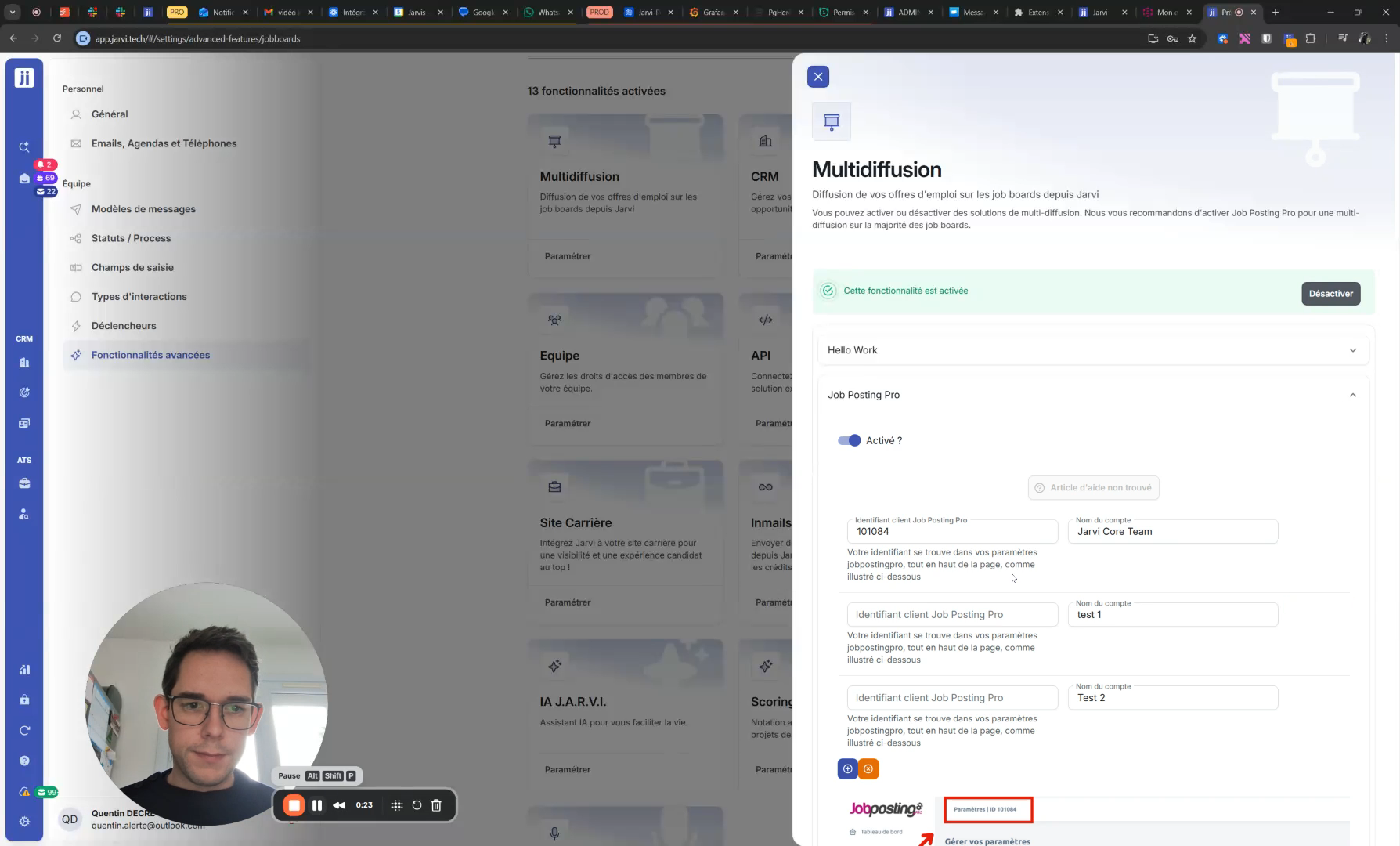
Step 3: Open Job Posting Pro
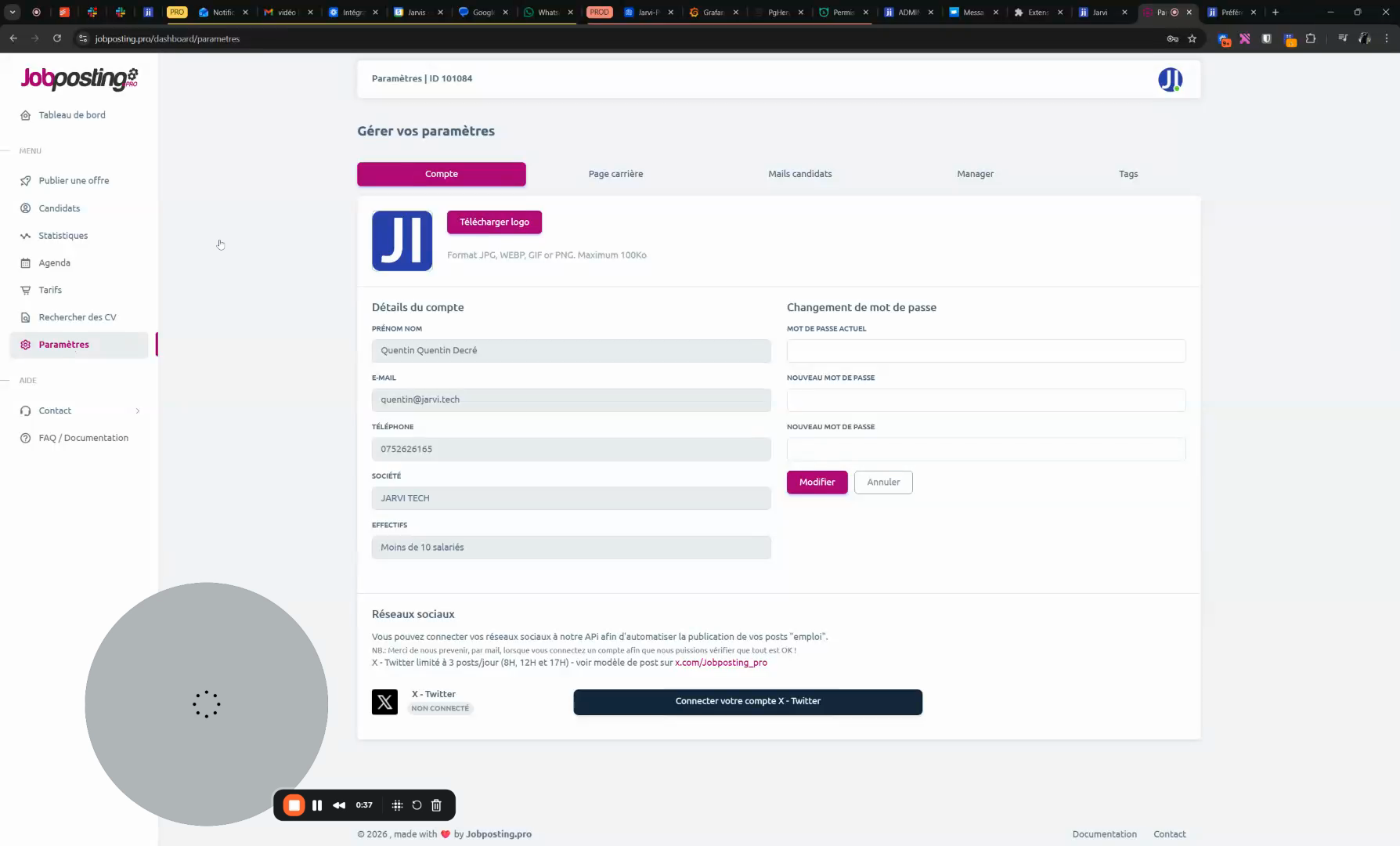
Step 4: Open your Job Posting Pro account, go to Settings, copy the ID number and paste it into Jarvi
Step 5: Add multiple accounts if needed. Jarvi will offer to choose which account to use for each job posting.
Broadcast a job posting from a project
Step 1: Open Recruitment projects and select the relevant project.
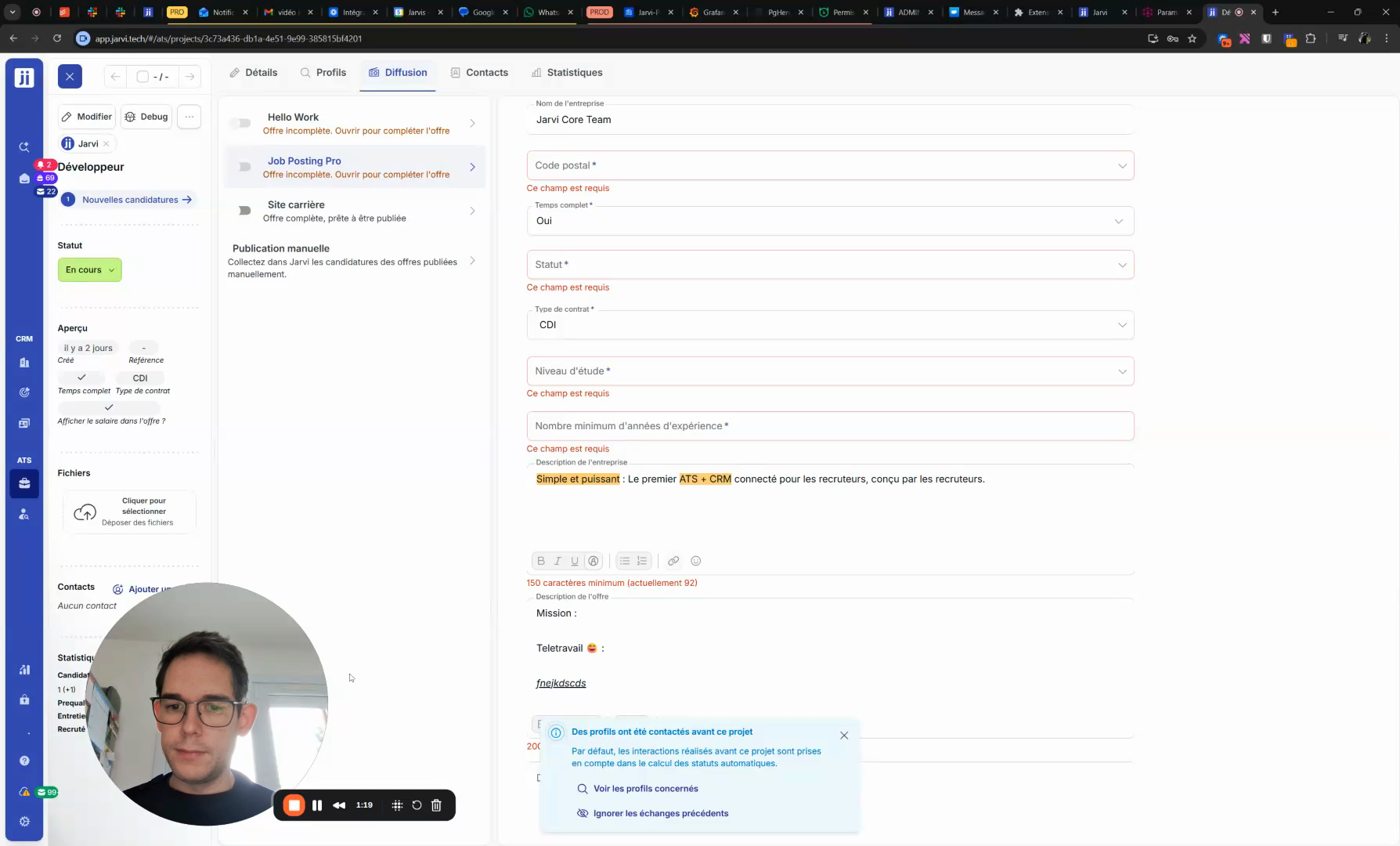
Step 2: Go to the Broadcasting tab.
Step 3: Click on JobPostingPro, fill in the job posting details and check Broadcast when the posting is ready.
Conclusion
The Job Posting Pro integration in Jarvi automates broadcasting and saves you time on posting jobs. For additional help, click on the little Help bubble in the app.