With Jarvi, it’s easy to modify information on multiple profiles at once. Here’s how to proceed.
Select the profiles to modify
- Go to the profiles list.
- Select the profiles you want to modify by checking the box next to each profile.
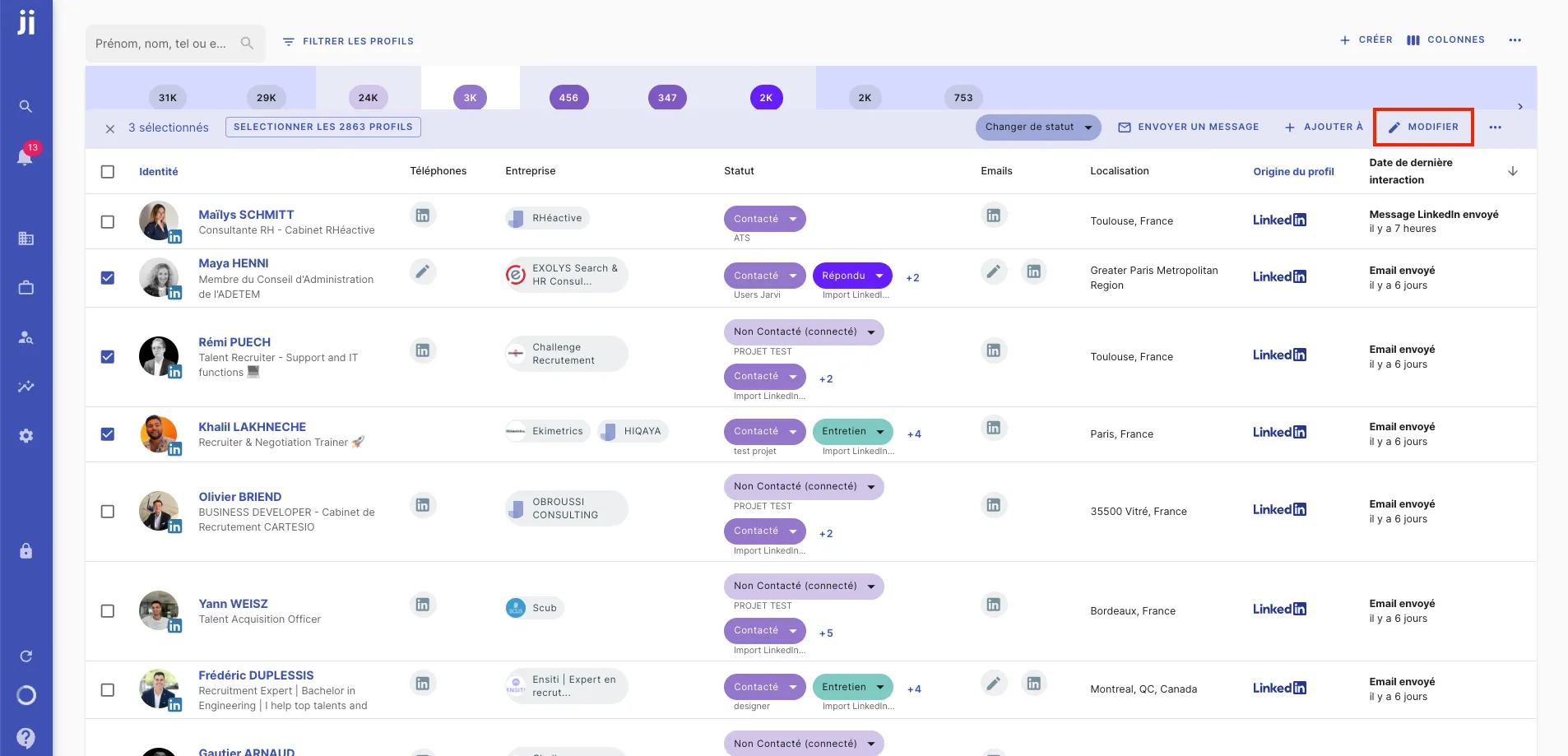
Modify information in bulk
- Once the profiles are selected, click on “Edit”.
- You will be redirected to the profile page of all selected profiles.
- Modify the information you want to update. For example, if you want to add or modify the note in the “Interview summary” field, you can do it here.
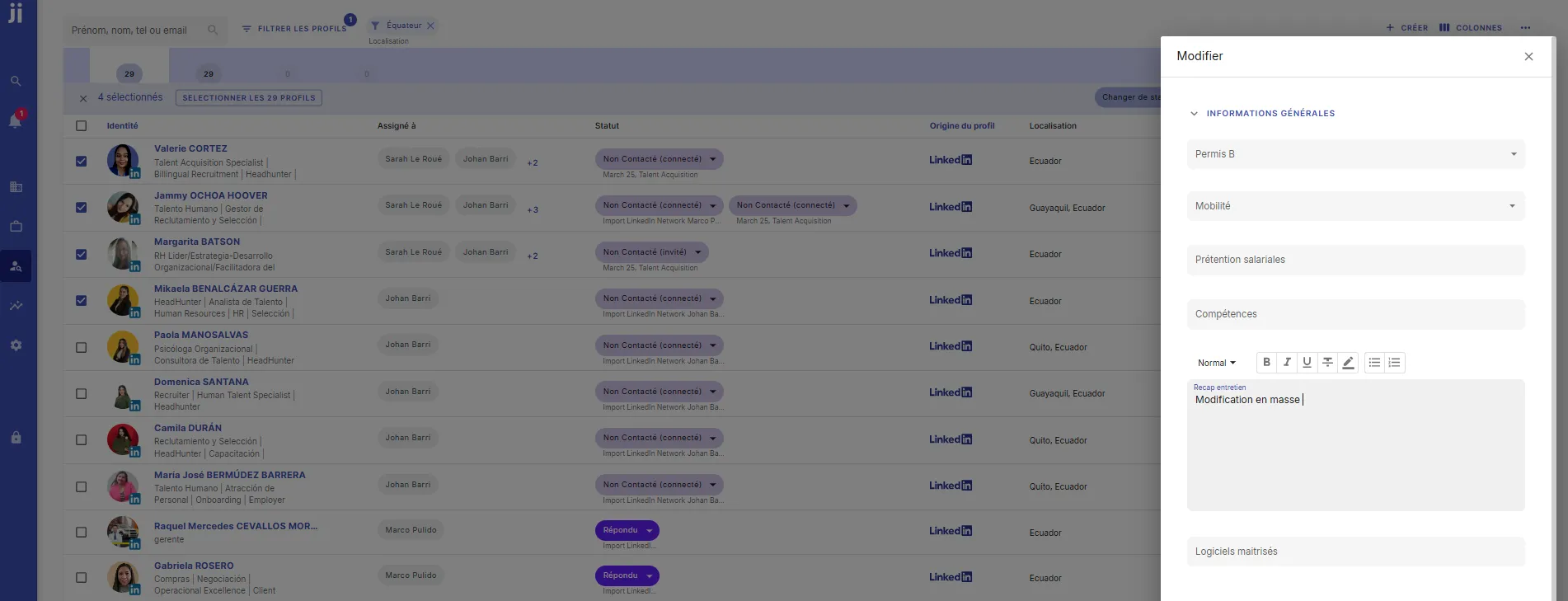
Apply changes to all selected profiles
- After making your changes, click on “Replace information on X profiles”.
- The modification will be applied to all selected profiles.
Verify the modification on the profiles
- You can now click on the profiles to verify that the modified information appears correctly on all relevant profiles.
That’s it! You’ve modified information in bulk across multiple profiles in just a few clicks.