1. Access user permissions management
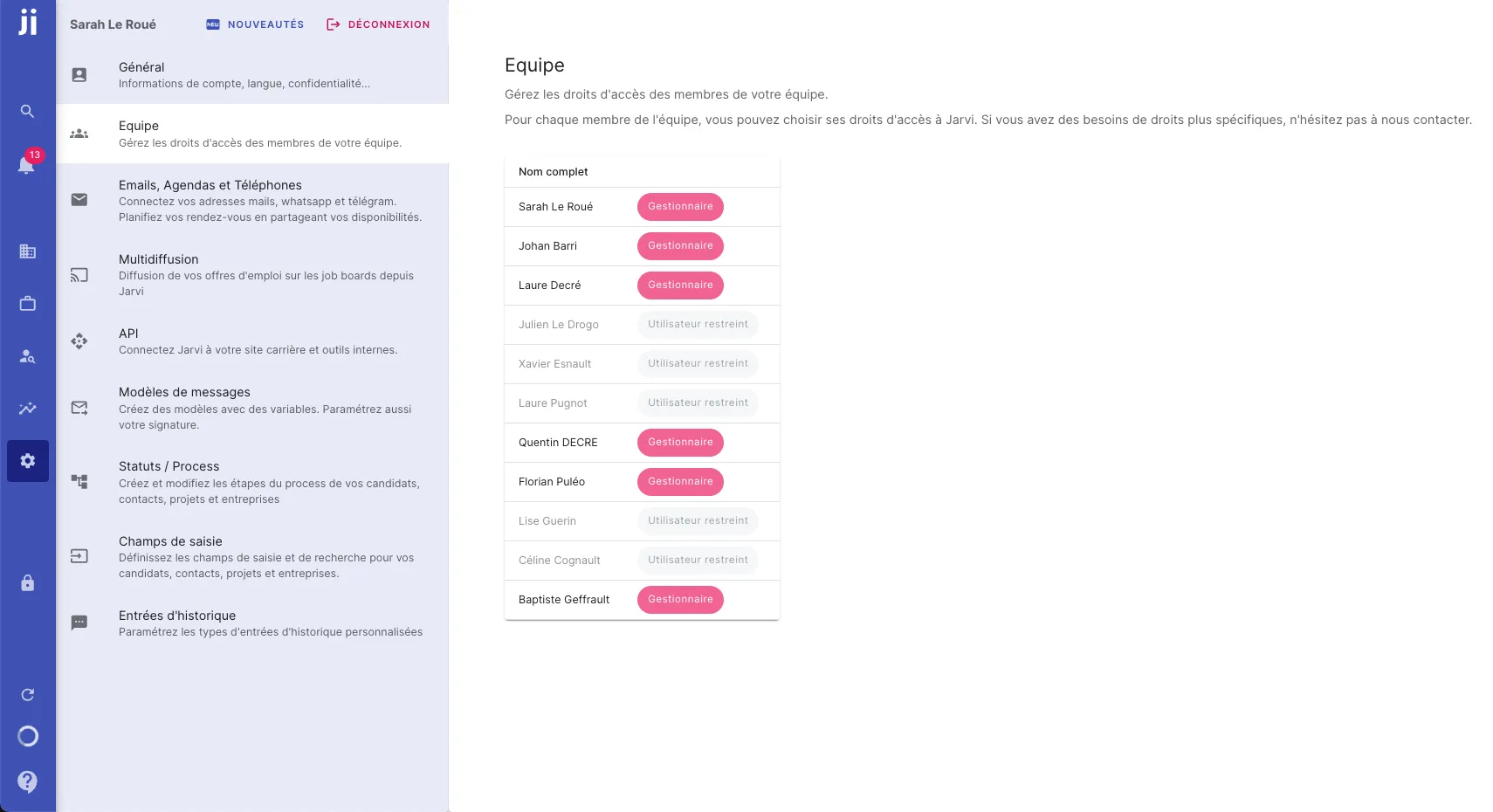
- Go to preferences.
- Select Team to manage user access rights.
2. Types of access rights
Deactivate a user
- You can deactivate a user with one click if you no longer need them to have access to the tool.
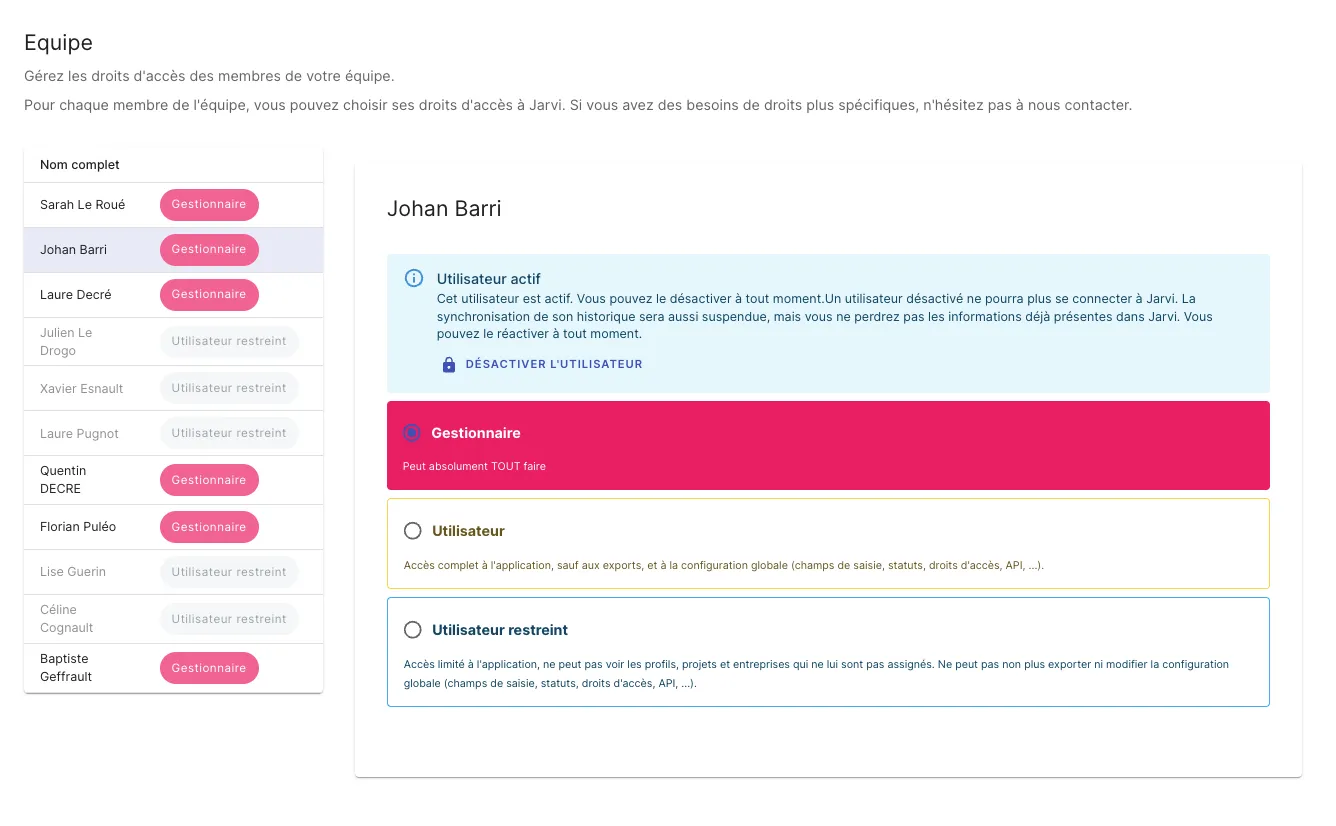
Manager
- A manager user has access to all areas of Jarvi, including projects and all preferences.
- They can manage configuration, such as creating input fields, statuses, and other users’ access rights.
Standard user
- A standard user has access to the entire tool, but cannot perform certain actions such as:
- Exporting data.
- Modifying preferences, creating statuses, managing other users’ access rights, or configuring certain parameters like countries.
Restricted access
- A restricted access gives the user access exclusively to the projects they are assigned to.
- They will only be able to see profiles and companies associated with these projects, without being able to access other data or settings.
By using these access rights management options, you can ensure that each user has the necessary permissions to fulfill their duties, while maintaining complete control over the tool and the information it contains.