Accessing your LinkedIn Recruiter project
- Go to LinkedIn Recruiter and open the project with the profiles you want to import into Jarvi.
- You have two options for importing profiles:
- Use the Jarvi extension displayed on the left side of your screen.
- Use the Jarvi extension directly from Google Chrome (at the top right of your browser).
- Click on Import as recruitment project.
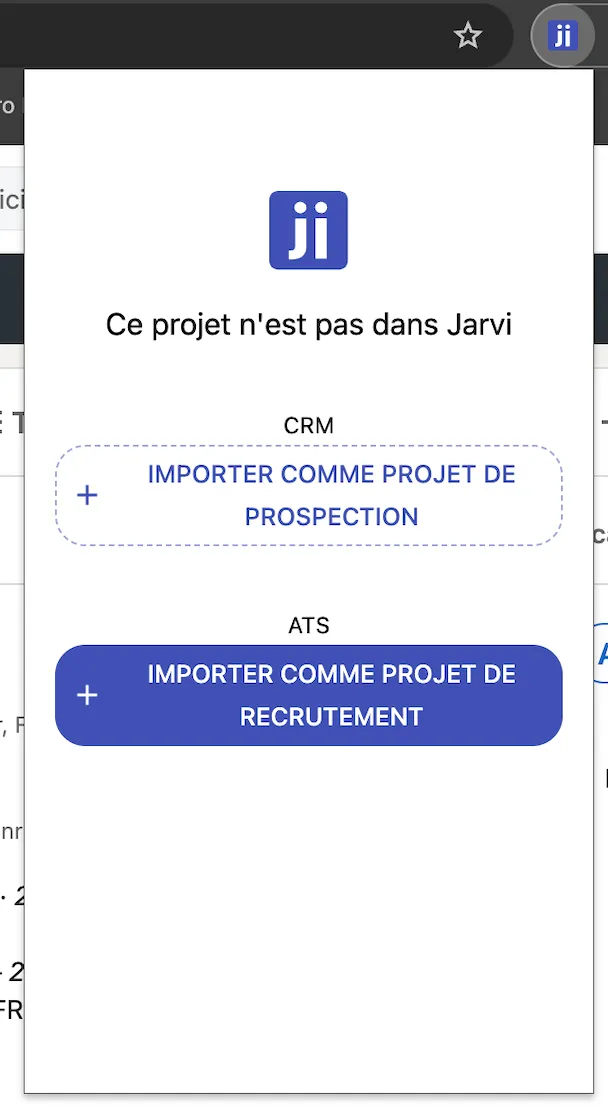
Importing your LinkedIn Recruiter project into Jarvi
- Once the import is launched, open Jarvi.
- You’ll see a new project appear with a generic name.
- Wait about 20 seconds (a perfect time to grab a coffee or tea).
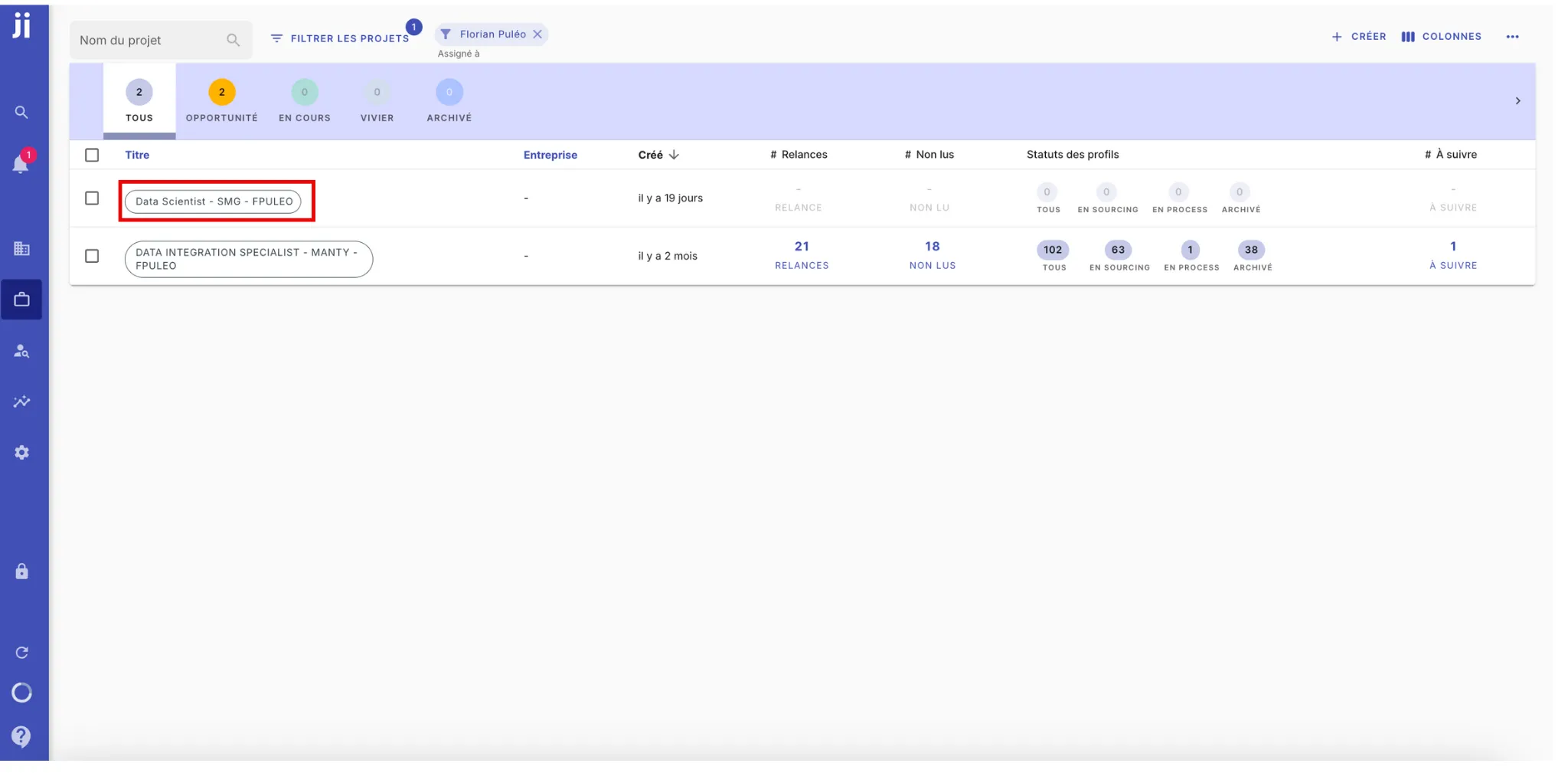
Managing your project and profiles in Jarvi
- Once the project is imported, you’ll find all your profiles in Jarvi with the name associated with the project.
- You’ll be able to track their progress through Jarvi.

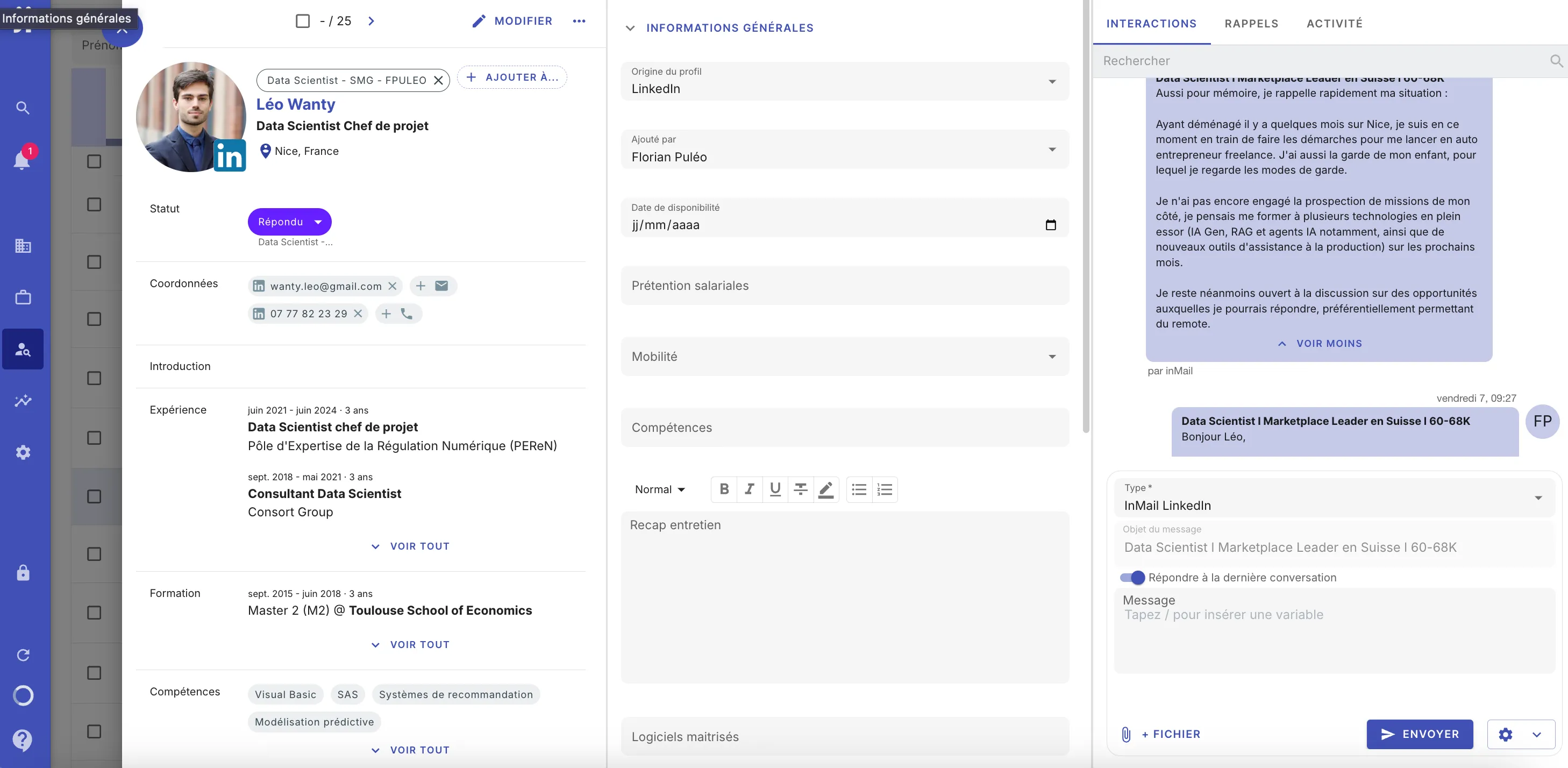
- The accessible information for each candidate includes:
- The recruiter in charge of the profile
- Current status
- Profile source
- Address
- Email and phone number
- Recent interactions
- By clicking on a candidate, you’ll access their complete profile:
- Left: personal information
- Center: general information
- Right: interactions, reminders, and action history
Import an existing LinkedIn project into Jarvi.
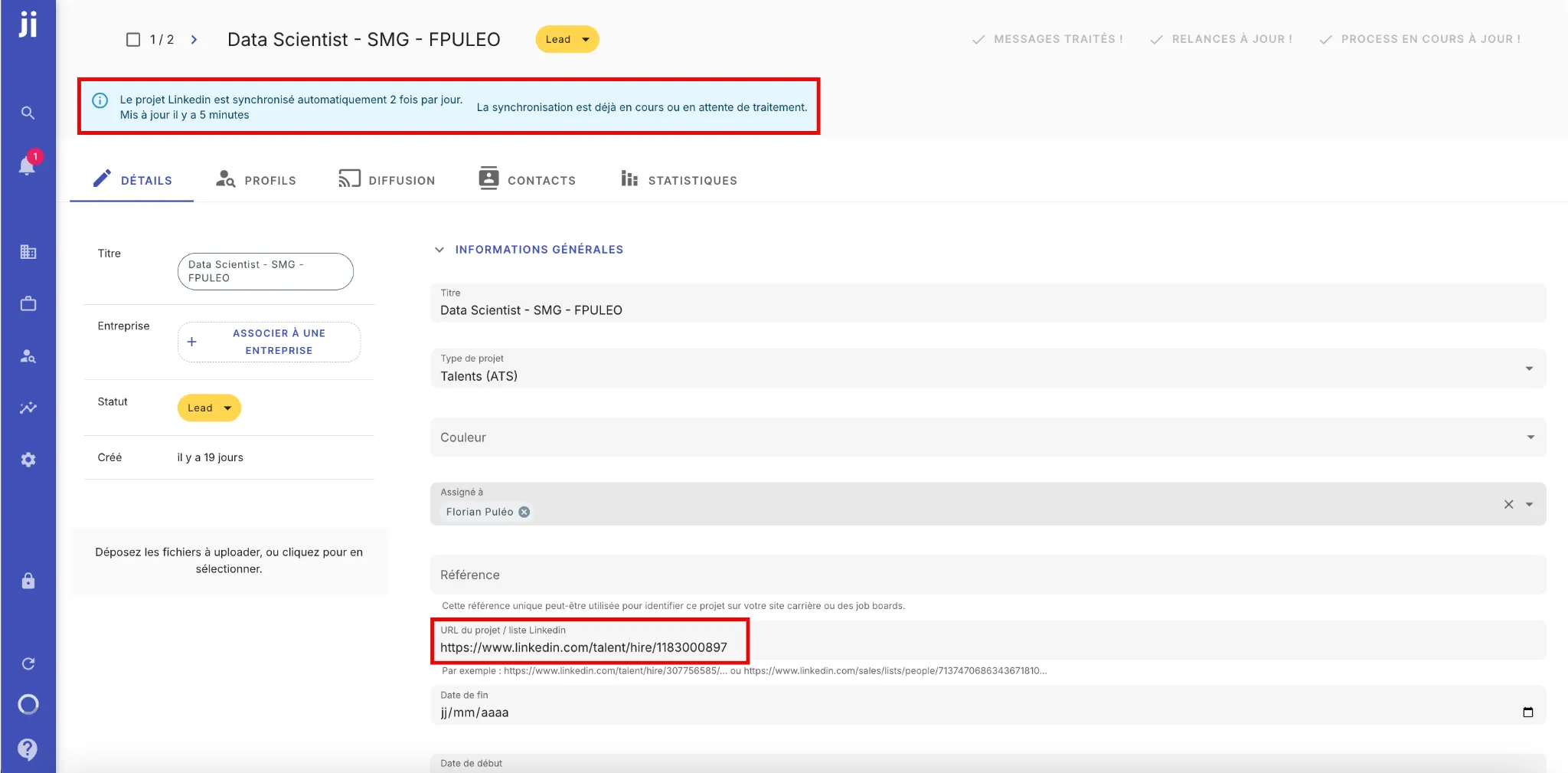
- To import an existing LinkedIn Recruiter project into Jarvi:
- Copy the URL of your project from LinkedIn Recruiter.
- Open Jarvi and go to the project details.
- Paste the URL in the designated field.
- Refresh the page to finalize the connection.
- Project synchronization happens automatically twice a day.
- You can also perform a manual synchronization by reloading the project.
Optimize your talent management with Jarvi
Integrating your projects and profiles into Jarvi allows you to:
✅ Save time by reducing manual tasks.
✅ Track the progress of your recruitments in one place.
✅ Improve your visibility on each process.
You can also:
- Import your LinkedIn network to centralize your talent pool.
- Import companies to prospect them.