Candidate presentations that reflect your brand, in just a few clicks
Your clients expect polished candidate packages that reflect your brand. From Jarvi, you generate and send professional candidate presentations in seconds. No more juggling between Word, PDF, and emails: everything happens in one place.
- Save time: select your candidates, choose a template, send. The email is pre-filled with attachments.
- Stay in control: edit content before sending, hide sensitive information (anonymous resume / CV), tailor the message to each client.
- Stay consistent: your colors, your logo, your branding. All your documents reflect your identity.
- Track everything: every send is logged on the profile, project, and company. You know who received what, and when.
- Go further: also generate project reports for progress updates, or company sheets for sales briefs.
How to share resumes / CVs
Step 1: Open a project and select the profiles to present. One or multiple at once.
Step 2: Click Share in the action bar.
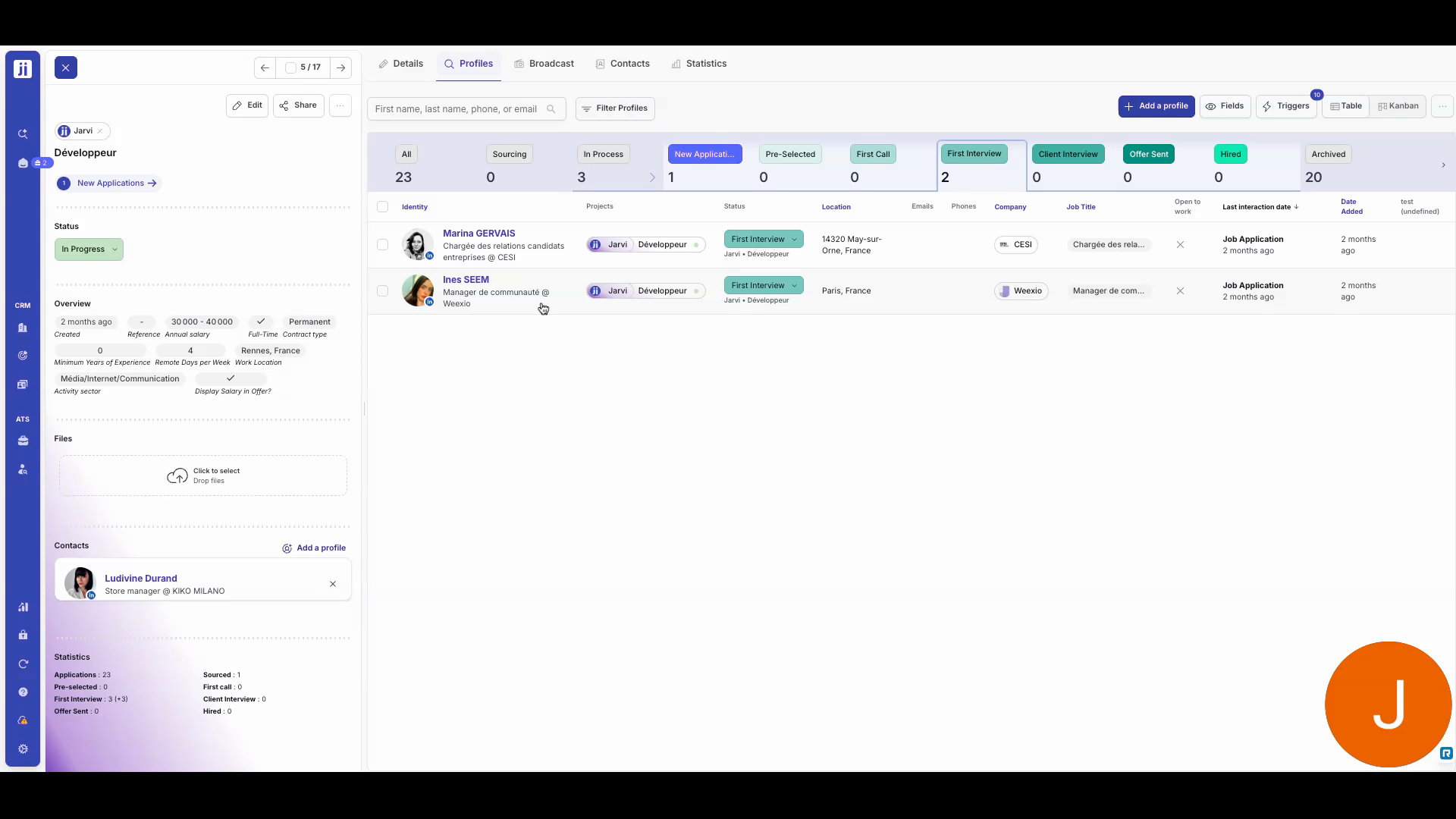
Step 3: Choose a template (resume / CV, anonymous resume / CV, etc.). The preview appears: you can still edit the text before sending.
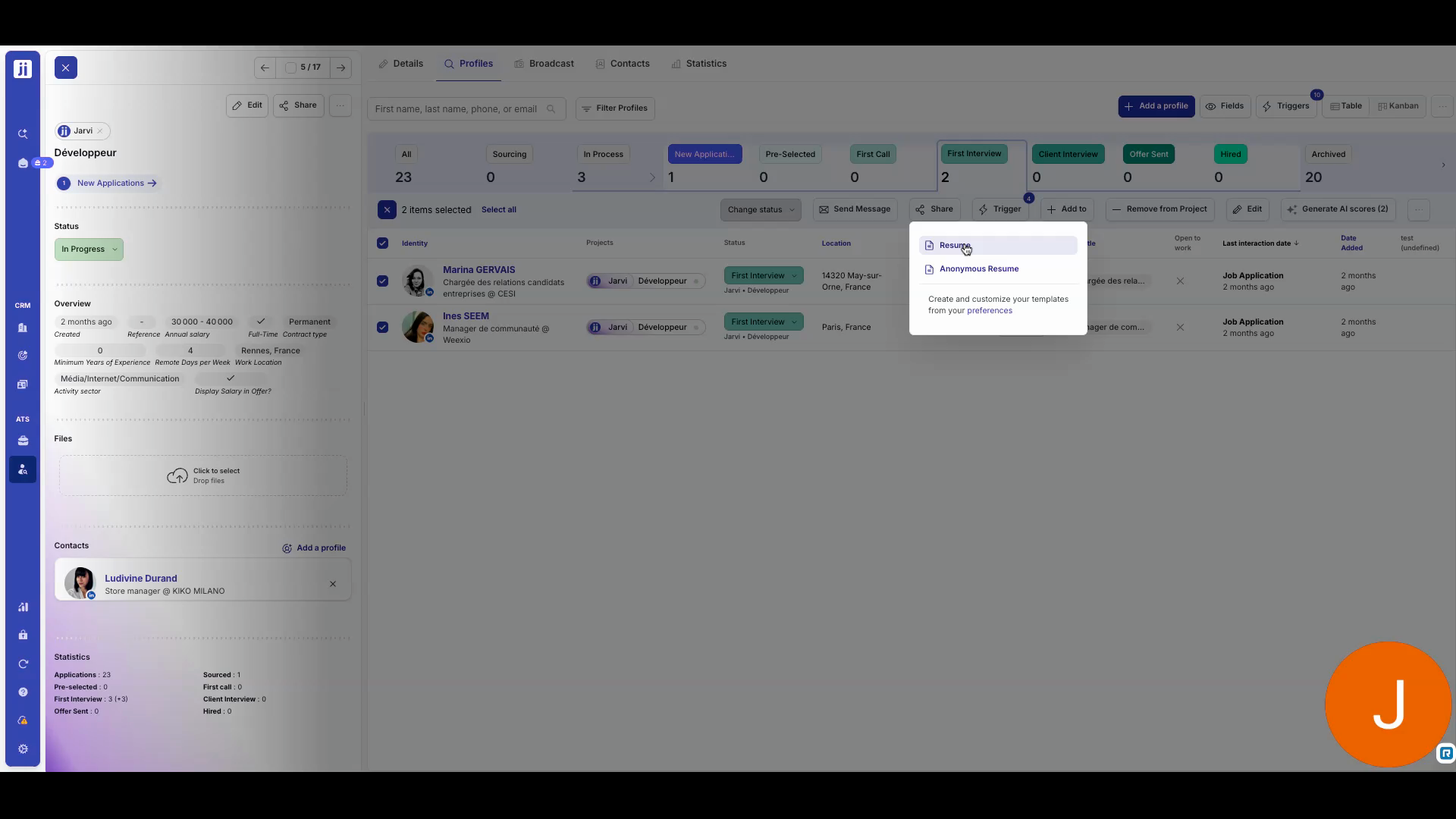
Step 4: Select the recipient and a message template. The email goes out with the documents attached.
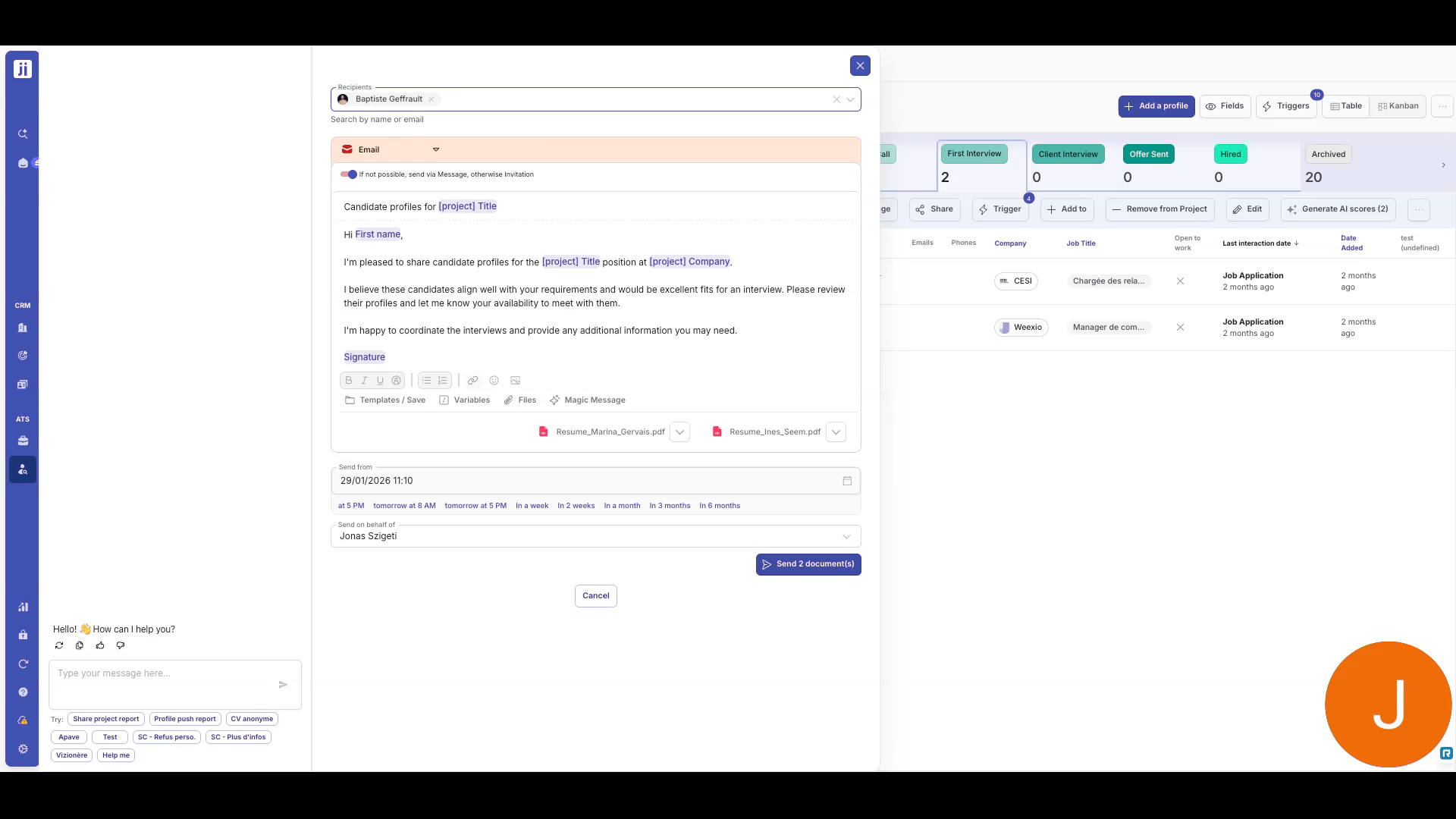
Find your send history
Every share creates an entry in the history. You’ll find the date, document, and recipient — on the profile, project, and company involved.
Create your own templates
Step 1: Go to Preferences > Document Templates.
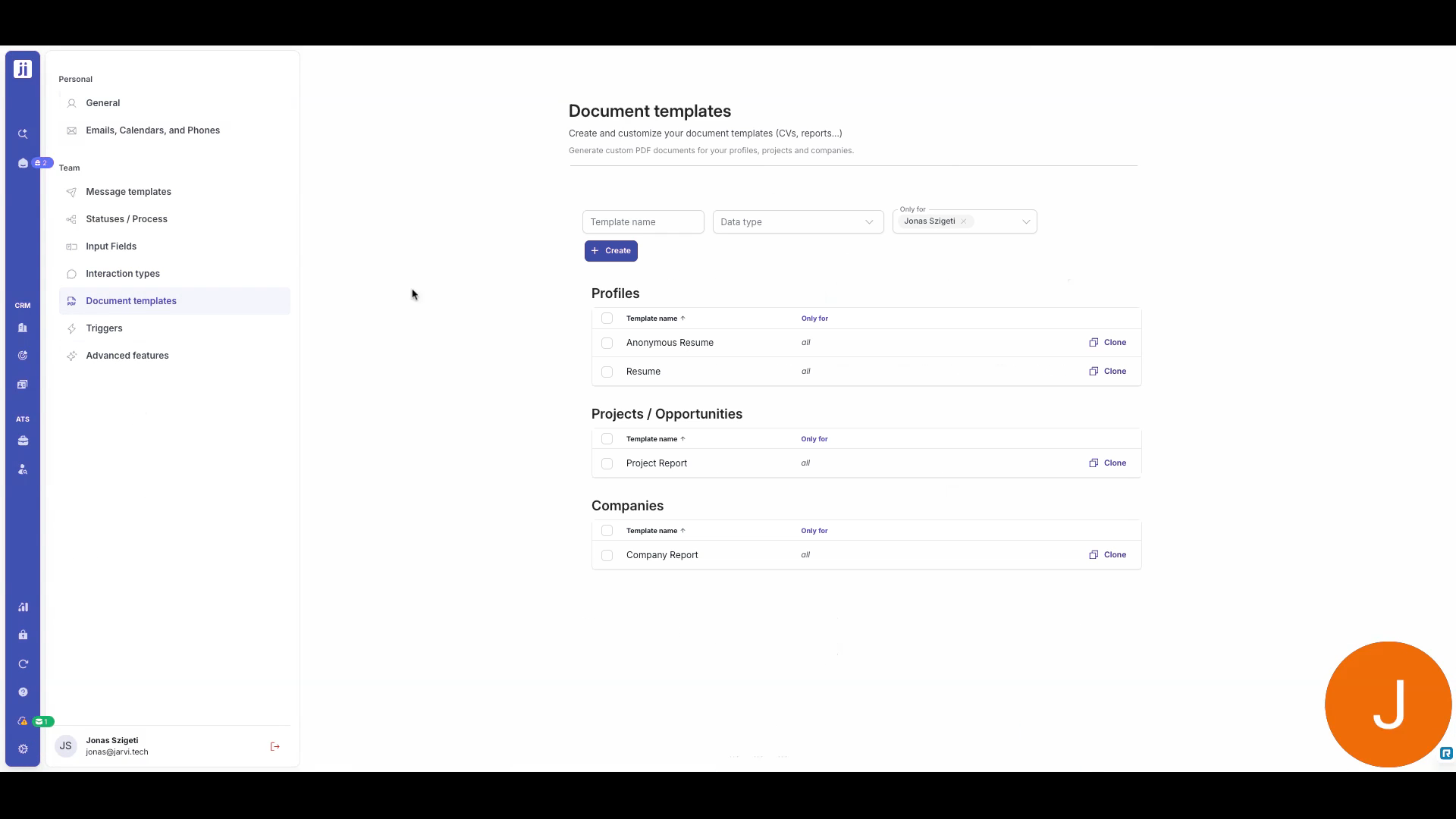
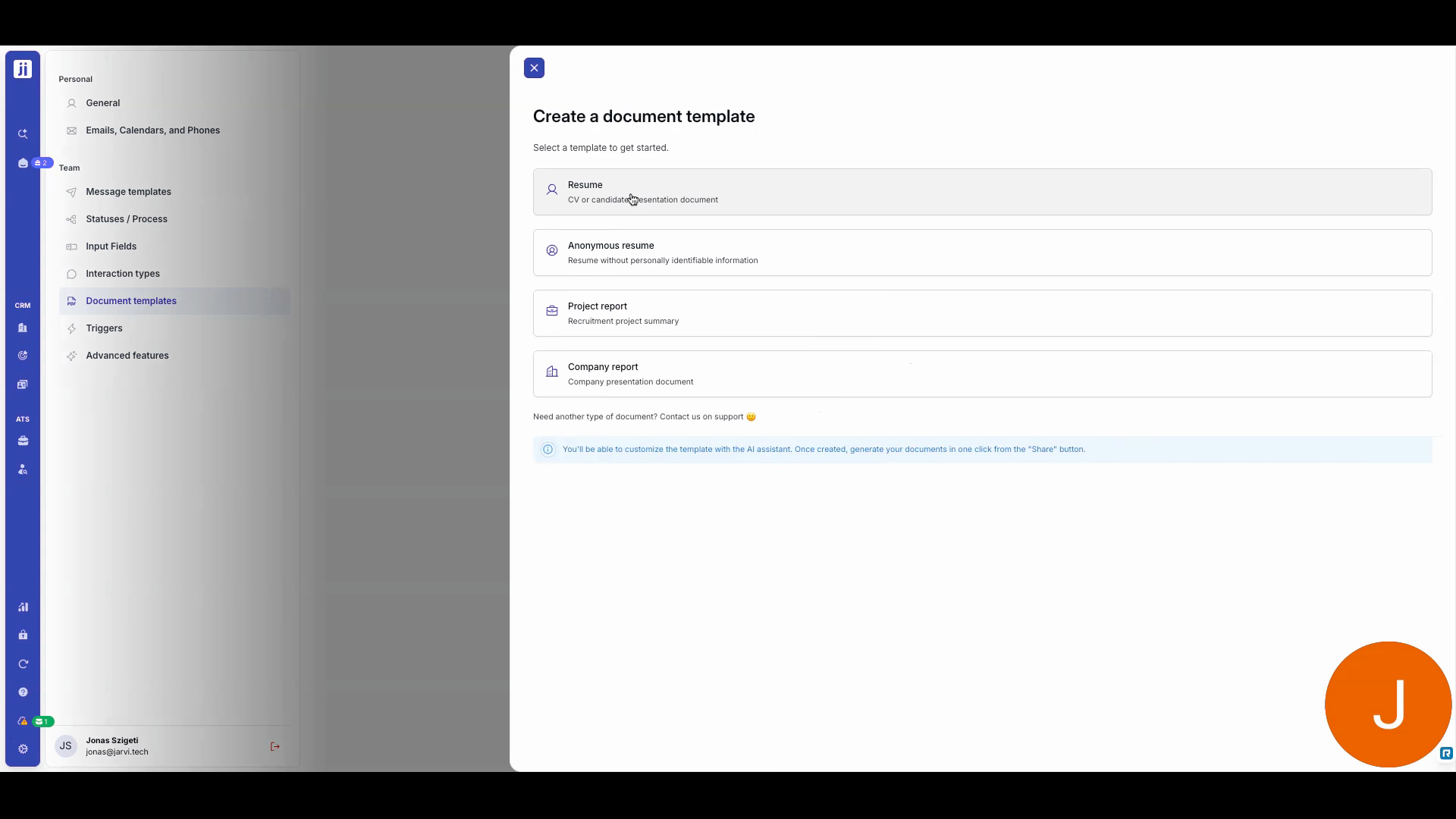
Step 2: Create a template for your resumes / CVs, company sheets, or project reports.
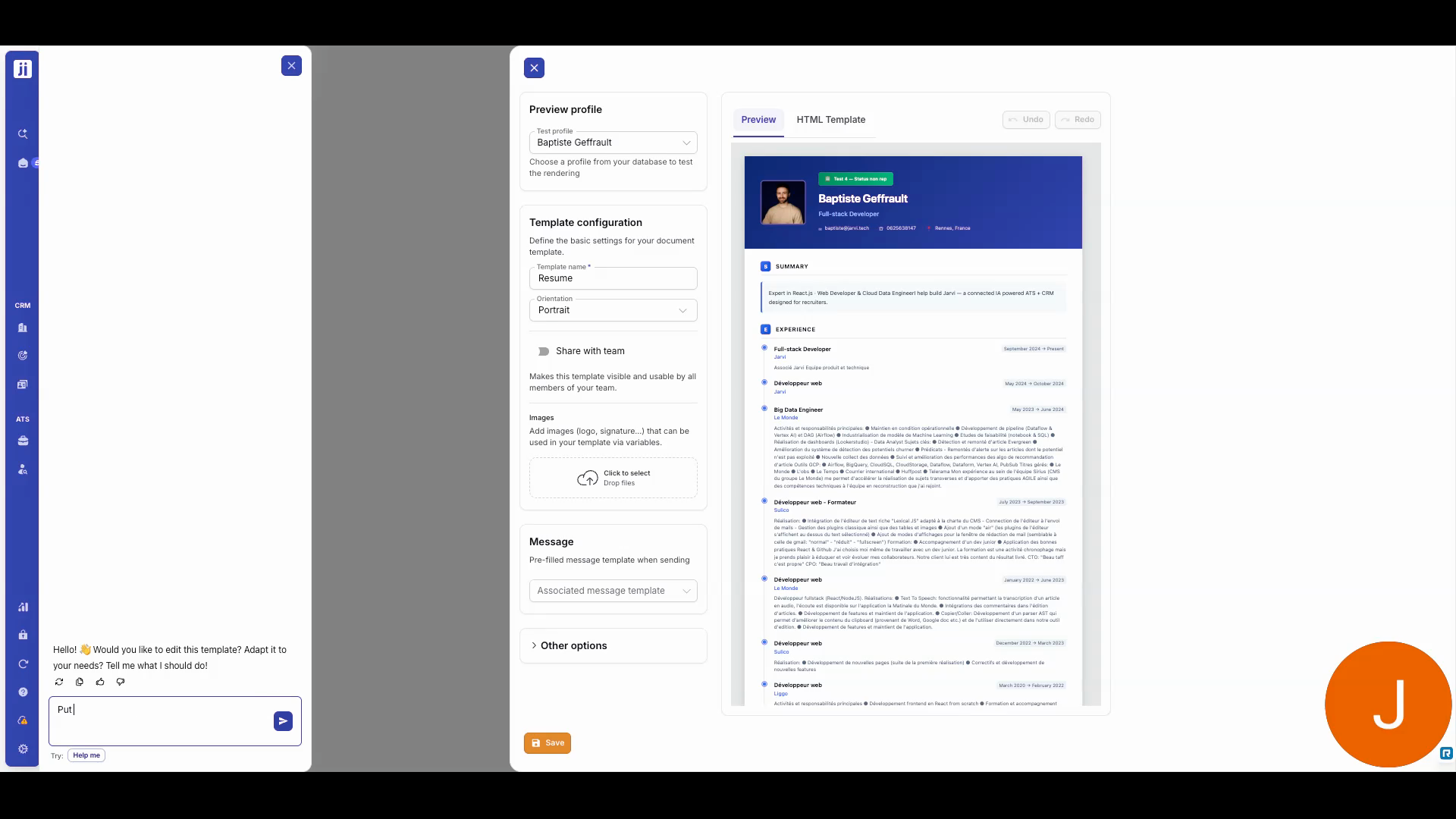
Step 3: Ask J.A.R.V.I. to customize the design. You can upload your logo and visuals.
With document generation, you professionalize your client interactions while saving precious time. Create your templates once, reuse them endlessly. For any questions, the Jarvi team is here to help!