Centralize your personalized interactions effectively
Save time and never miss any important information again! With custom interaction types, you track every key exchange (client interview, call, note, etc.) on the right profile, and find the complete history on each card, project, or company with one click.
Create and use custom interaction types
Step 1: From the history area of a profile (on the right), click on the interaction type menu.
Step 2: Browse all available interaction type options. Add or manage these types via Preferences > Interaction type to create ones that fit your needs.
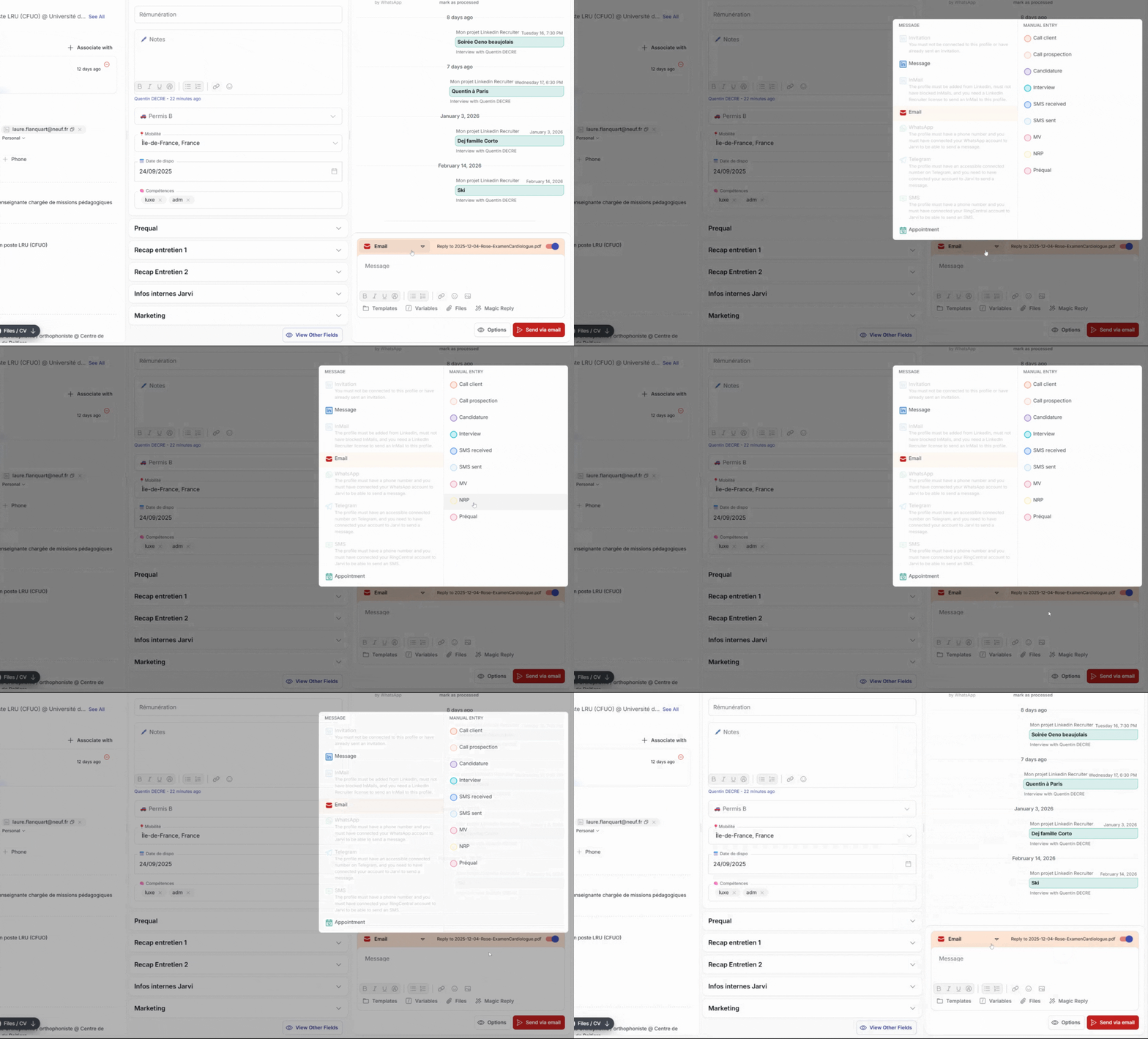
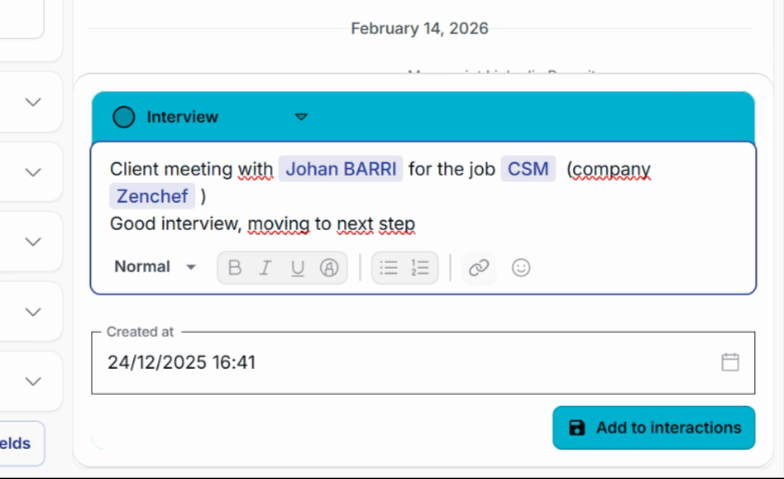
Step 3: On the candidate’s profile, select a type (e.g., Manual interaction). Enter content, mention profiles, projects, companies using the at sign (@)
Step 4: then click Add to interactions.
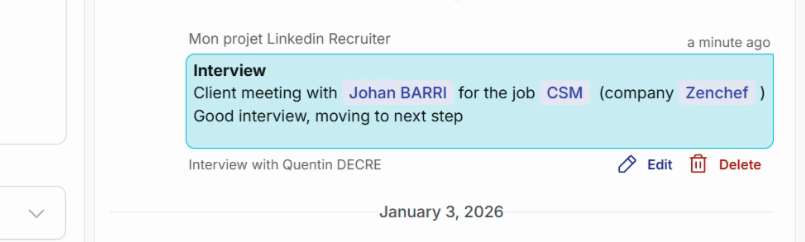
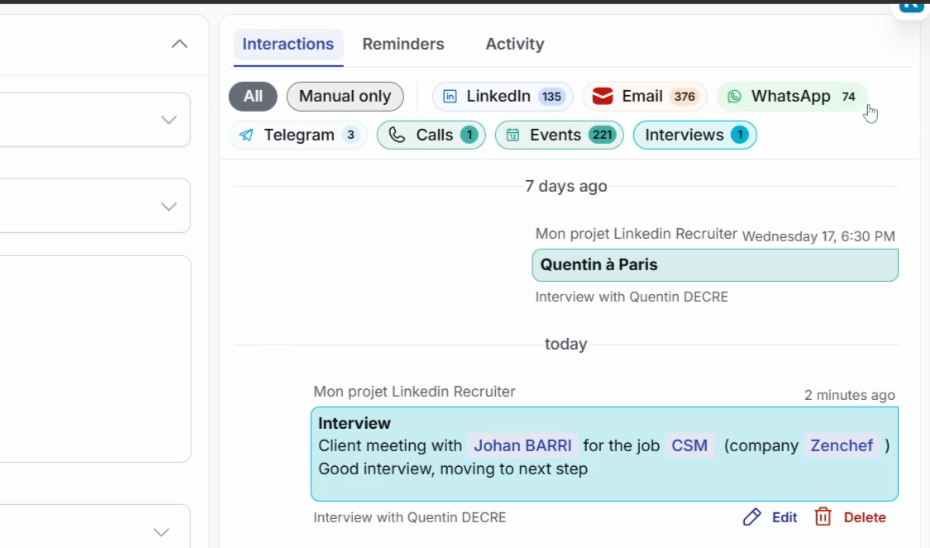
Step 5: The interaction appears immediately in the profile’s history, with all links to the mentioned entities.
Find an interaction anywhere
Click on a link in the history to open the profile of the person, client, project, or company involved. Each card automatically lists all interactions where it’s mentioned.
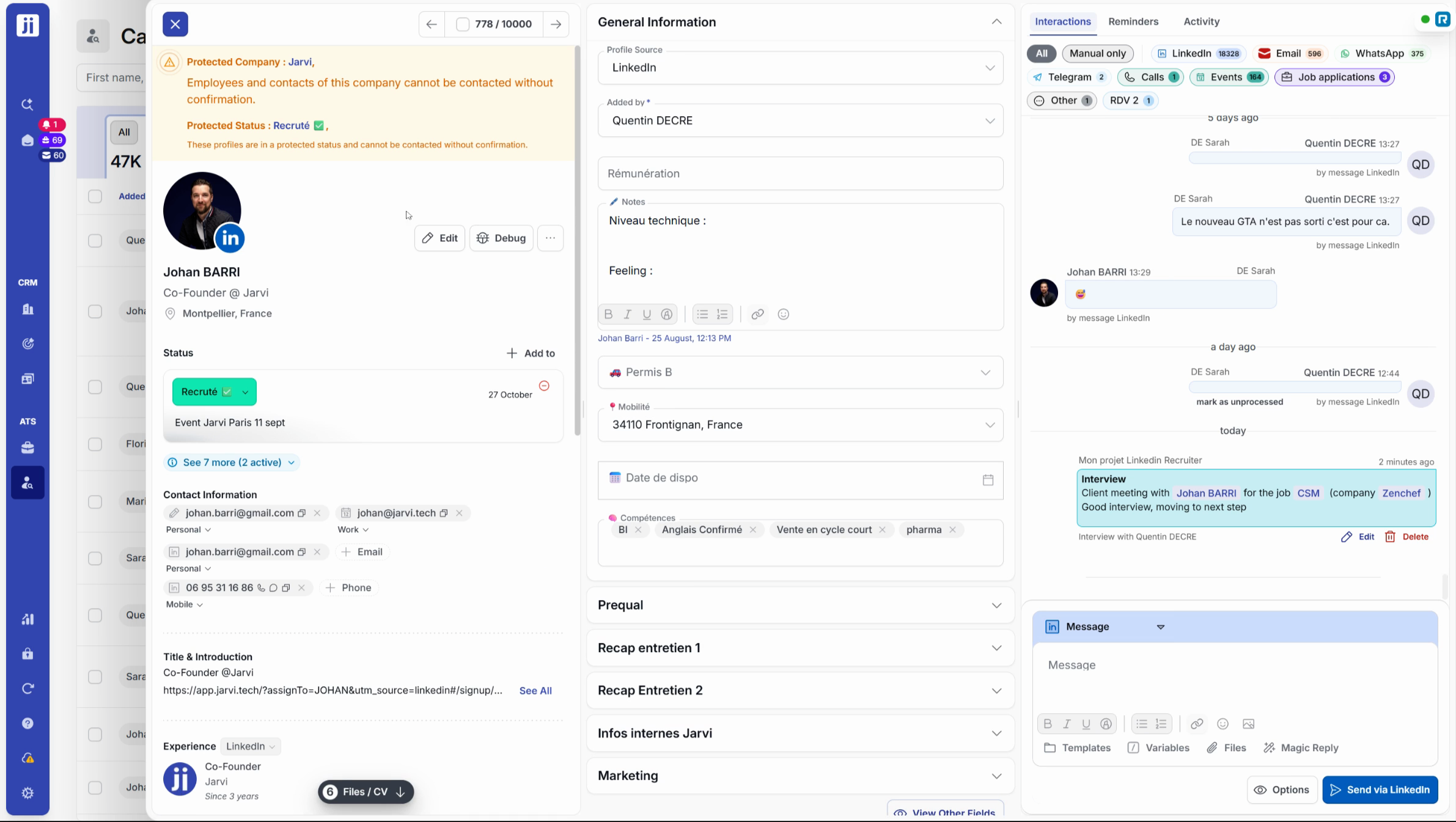
Filter history by interaction type
Use the filter at the top of the history. Select, for example, Interview to see only that type of exchange.
Conclusion
Thanks to custom interaction types in Jarvi, gain visibility and traceability on all your exchanges, wherever you are in the platform. Adopt this feature to streamline your follow-ups and save valuable time every day.