Creating a reminder on a profile
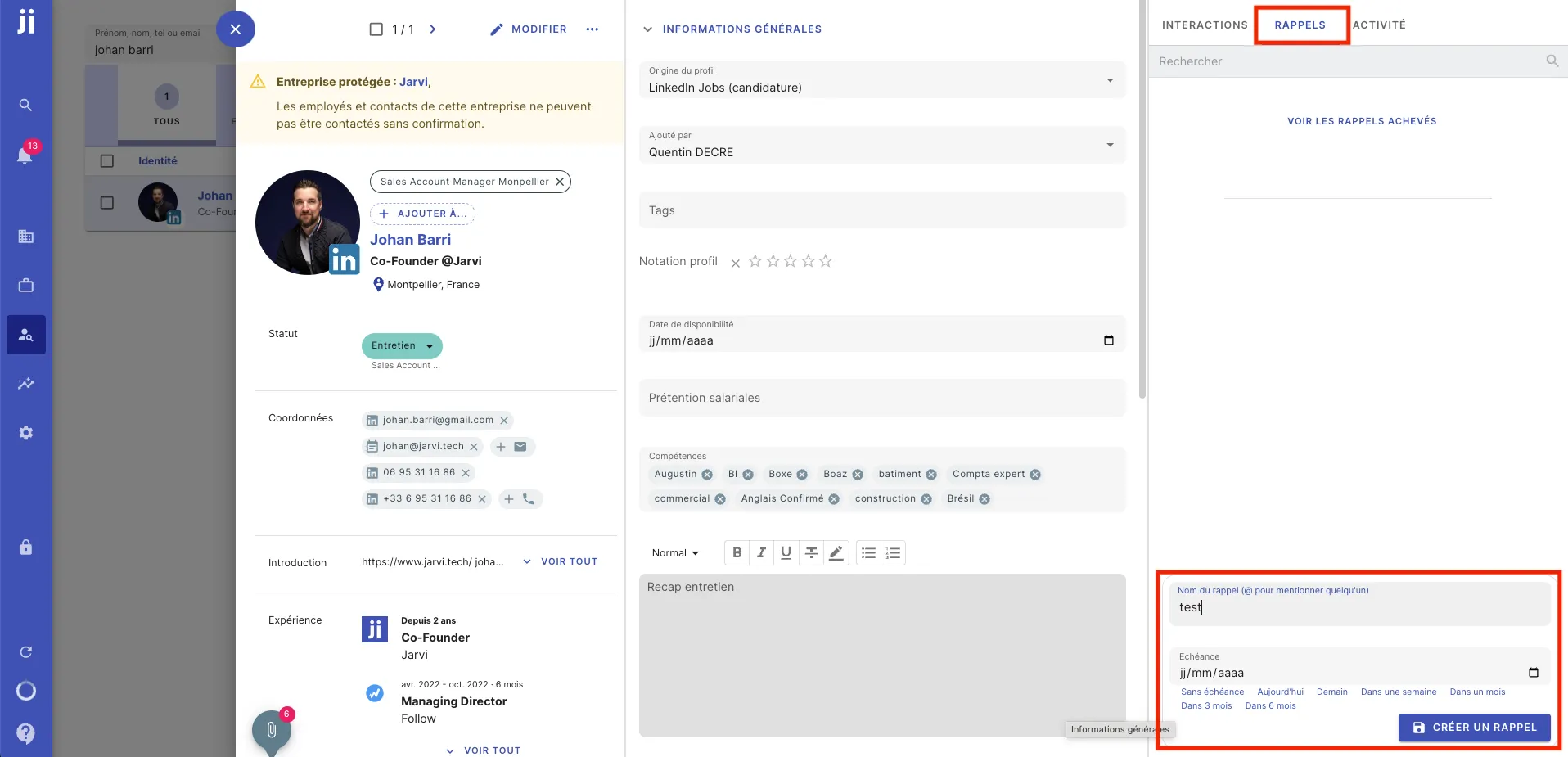
- Go to a profile.
- Go to the REMINDER tab on the right side of the profile card.
- Name your reminder and select a due date for this reminder.
Finding and managing your reminders
- All your reminders are available in the blue menu on the left, in the Reminders tab (the bell icon).
- You can view your reminders without a date, overdue, and upcoming.
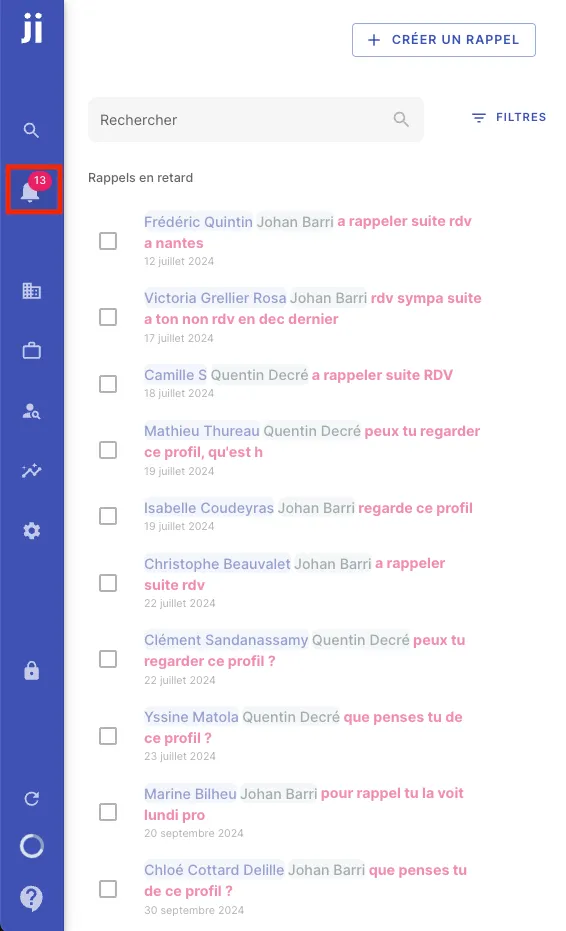
- Check off your reminders once completed to mark them as done, and they will disappear from your list.
- You can also edit the date or content of your reminders directly from this view.
- If needed, create new reminders by clicking on add a reminder in this same interface.
Done! You now have all your reminders well organized in Jarvi to better manage your to-do list and never forget anything.