Jarvi allows you to create candidate profiles in just a few clicks from one or more resumes. Follow these steps to efficiently import your talents!
Accessing resume import
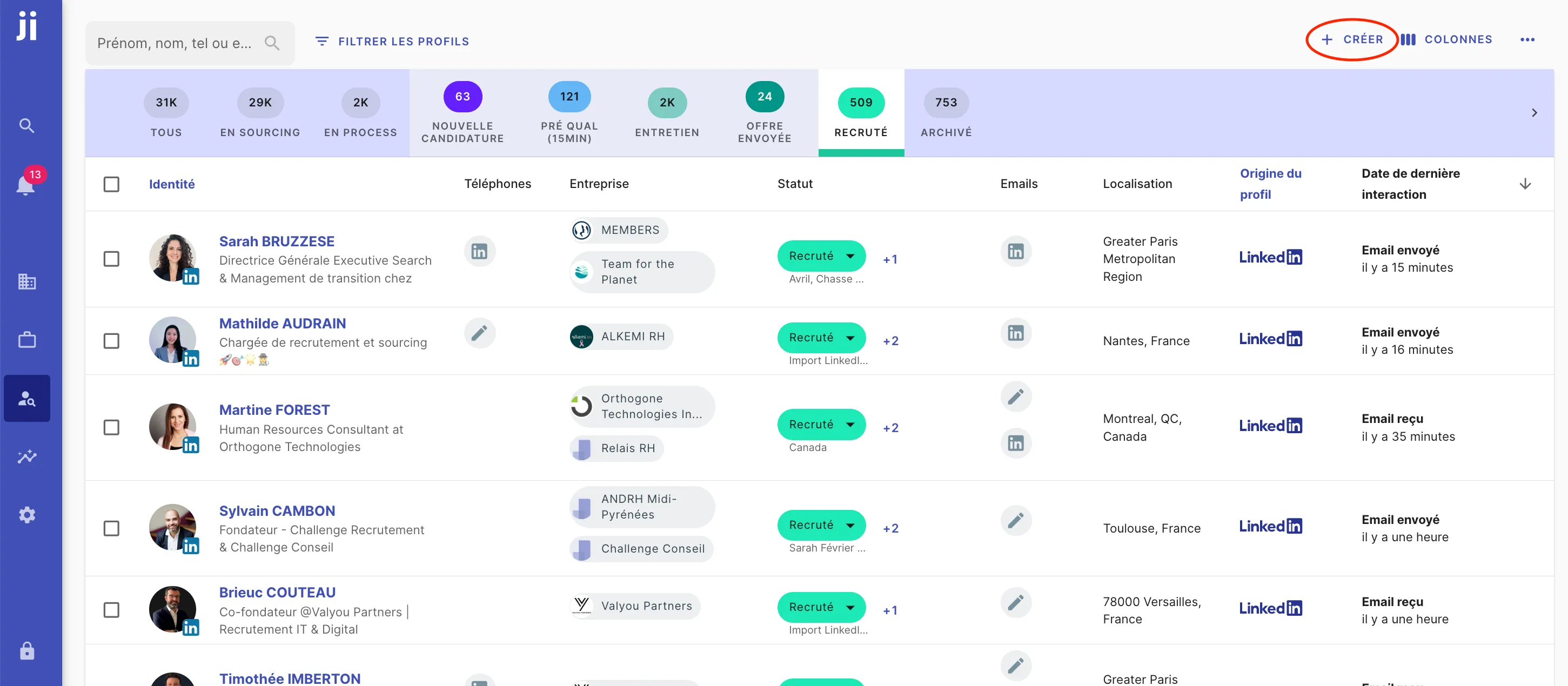
- Go to the Jarvi menu (blue column on the left side of the screen).
- Click on “Talents”, where all profiles added to Jarvi are centralized.
- In the top right corner, click on ”+ Create”.
Importing one or more resumes
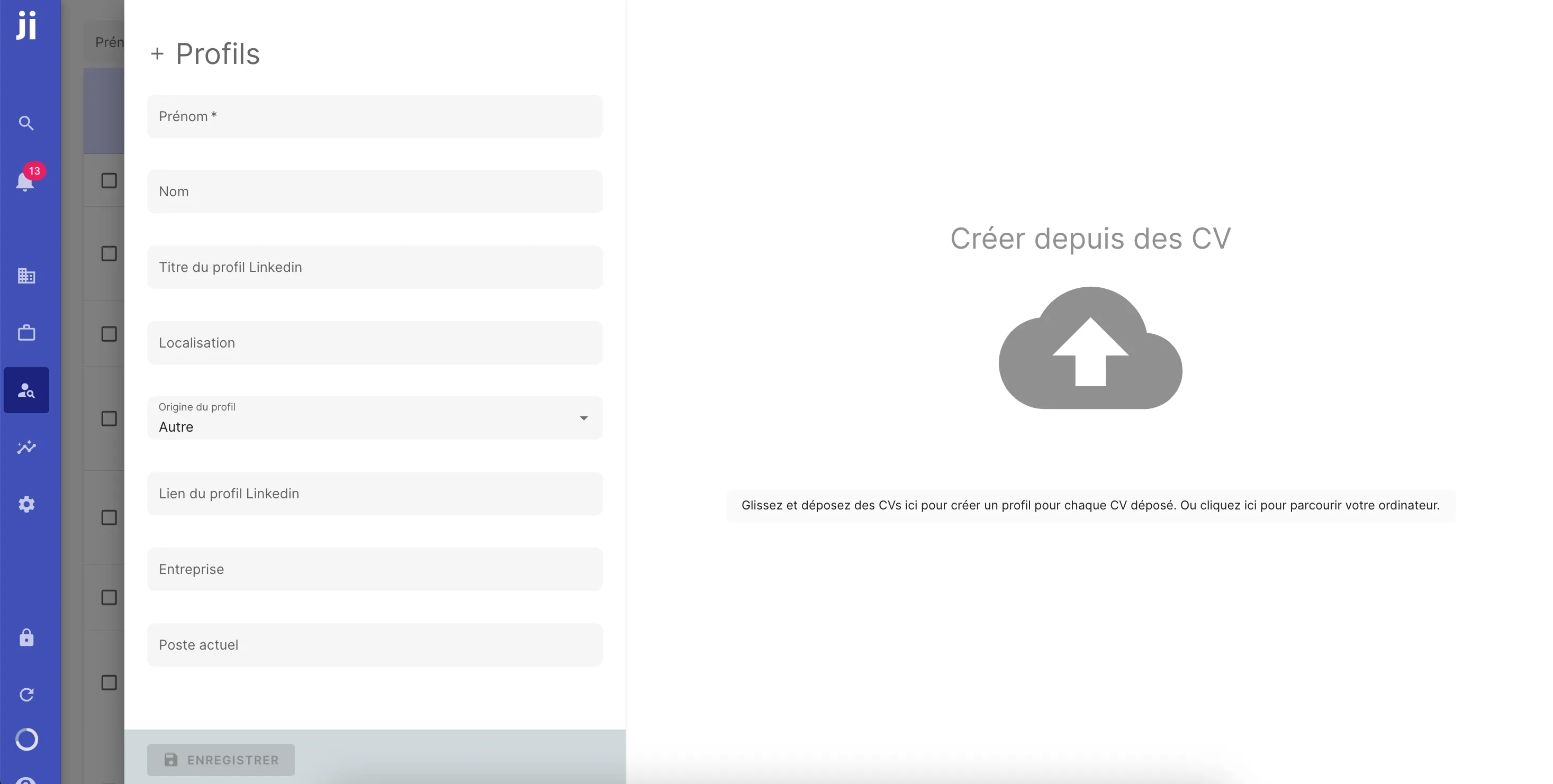
- Drag and drop one or more resumes directly onto the page OR
- Click on “Drag and drop resumes…” to open your file explorer and select the resumes to import.
Setting the source of resumes
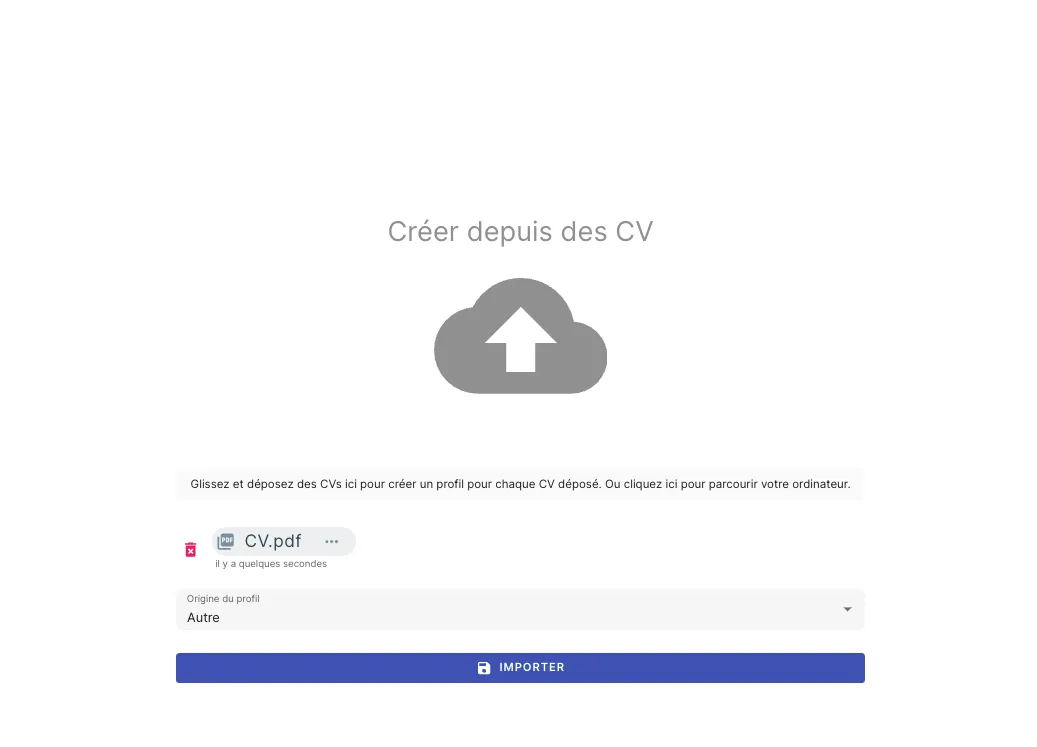
Before finalizing the import, you can specify the source of the resumes from several options:
- CVAden
- Monster
- Referral
- Other sources…
Starting the import
- Click on “Import”.
- Jarvi will analyze the resumes and automatically create candidate profiles by retrieving essential information:
- Photo
- Contact details (email, phone)
- Professional experiences
- Education
- Skills
Viewing created profiles
Once the import is complete, click on “View profiles with resume” to find the newly added candidates
