Why change a profile’s status?
Changing a profile’s status allows you to easily track a candidate’s progress in your talent pool and optimize your recruitment management.
How to change a profile’s status
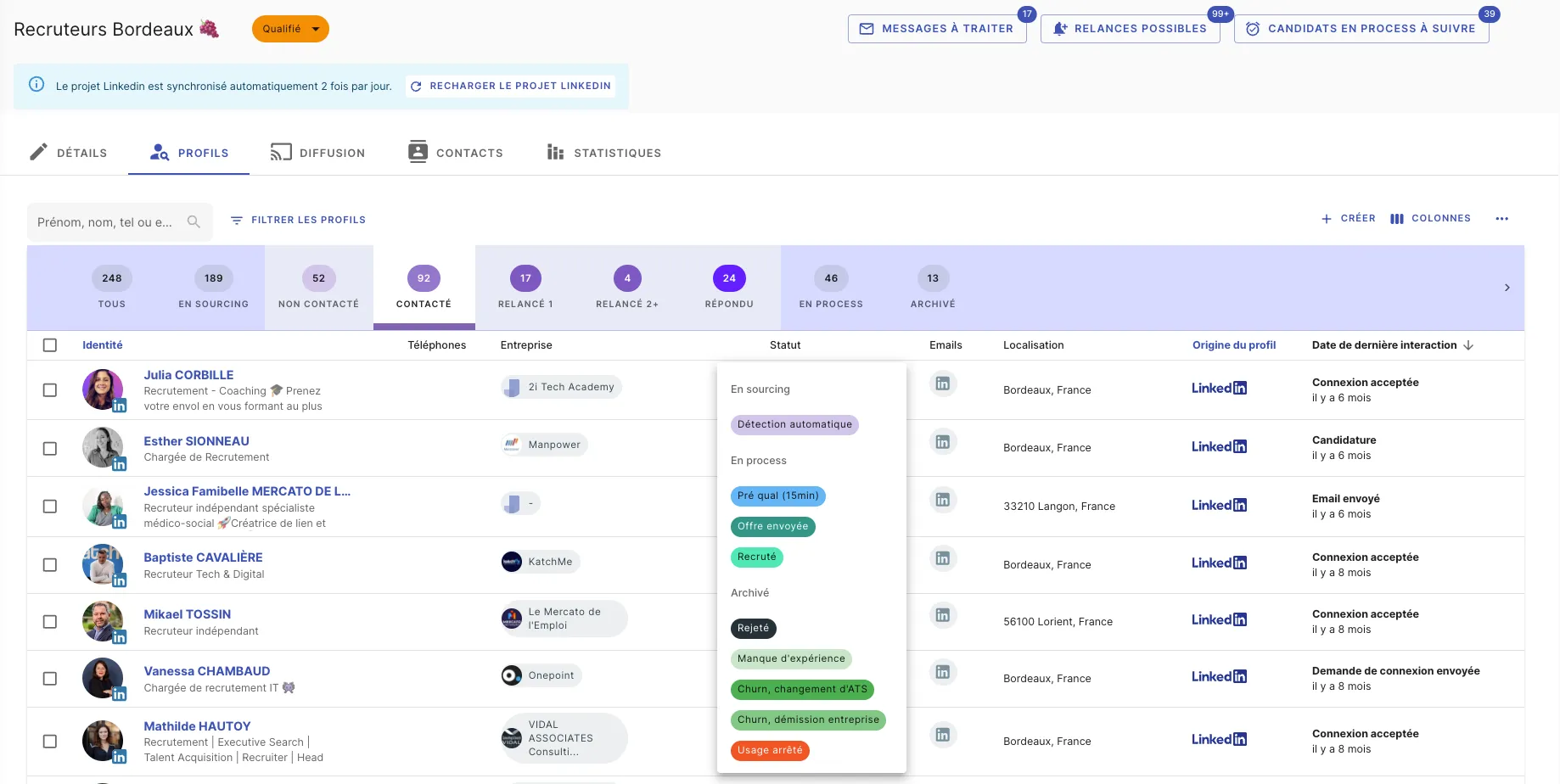
1. From the profiles list
- Go to the Profiles list page.
- Click directly on the profile’s status.
- Select the new status to assign.
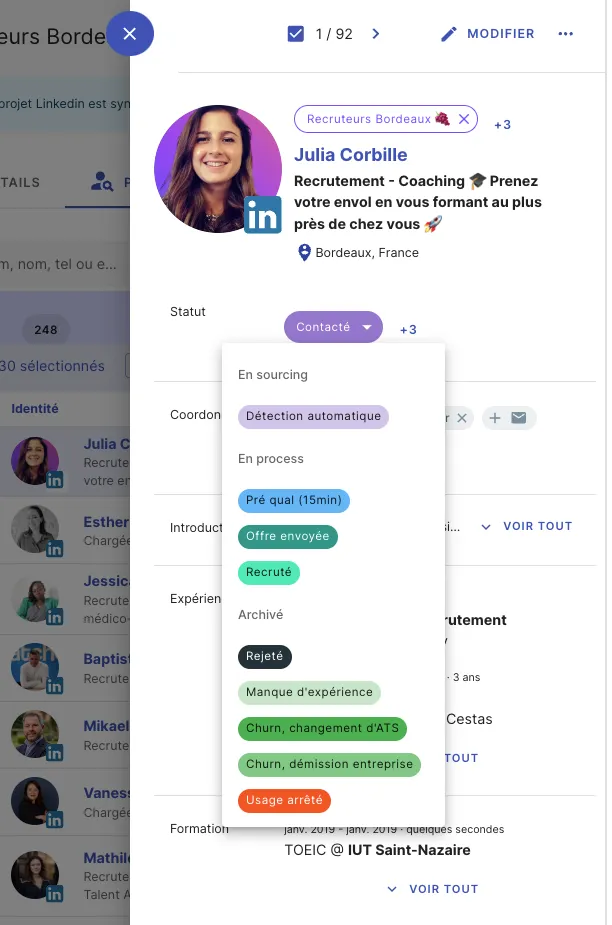
2. From a profile page
- Open the candidate’s profile.
- Click on their current status.
- Select the new status from the dropdown list.
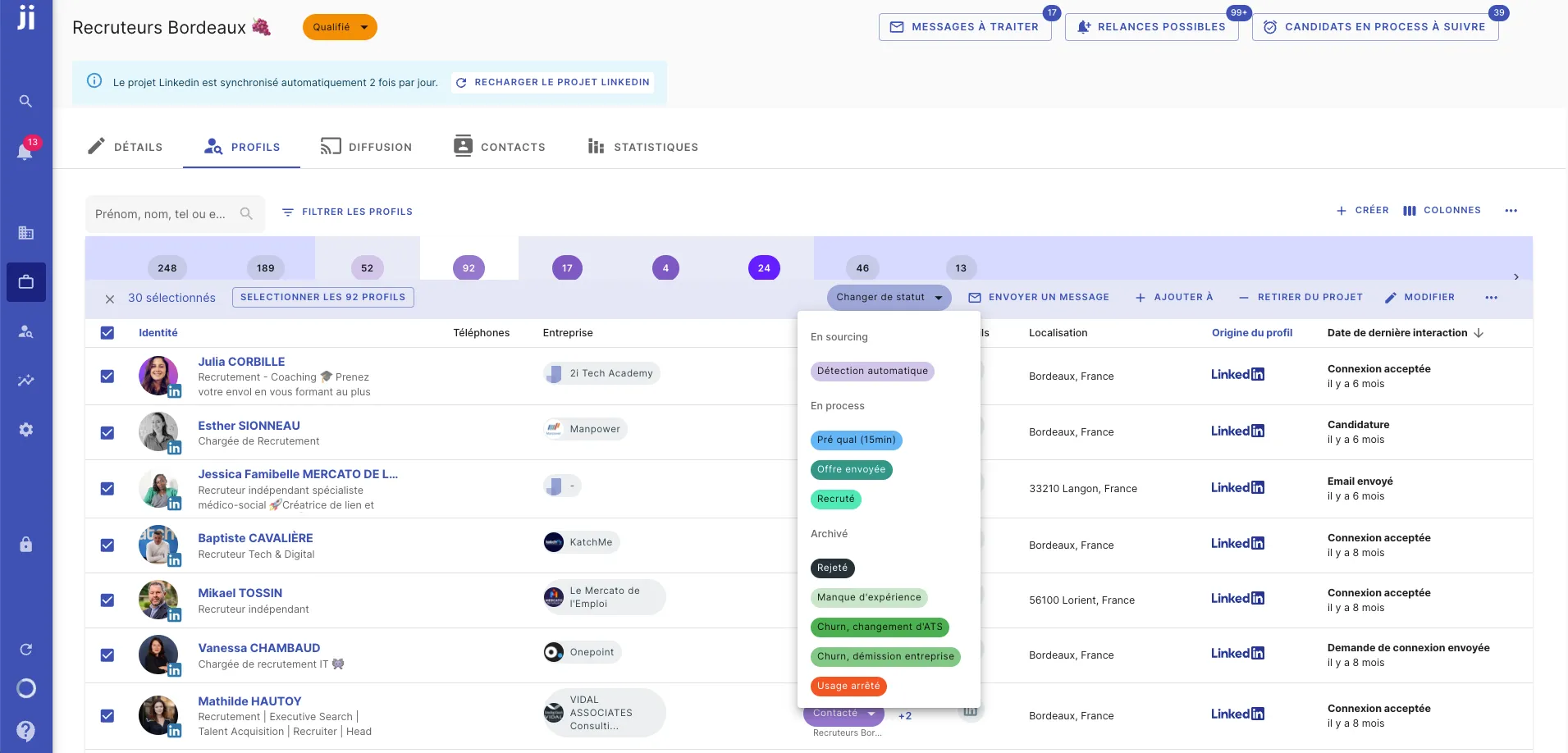
3. Change the status of multiple profiles at once
- Select multiple profiles from the list.
- Click on “Change status” in the top right corner.
- Apply the new status to the selected profiles.
How do automatic statuses work?
To save you time, Jarvi manages automatic statuses:
- Not contacted
- Contacted
- Follow-up 1
- Follow-up 2+
- Replied
- New applications
Jarvi analyzes your interactions with each profile to automatically determine its status.