LinkedIn is probably the most up-to-date source of profiles. Being able to use it effectively with Jarvi is a real competitive advantage for recruiters.
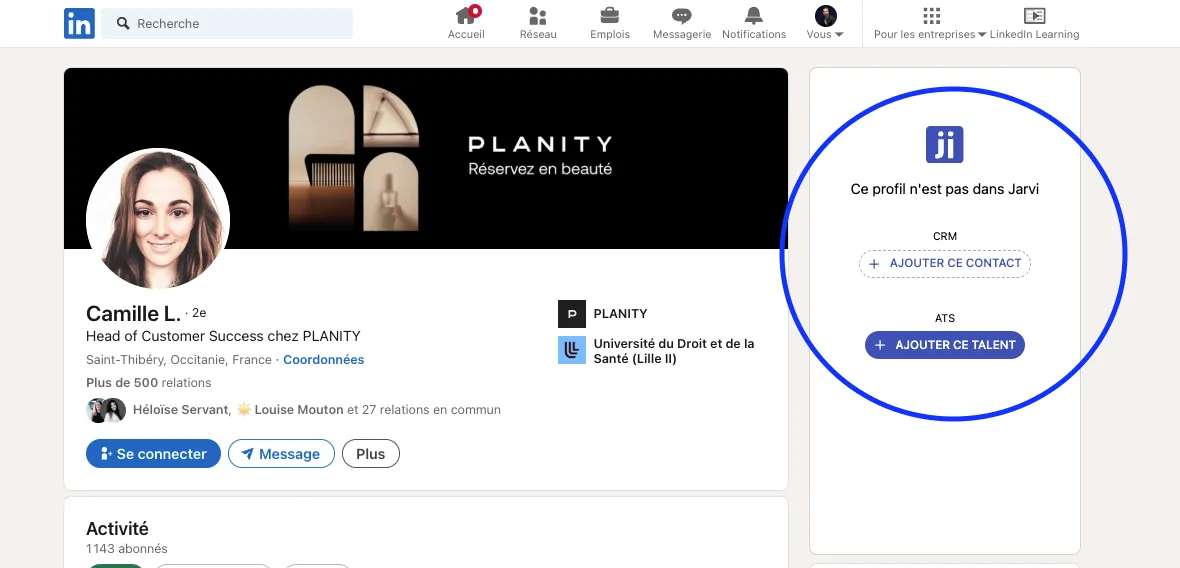
When you view a profile on LinkedIn, on the right side of the screen, a panel offers you the option to add it directly to Jarvi.
Click on “Add this talent” to add the profile to Jarvi. To learn more about the possibility of adding them as a contact, LINK DISCOVER JARVI CRM HERE
Jarvi then offers you the option to add them to one of your recruitment projects, or just to the global talent pool (without a project).
You can search for a project by name, or even write the name of a new project to create it directly from this panel.
The benefits of synchronization
Jarvi will now work for you and gather all the useful information for your activity:
- Basic information (photo, first name, last name, position)
- Contact details (email, phone)
- Experience, education, skills
- Communication history (emails, LinkedIn, InMails, WhatsApp, Telegram, appointments, etc.)
- Guess the status of this profile (contacted, followed up, replied, interview scheduled, etc.)
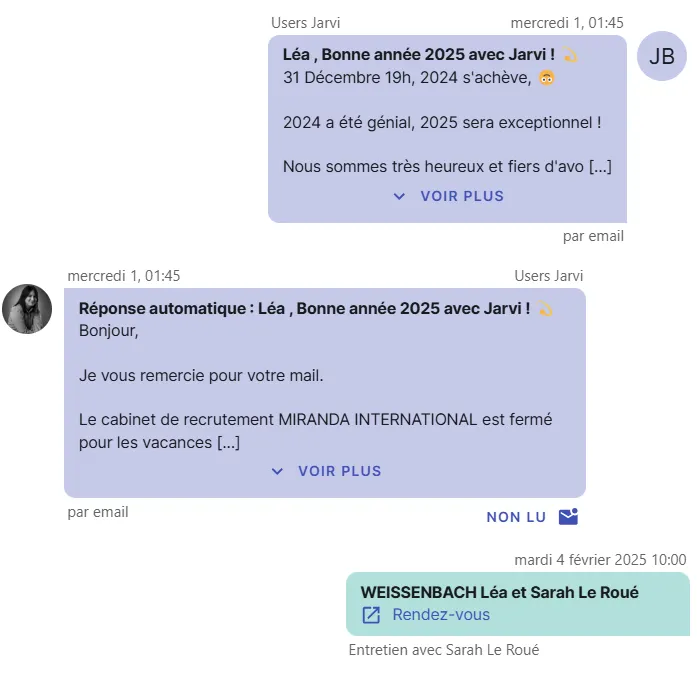
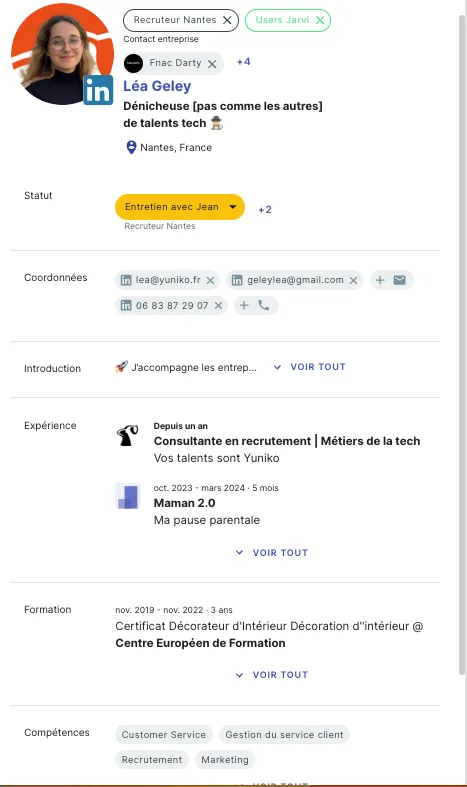
No more going back and forth between LinkedIn and the ATS! I save time every day by integrating profiles I’m interested in into Jarvi with just 1 click, along with all their important information.
Other ways to add and enrich profiles
Adding a LinkedIn profile is already convenient, but discover many other ways to import profiles into Jarvi :
- Import entire LinkedIn Recruiter projects
- Import complete Sales Navigator lists
- Import resumes
- Receive applications
- Import Excel / CSV files and enrich data
Contact these profiles directly from Jarvi
- Contact a profile individually
- Contact multiple profiles at once