Adding a company from LinkedIn
- Go to the Company page of your chosen company on LinkedIn.
- On the right side of the page, you’ll see the Jarvi extension appear.
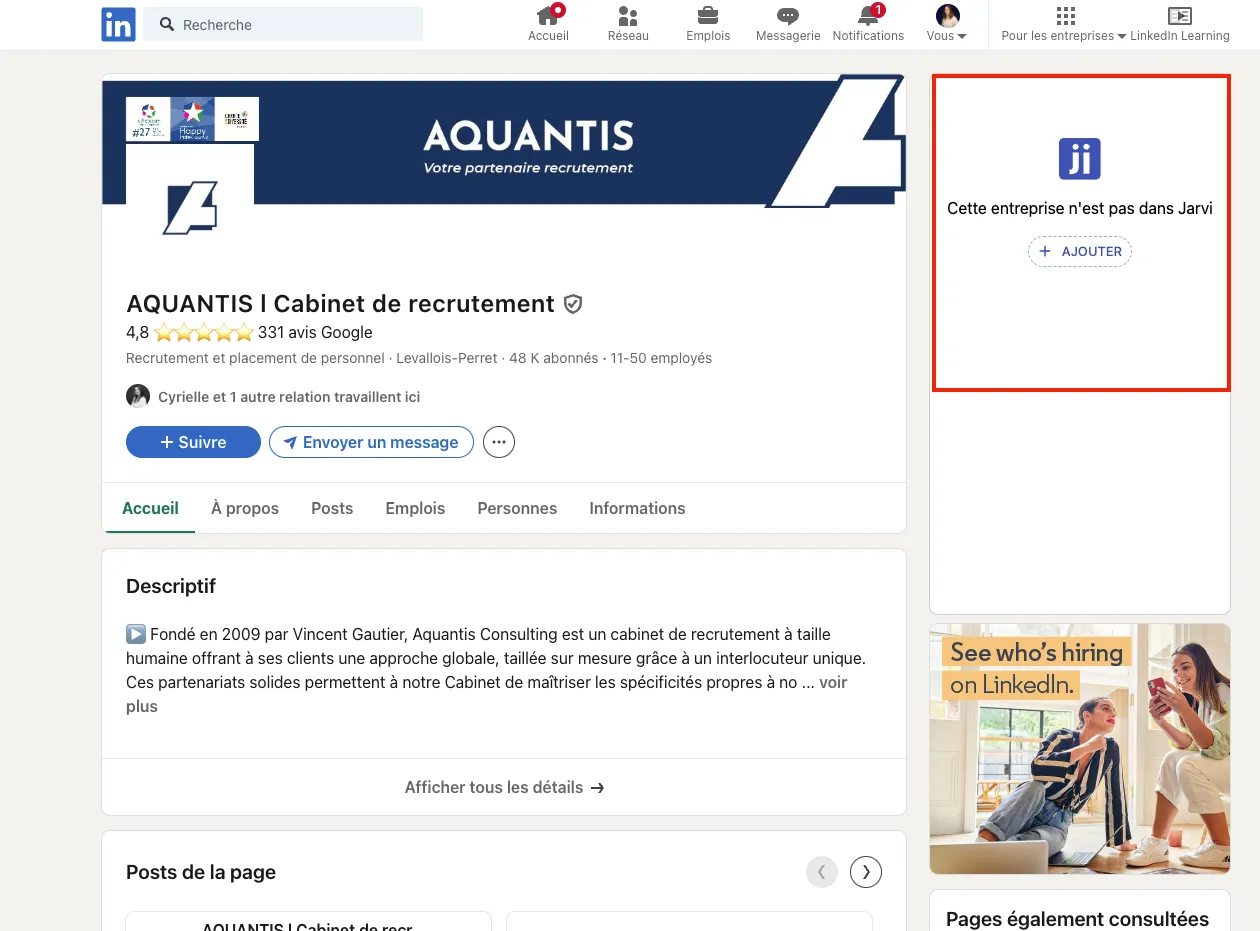
- Click on + Add to integrate this company into your Jarvi account.
Creating a company manually
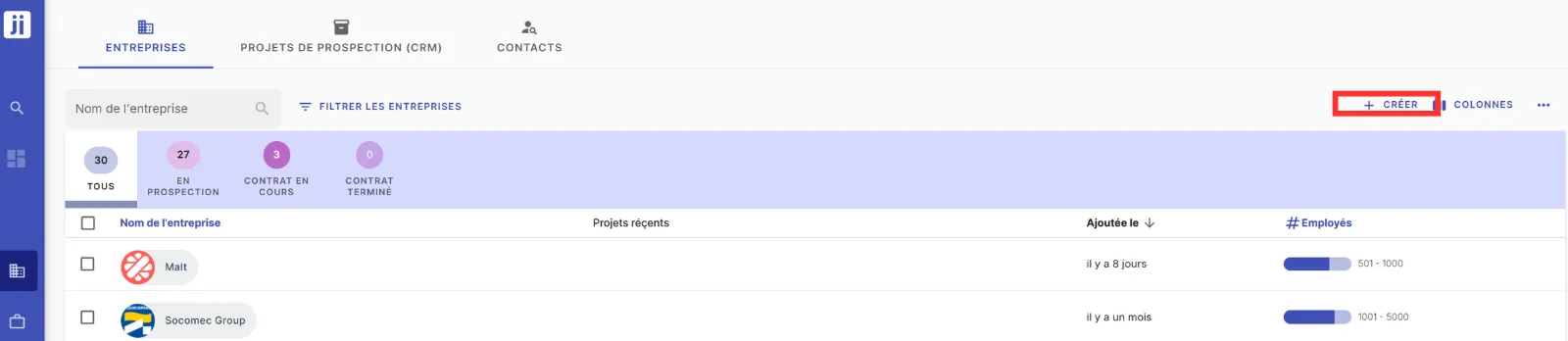
- If you want to create a company manually, go to the Companies tab in your Jarvi interface.
- Click on + Add to create a new company.
- Fill in the necessary information (name, industry, location, etc.) and save your company.
Finding your company in Jarvi
- Once the company is added, go back to Jarvi, and access the Companies tab on the left side of your screen.
- Type the name of the company you just added, and you’ll find it with all the relevant information.
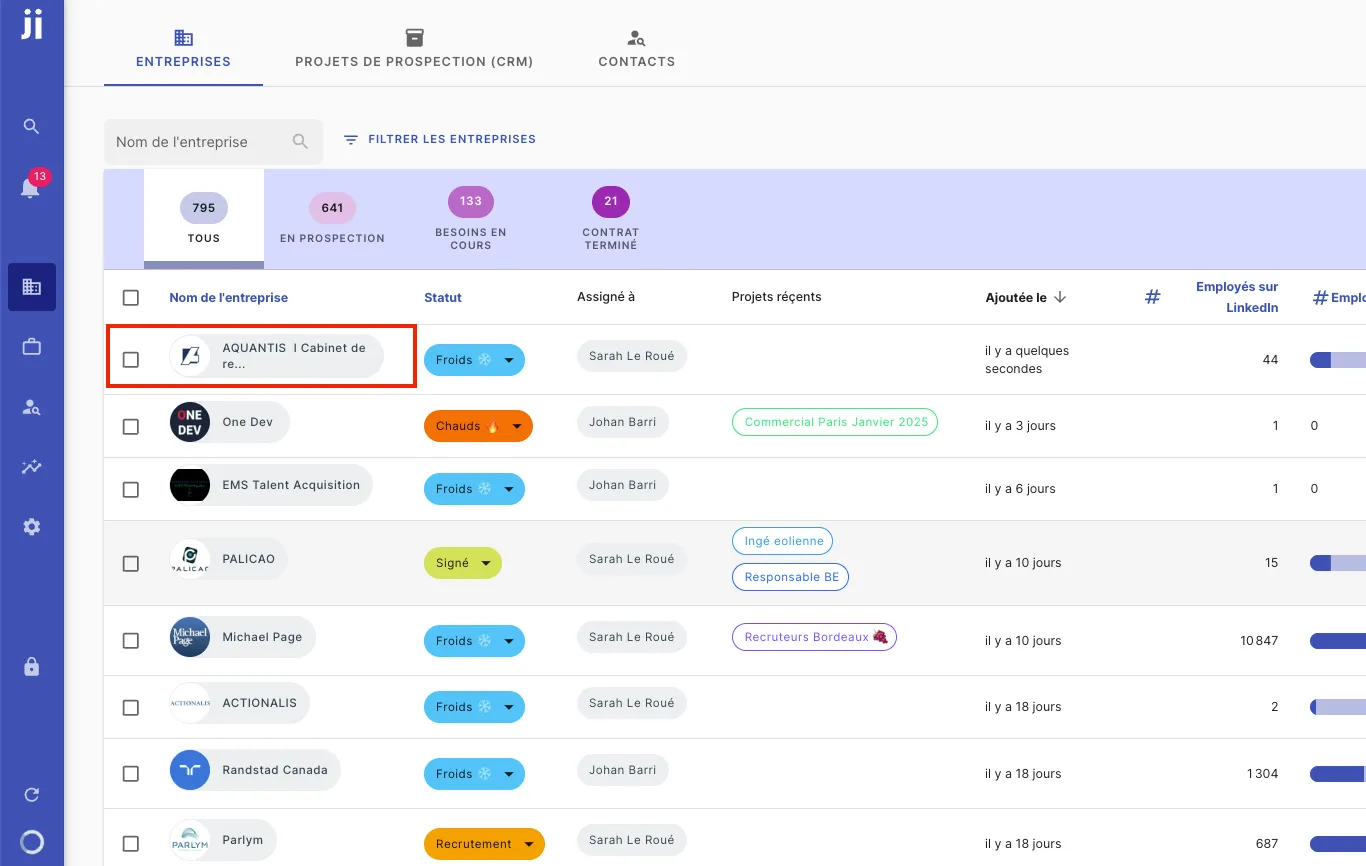
You’re all set! You’ve now added a company from LinkedIn or created a company manually in Jarvi and can easily manage its information in the Companies tab.